
Style of Arabic replies
Choose how Kauthar writes Arabic to your customers: in the customer's own dialect automatically (the default), in Simplified Standard Arabic, or in a polite Gulf, Egyptian, Levantine or Maghrebi dialect.
Overview#
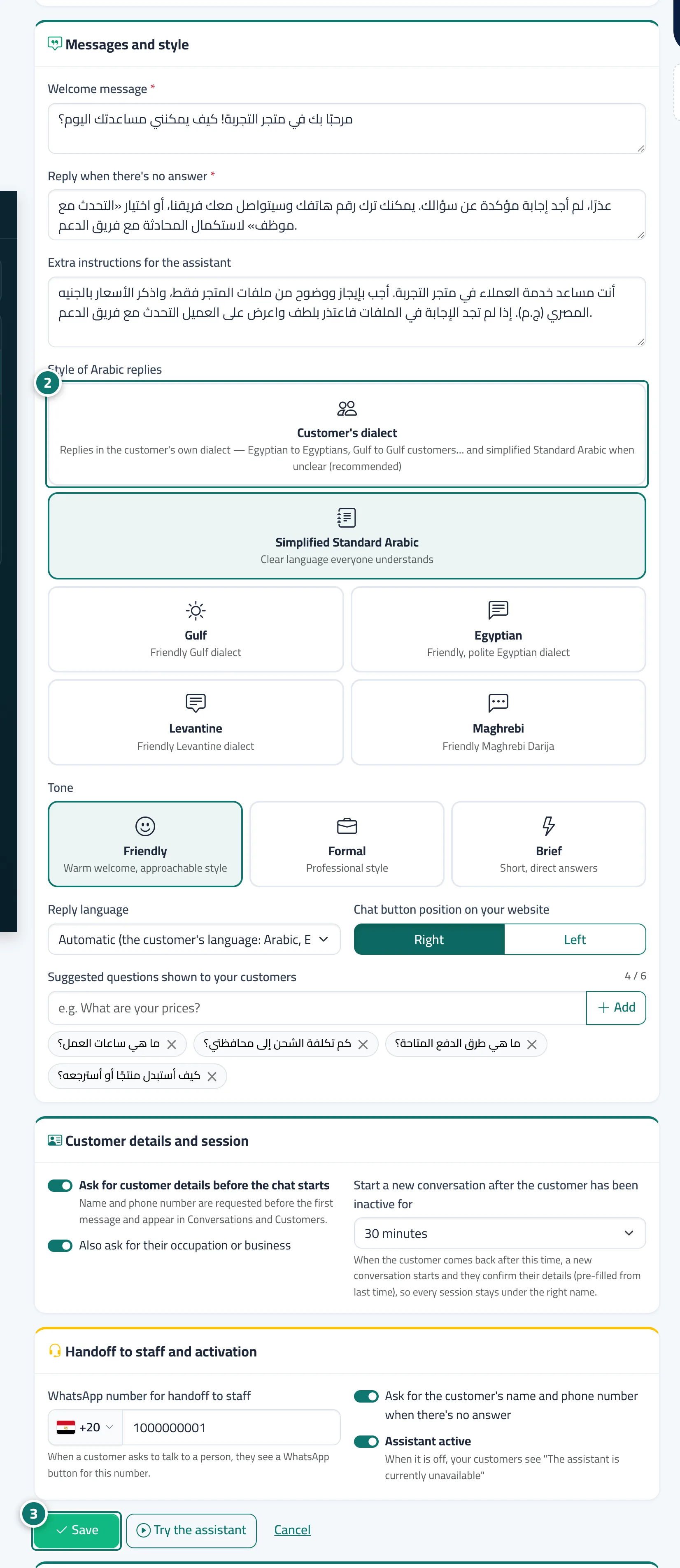
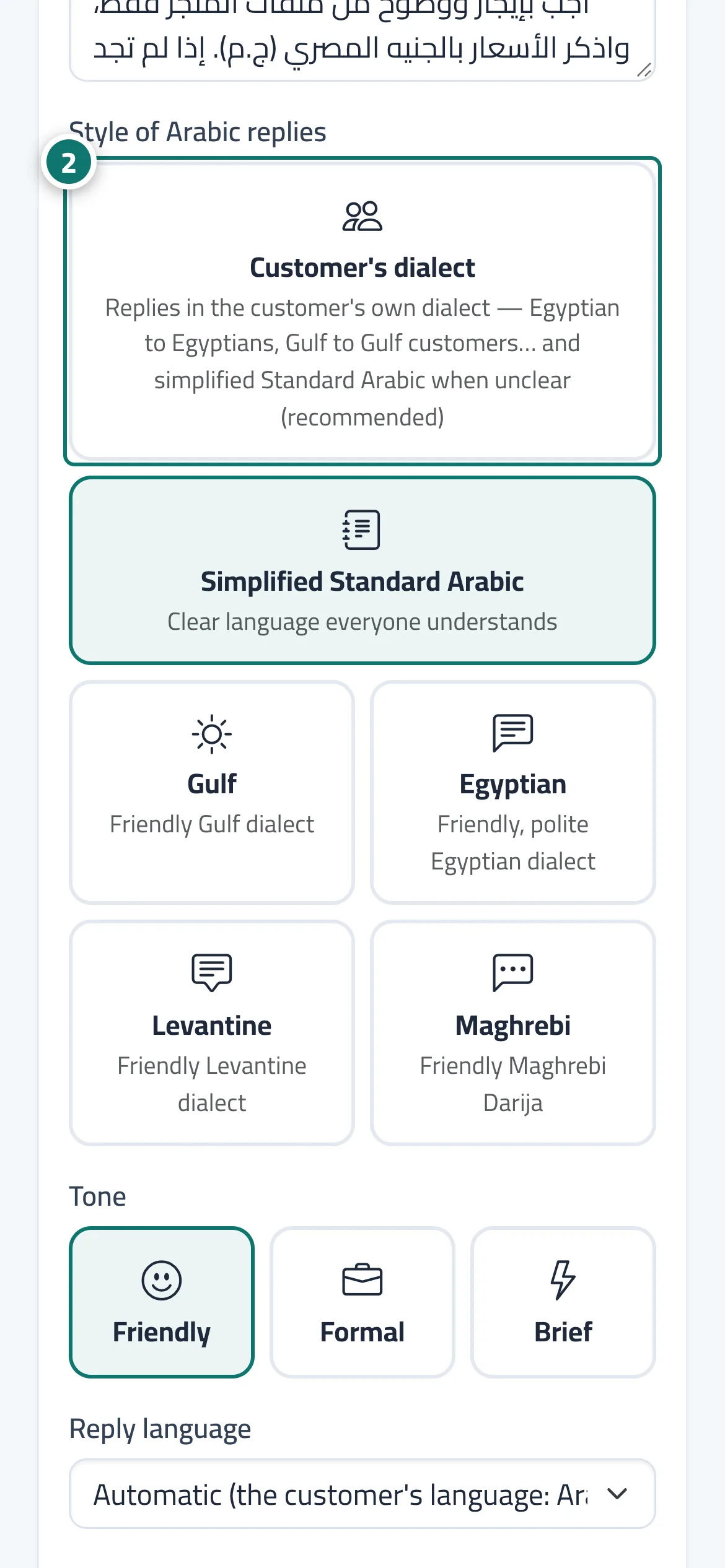
In Assistant settings, the Messages and style card has a Style of Arabic replies option with six values: Customer's dialect (the default and recommended: she replies in the customer's own dialect, Egyptian to an Egyptian, Gulf to a Gulf customer, and in Simplified Standard Arabic when the dialect isn't clear), Simplified Standard Arabic (clear language everyone understands), Gulf, Egyptian, Levantine and Maghrebi (a friendly, polite style in each dialect). The style applies to the AI assistant's replies in Arabic, and works together with the Reply tone (Friendly / Formal / Brief) to shape her personality.
- Who can use it
- Business owner / admin
- Where to find it
- Sidebar → Account → Assistant settings → Messages and style
Step by step#
- Open Assistant settings.
- In the Messages and style card, choose the style under Style of Arabic replies.
- Press Save.
- Test the result in Try the assistant before publishing it to your customers.
Tips#
Good to know#
Frequently asked questions#
Does the style of past conversations change?
No. The new style applies only to replies sent after you save.
Which style do you recommend?
Customer's dialect is the recommended default, and you can switch at any time.