
Comments: replying to Facebook, Instagram and YouTube comments
All the comments on your posts on one screen: reply publicly or privately, or hide or delete a comment, while Kauthar sets spam aside automatically.
Overview#
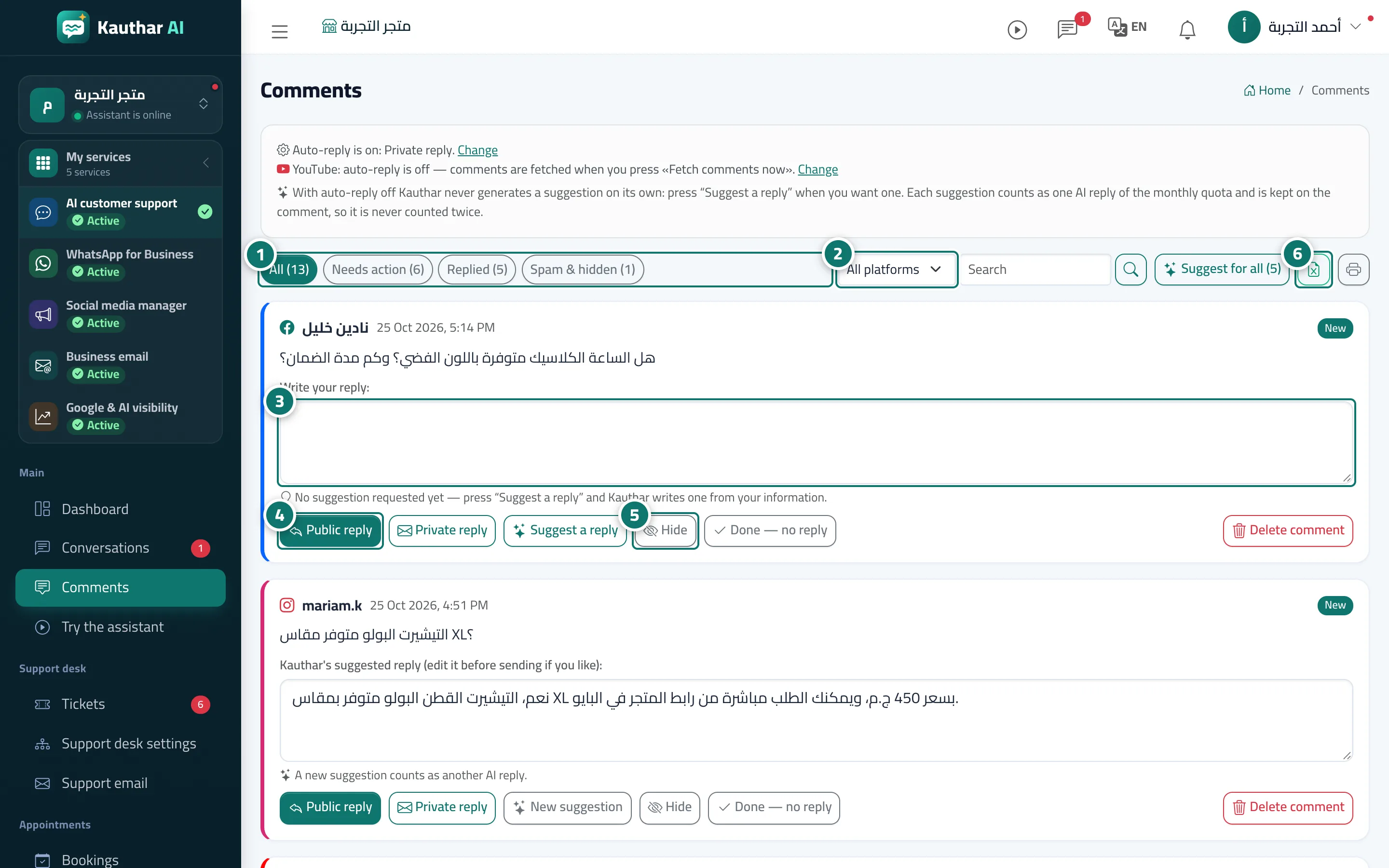
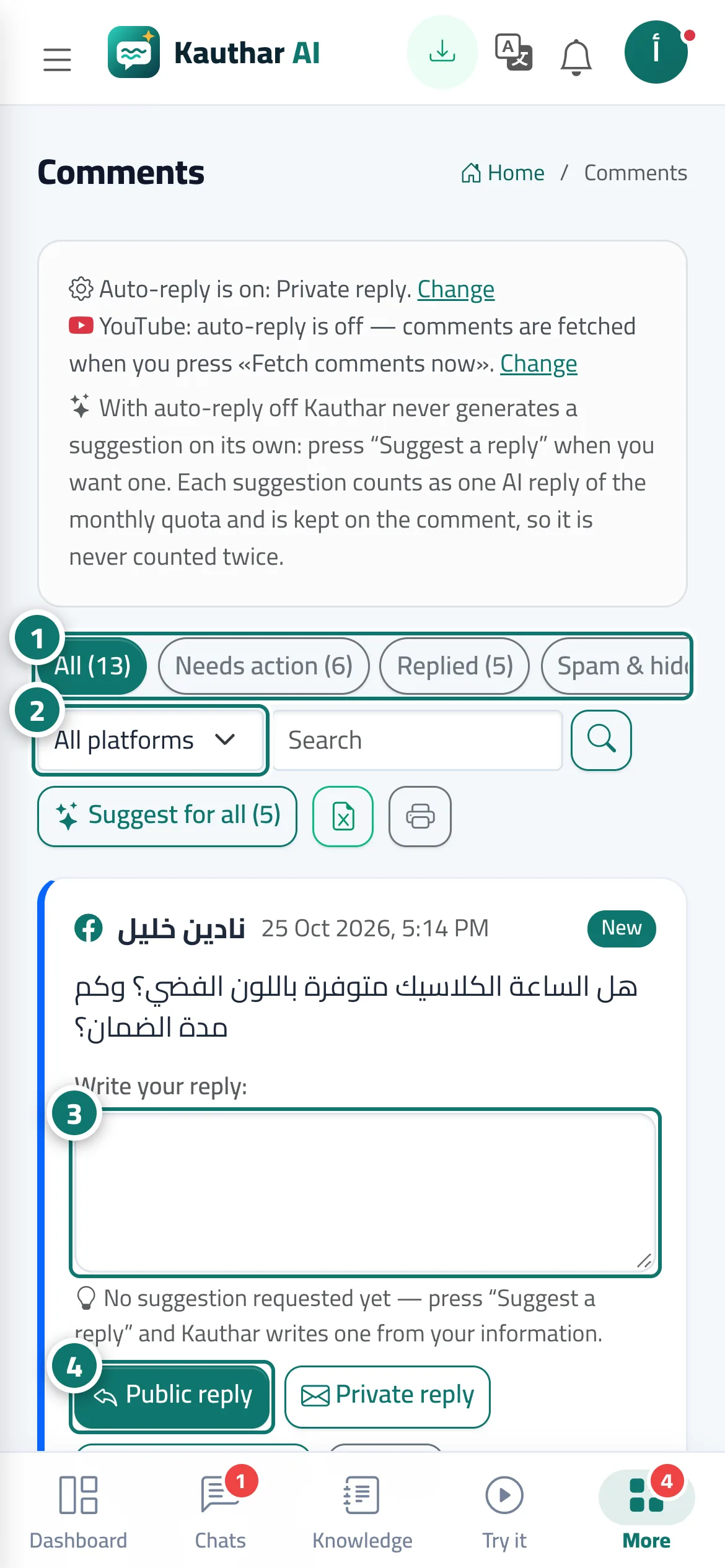
The Comments screen gathers the comments on your Facebook page's posts, your Instagram account and your YouTube channel (and on your LinkedIn company page once LinkedIn approves). At the top a line shows the current reply mode with a Change link, then the filters All, Needs action, Replied and Spam & hidden with counts, an All platforms list and a search over the comment text and the author's name. Each comment is a card in its platform's colour: author, time, status (new, replied publicly, replied privately, team notified, ignored, spam, hidden, sending failed) and a Post link, with the reply box and buttons below.
- Who can use it
- Business owner / manager / agent allowed to handle comments
- Where to find it
- Sidebar → Main → Comments
Step by step#
- Choose a filter (such as Needs action) to see the comments waiting for your reply.
- Pick a platform from All platforms or search for a word, then click the search button.
- Type your reply in the comment's box (or edit the suggested reply).
- Click Public reply to post your reply under the comment, or Private reply to send it as a Messenger or Instagram message.
- Use Hide, Done — no reply or Delete comment as needed.
- Export the list to Excel or print it on A4 from the two buttons above the list.
Tips#
Good to know#
Frequently asked questions#
Does Kauthar reply to comments on its own?
Only if you turned on auto-reply; it then replies when it finds an answer in your information and notifies your team otherwise. With it off, every comment waits for your approval here.