
Suggested replies to comments, on request
Click “Suggest a reply” on any comment and Kauthar writes a reply from your information for you to review before sending, or suggest replies for all comments in one go.
Overview#
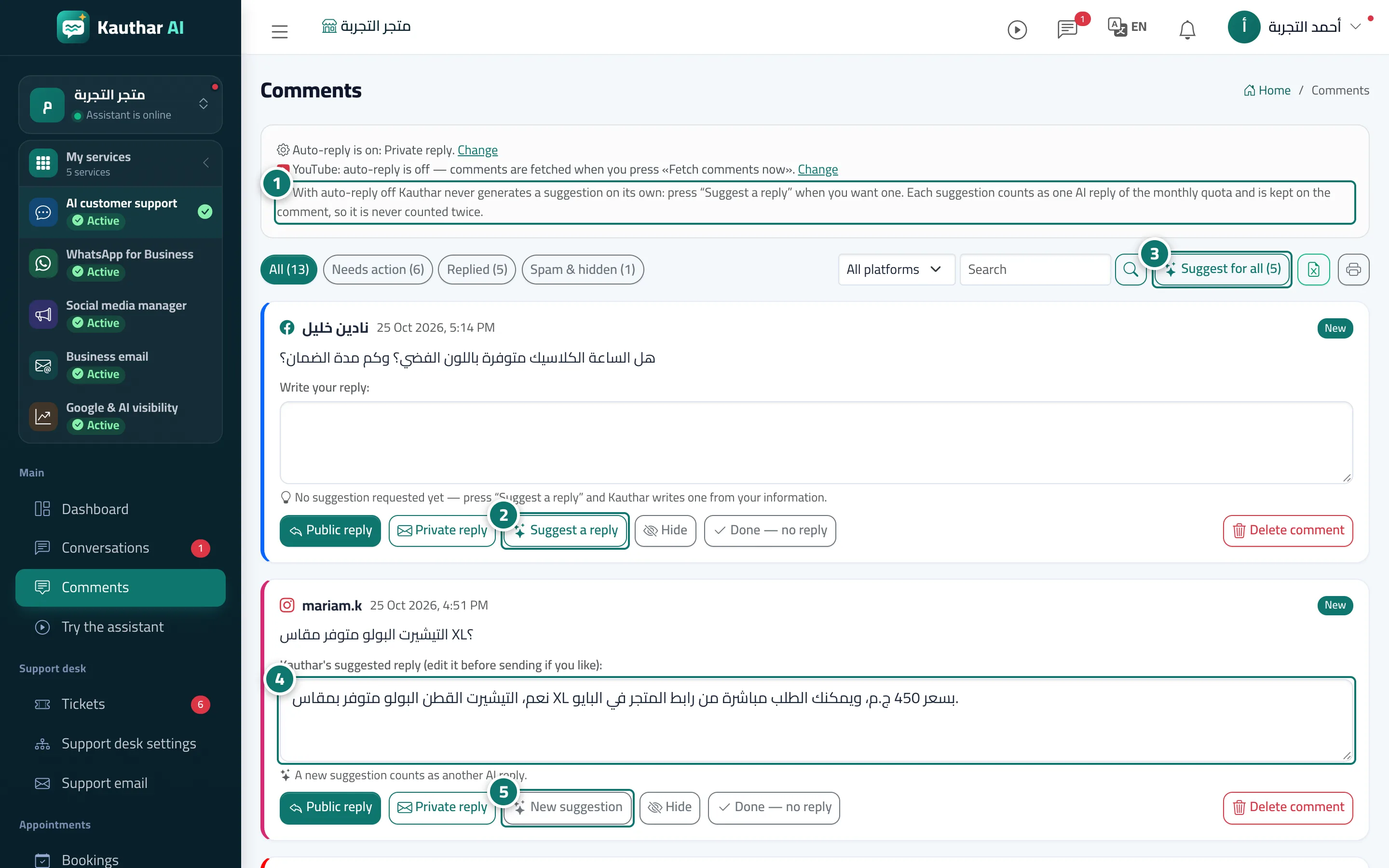
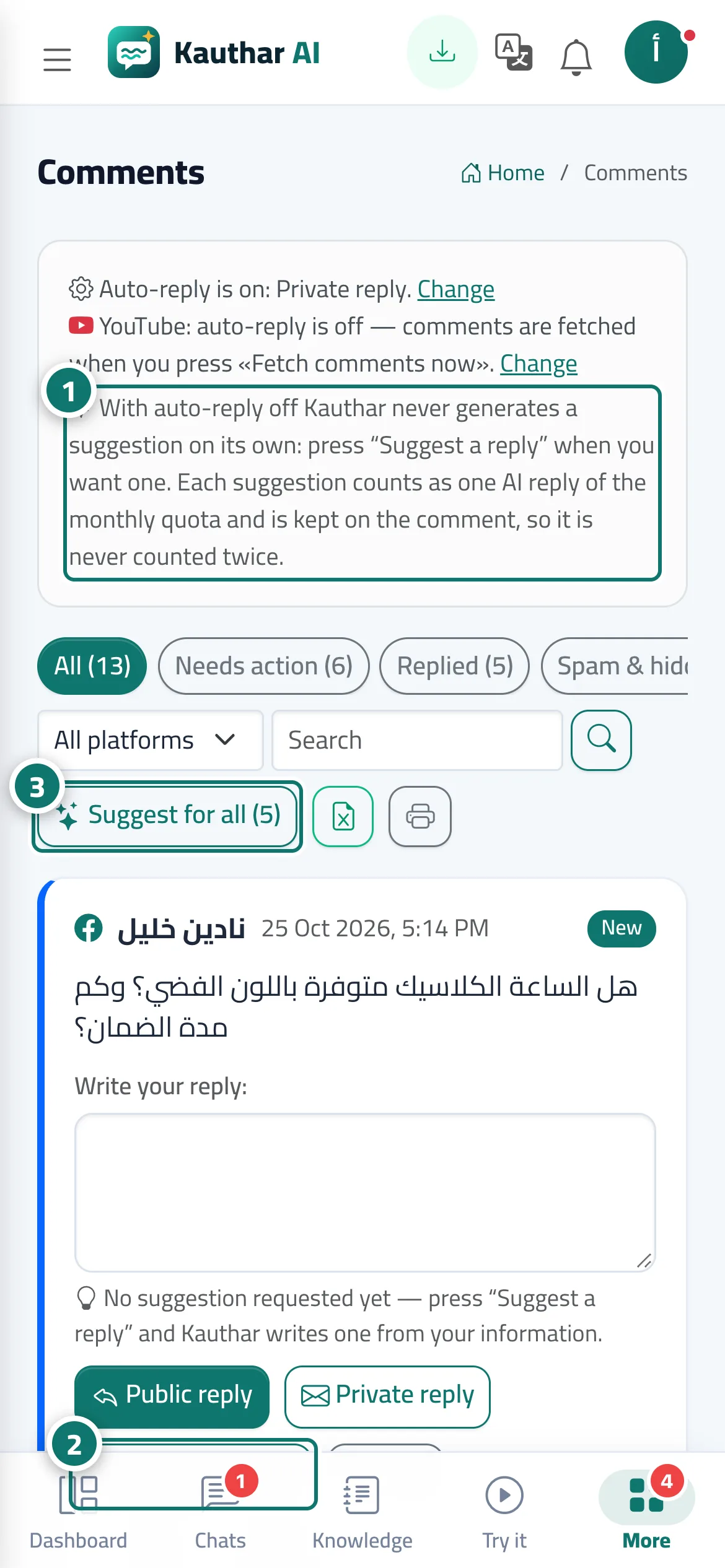
With auto-reply off (or set to Notify the team only), Kauthar writes no suggestion on its own, and each comment shows that no suggested reply has been requested yet. The Suggest a reply button writes a reply into the comment's box within seconds from your business information, and the heading above the box shows whether Kauthar found a confirmed answer or not (in which case you should check the reply or write your own). The button then becomes New suggestion. The suggest-for-all button at the top of the list suggests a reply for every visible comment that has none yet, one after another.
- Who can use it
- Business owner / manager / agent allowed to handle comments
- Where to find it
- Sidebar → Main → Comments
Step by step#
- Check the allowance line at the top of the screen (AI replies this month).
- Click Suggest a reply under the comment; the suggested reply appears in the box.
- Or click the suggest-for-all button to prepare replies for all visible comments.
- Edit the suggested reply if you like, then click Public reply or Private reply.
- If the suggestion doesn't suit you, click New suggestion.
Tips#
Good to know#
Frequently asked questions#
Where does Kauthar get the reply from?
From your own business information (knowledge base and fixed answers), using the Kauthar cloud engine (Google Gemini), in the comment's language.