
Business details, country and currency
Your business name, phone, email and address, plus its country, price currency and time zone in one place; they are used on your screens, the chat page, bookings and printouts.
Overview#
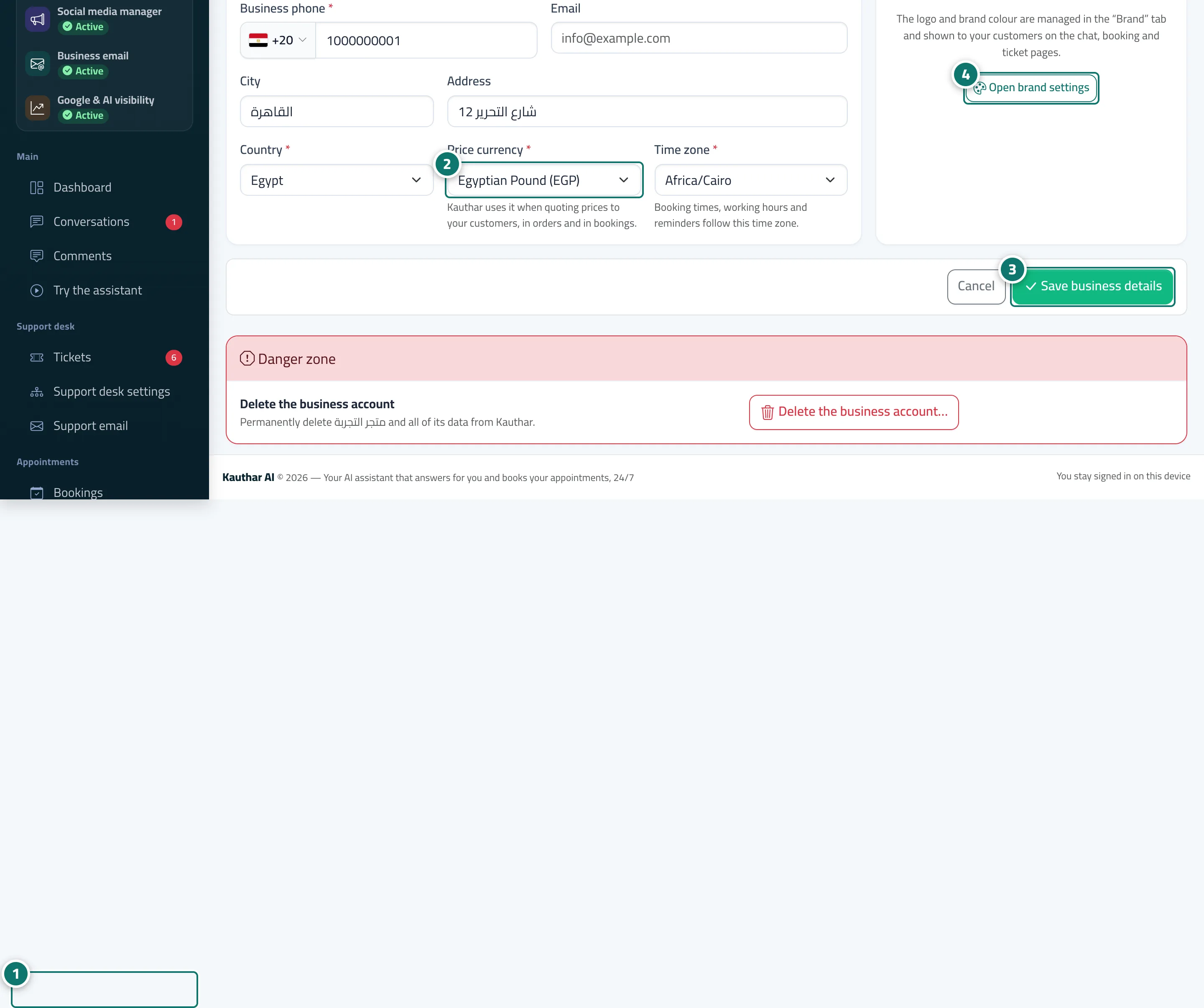
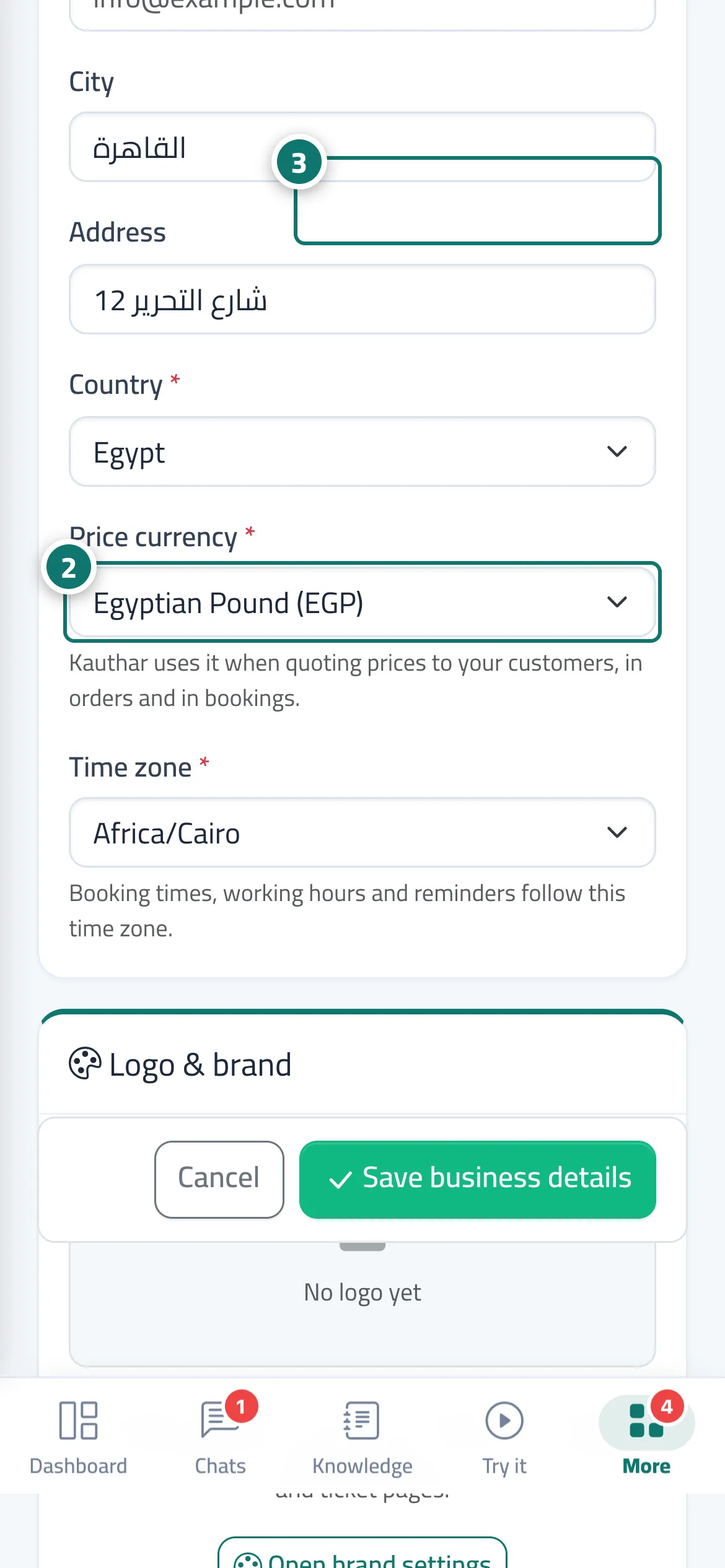
The Business details tab in Settings & subscription holds the business name (shown at the top of your screens and on your customers' chat page), the business type (display only), the business phone (with the country), email, city and address, then the country, the Price currency (which Kauthar uses when quoting prices to your customers, and in orders and bookings) and the Time zone (booking times, working hours and reminders are calculated in it). The logo and brand colour are managed from the neighbouring Brand tab. At the bottom of the page, the owner has a Danger zone with Delete the business account….
- Who can use it
- Business owner / admin
- Where to find it
- Sidebar → Account → Settings & subscription → Business details tab
Step by step#
- Open Settings & subscription.
- Edit the details in the Business details tab, and choose the right country, currency and time zone.
- Press Save business details.
- To change the logo or colour, press Open brand settings.
Tips#
Good to know#
Frequently asked questions#
I changed the business name. Does the chat link change?
No. The link is changed from Channels → Change the link name.
Our customers are in another country. Does Kauthar quote prices in their currency?
Kauthar quotes prices in the Price currency you choose here, and the same currency is used in orders and bookings.
I requested the business deletion by mistake. How do I undo it?
Sign in with the owner's phone number and password within 14 days and press Cancel the deletion request (see Deleting the business account or your personal account).