
Managing and renewing your AI customer support subscription
The «Subscription» page for the «AI customer support» service: your plan, its end date and your usage, plus renewing, changing plan and paying online in minutes.
Overview#
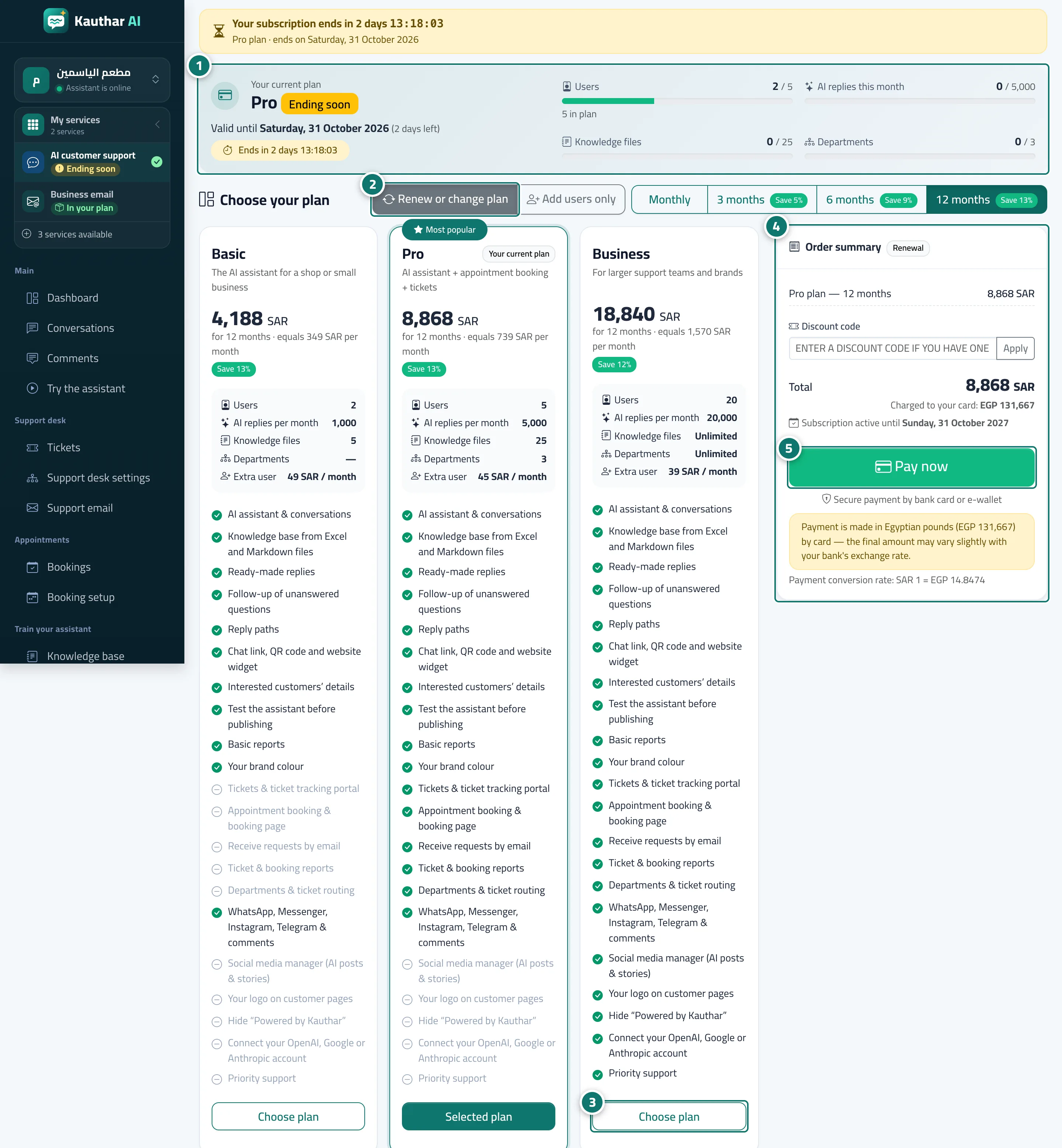
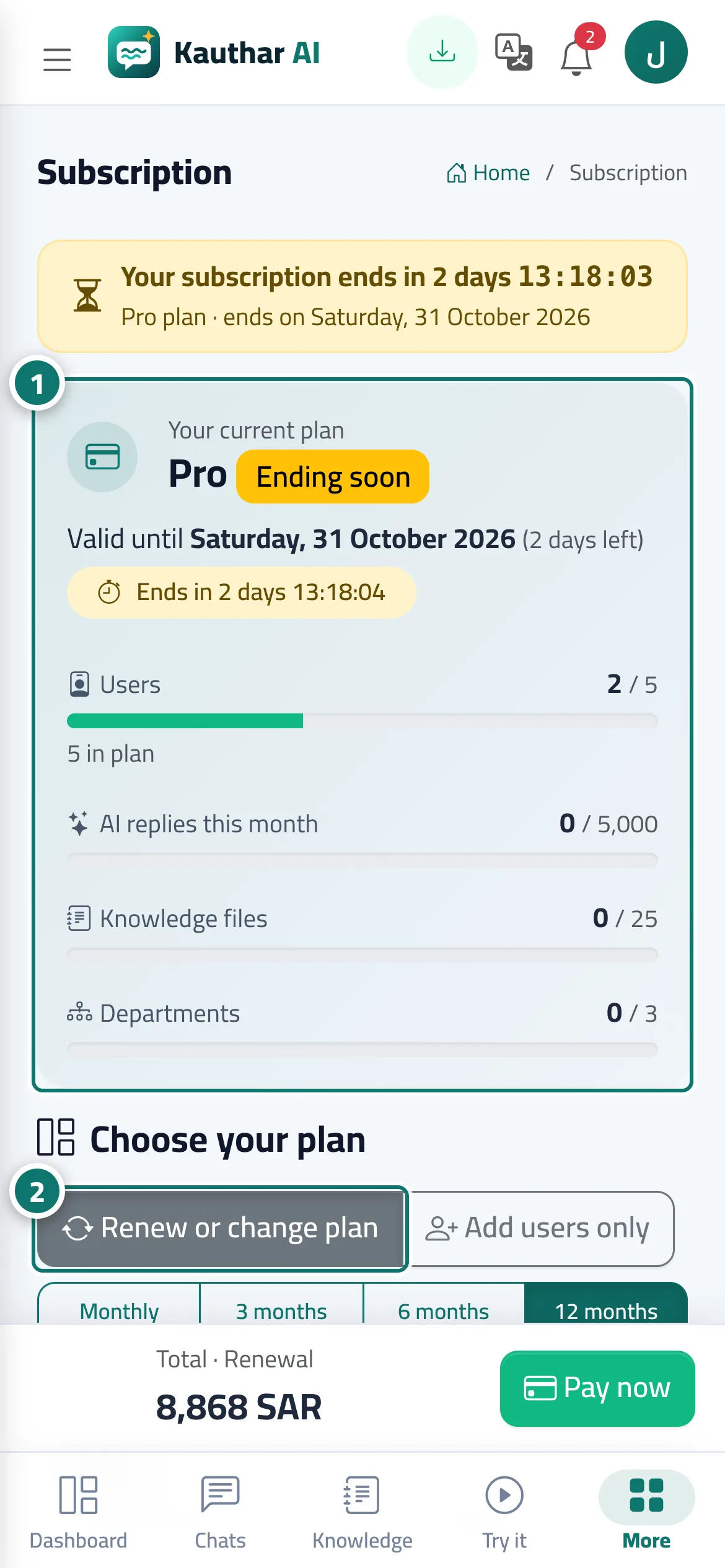
The Subscription page belongs to the AI customer support service (every other service has its own subscription page). At the top, the Your current plan card shows the plan name and status (active, free trial, ending soon, ended, fee-exempt account), the Valid until date with the days left, and an Ends in … countdown as the end approaches. Next to it are four usage meters: users, AI replies this month, knowledge base files and departments; a meter turns yellow at 80% and red when full. From the same page you renew or change the plan, add users or add-ons, and pay online, and the subscription activates automatically as soon as the payment is confirmed. The Subscription tab in Settings shows a summary of the status and payments with a Plans & subscription button, and you can also reach the page from the menu under your name → Subscription.
- Who can use it
- Business owner / admin (payment) · staff (view only)
- Where to find it
- Sidebar → Account → Settings & subscription → Subscription tab → Plans & subscription
Step by step#
- Open the Subscription page and review the Your current plan card and the usage meters.
- To renew the same plan, keep Renew or change plan selected and choose Monthly, 3 months, 6 months or 12 months; your current plan carries the Your current plan badge.
- To change plan, press Choose plan on another plan.
- Set the number of Extra users if you need them, and review the Order summary: the type of operation (renewal, plan upgrade, new subscription), the items, the Total and the Subscription active until date.
- Press Pay now. After paying you return to the page with Payment successful — thank you. and a Receipt button, and you get a Subscription renewed or Subscription activated alert.
Tips#
Good to know#
Frequently asked questions#
I renewed a week before the end. Do I lose that week?
No. Renewing the same plan starts the day after your current subscription ends.
I paid but the subscription didn't activate right away. What do I do?
If you see Confirming the payment with the gateway, wait a moment; the page updates automatically. If you see The payment wasn’t completed, you can try again.
Which payment methods are available?
Payment is online and secure, by bank card or e-wallet, and the Order summary shows the amount that will actually be charged and the exchange rate from your currency. For a bank transfer or any other method, contact us and we record the payment manually.