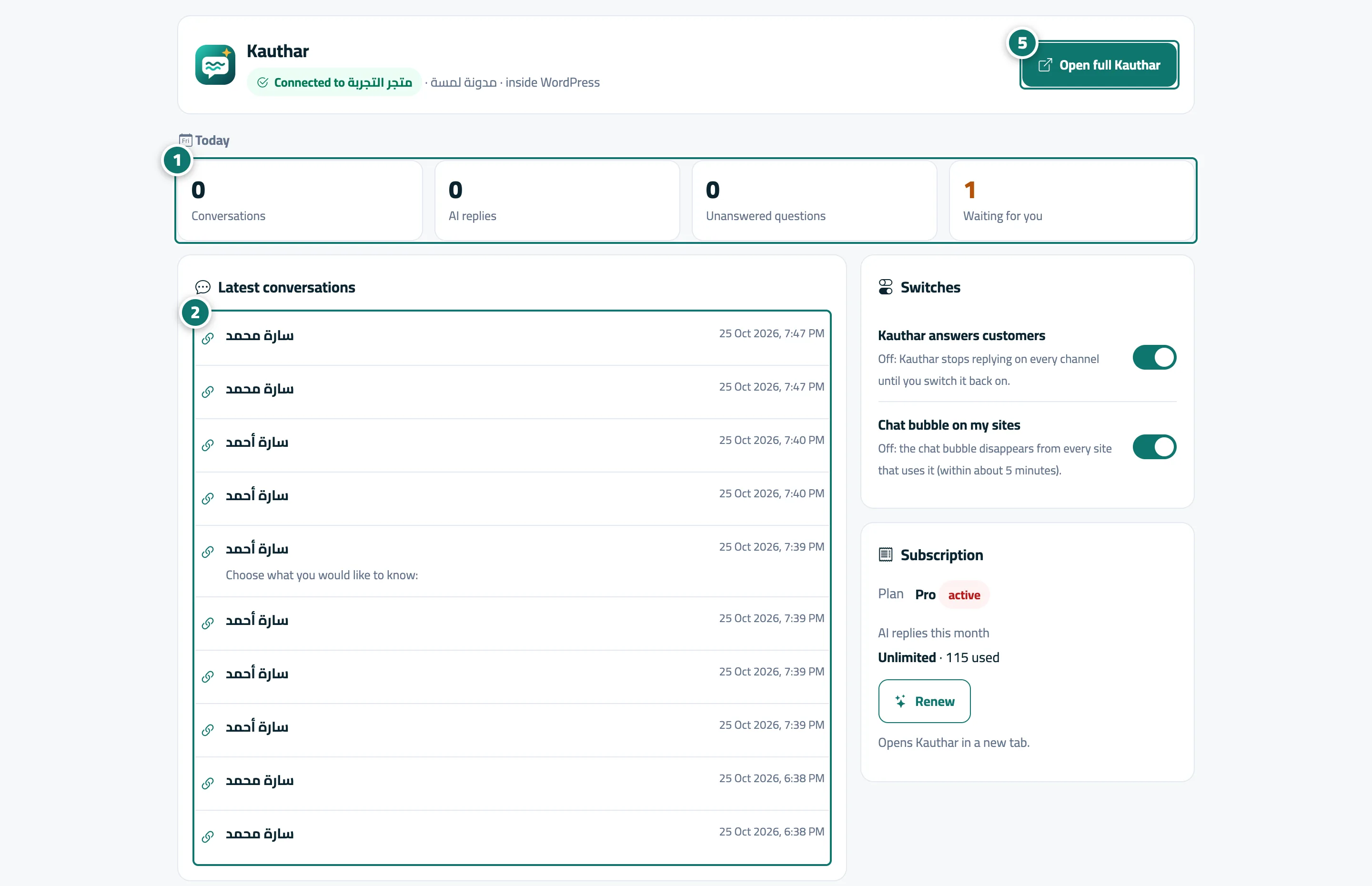
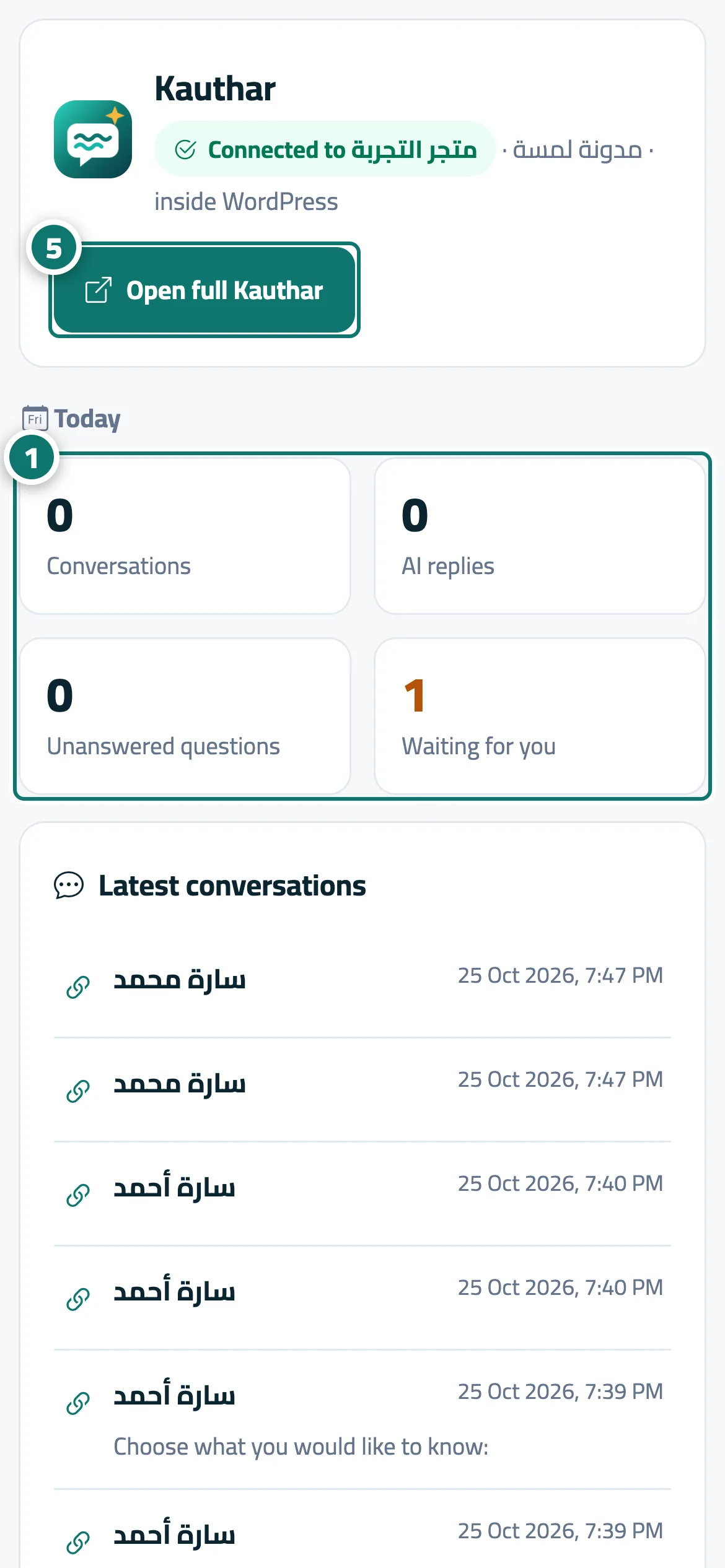
The Kauthar panel inside your store or website admin
From inside the WordPress, Wix, Shopify, YouCan, Salla or Zid admin: today's numbers, the latest conversations with your own reply, the «Kauthar answers customers» and «Chat bubble on my sites» switches, your subscription, and «Open full Kauthar».
On this page
Overview#
Once your store or site is connected through the Kauthar app or plugin, a Kauthar page appears inside that platform's own admin. It shows Today (conversations, AI replies, unanswered questions, waiting for you) and Latest conversations (last 10) — open one, type Your reply and press Send: it reaches the customer on their channel as if you replied in Kauthar. Switches has two switches: Kauthar answers customers and Chat bubble on my sites. Subscription shows the plan, state, days left and this month's AI replies with Renew or Upgrade. Open full Kauthar opens your account in a new tab with a one-time automatic sign-in.
- Who can use it
- The owner or admin who connected the store or site
- Where to find it
- Your store/site admin → Kauthar menu (WordPress: plugin menu · Wix: app page · Shopify, YouCan, Salla, Zid: the app page in the admin)
Step by step#
- Check the Today numbers.
- Open a conversation from Latest conversations, type your reply and press Send.
- Use the two Switches to pause or resume Kauthar or the chat bubble.
- Check Subscription and press Renew or Upgrade when needed.
- Press Open full Kauthar to go to the full Kauthar dashboard.