
The user guide inside Kauthar
Every Kauthar screen explained step by step with numbered computer and phone screenshots, instant search by your question, and an A4 book ready to print.
Overview#
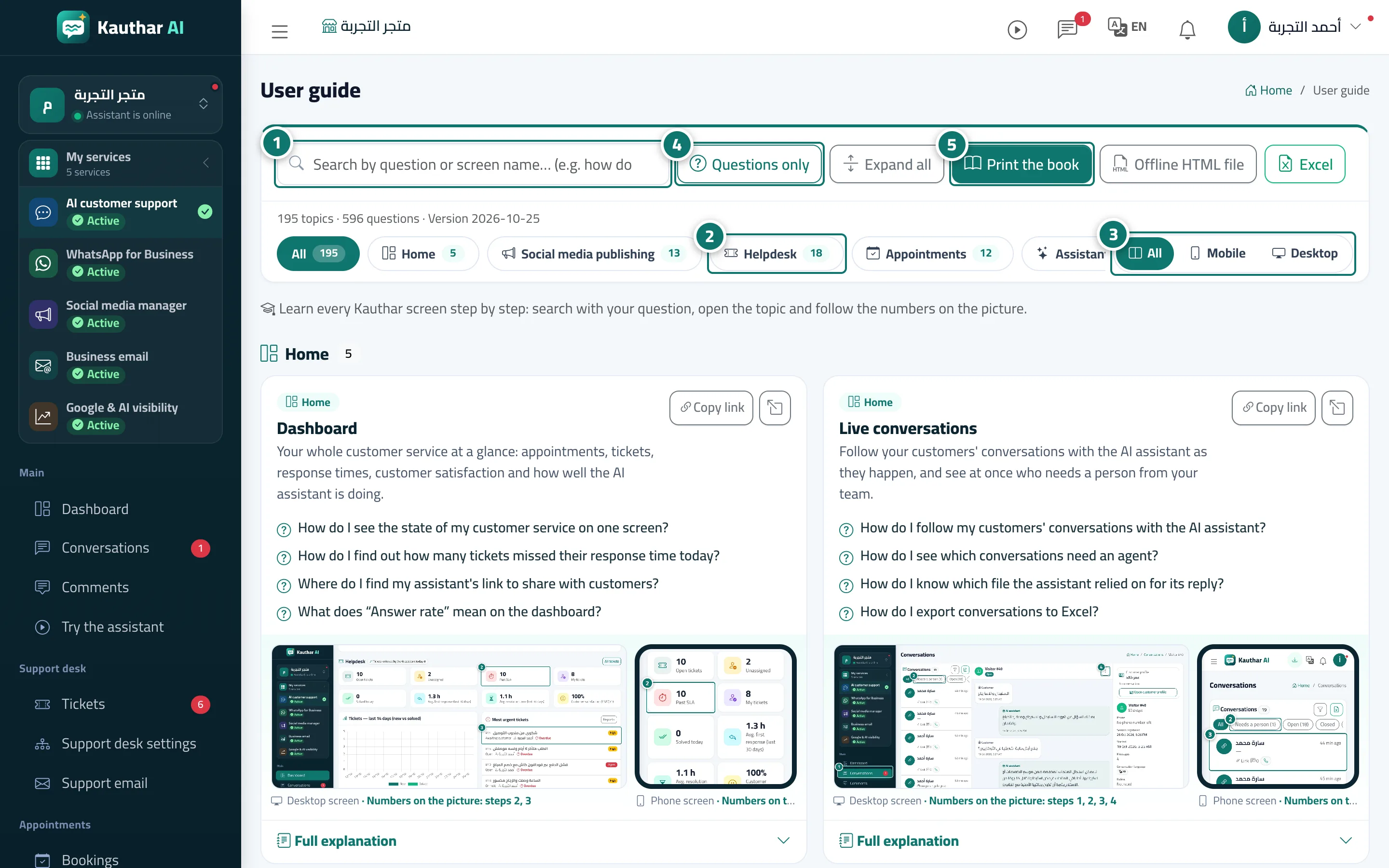
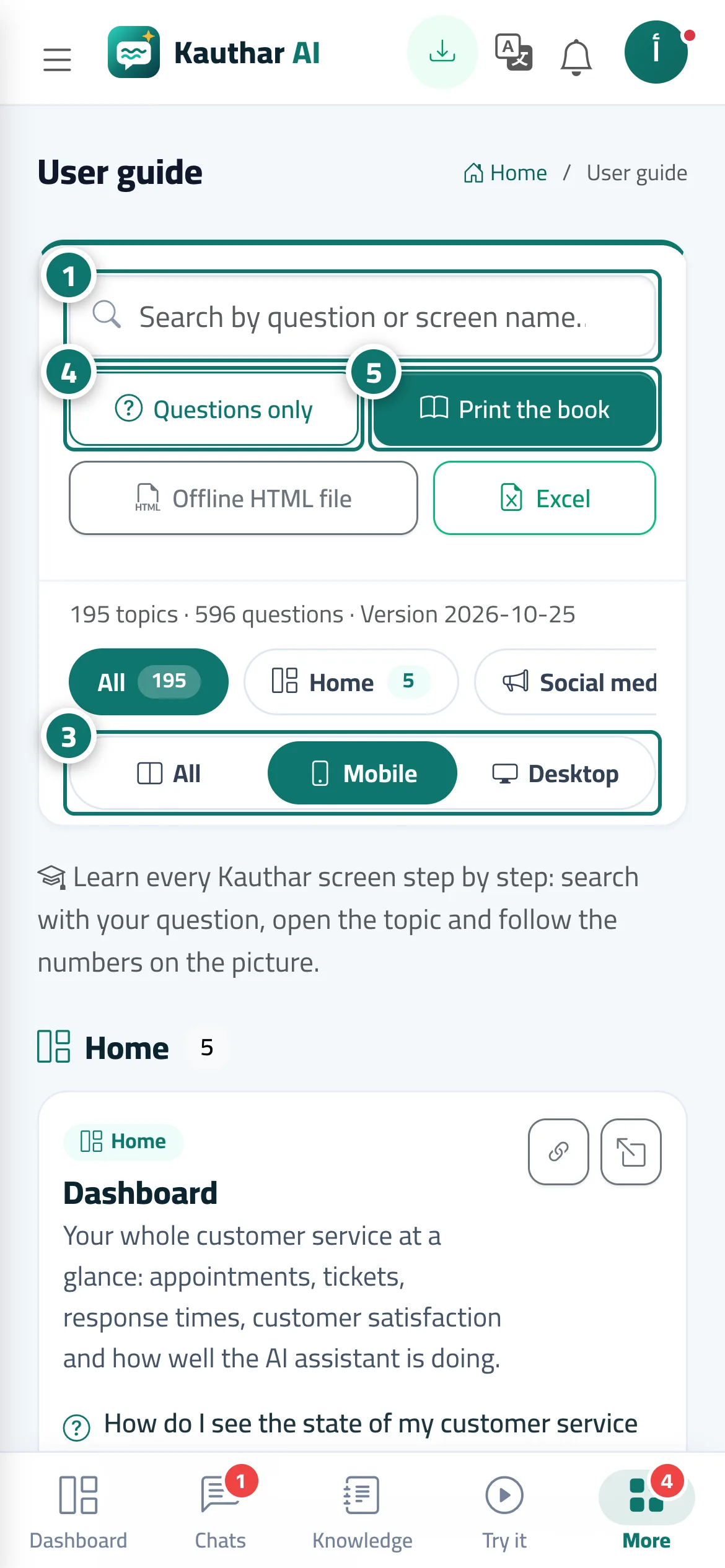
The User guide is a page available to every member of your team that brings together all Kauthar topics, arranged by the sections of the sidebar. Each topic has the How do I…? questions it answers, a computer screenshot and a phone screenshot with numbered circles, and under Full explanation: what the feature is, who it's for, where to find it, the steps (each step's number is the circle's number on the picture), tips, limits to know, and FAQs. At the top of the page is an instant search that ignores diacritics and spelling variants of Arabic letters, section buttons, a Questions only button and the Screenshots switch: All shows the computer and phone pictures side by side, Mobile shows only phone pictures, and Desktop shows only computer pictures.
- Who can use it
- Business owner / manager / staff member
- Where to find it
- Sidebar → Help & learning → User guide
Step by step#
- Type your question or the screen's name in the search box, and matching topics appear instantly with the words highlighted.
- Tap a section name (such as Support desk or WhatsApp Business) to show only its topics.
- Under Screenshots, choose All, Mobile or Desktop depending on the device you want explained.
- Tap Questions only to see the list of questions, then tap any question to open its topic.
- Tap Print the book to open the whole guide as A4 pages with a table of contents, then save it as PDF or print it.
Tips#
Good to know#
Frequently asked questions#
Does a staff member need a permission to open the guide?
No. The user guide is available to anyone who signs in to your business account.
Can Kauthar answer me instead of searching the guide?
Yes. Type your question in Support, and Kauthar answers from the same content as this guide, with the numbered screenshots.