Publish an article yourself on a site that can't publish automatically
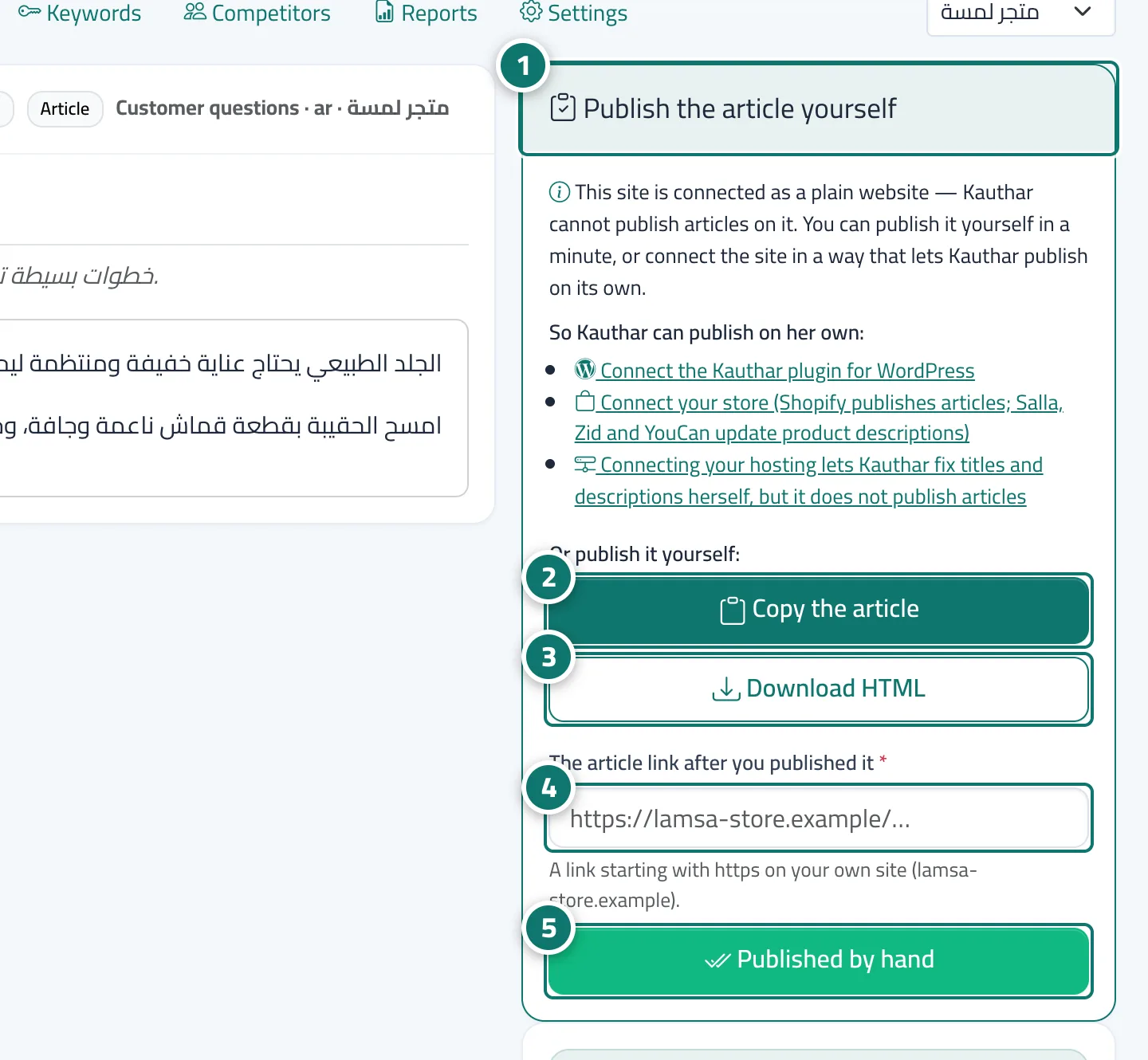
On a plain website Kauthar cannot publish articles, so the article reaches you «Ready to publish by hand»: copy it or download it as HTML, publish it on your site in a minute, then paste its link and click «Published by hand».
On this page
Overview#
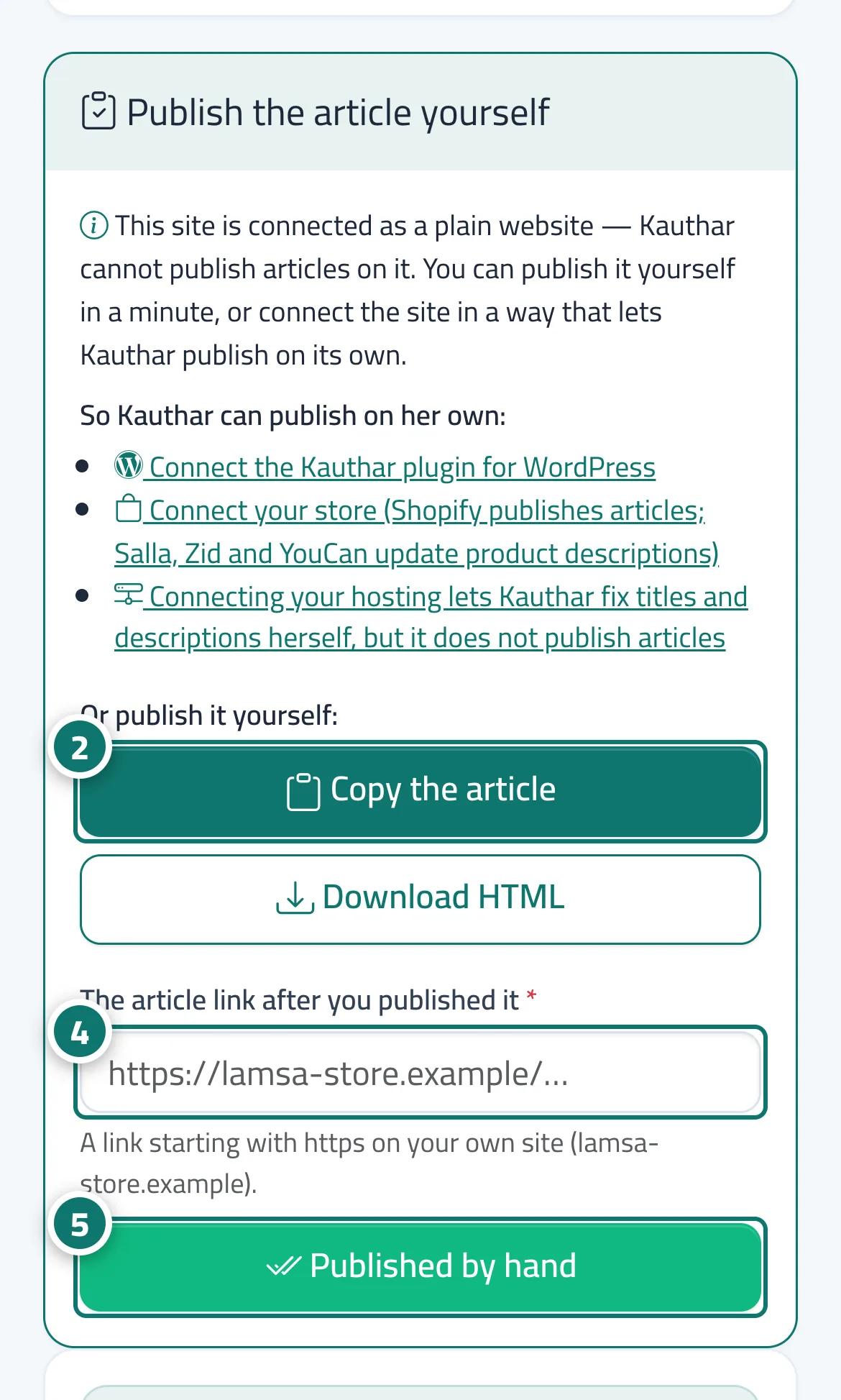
If your site is connected as a plain website (a link, the Kauthar tag or a hosting connection), Kauthar cannot create articles on it; so instead of sending the article into a publish that would fail, after approval it becomes Approved with the badge Ready to publish by hand. The article page has a Publish the article yourself card that explains why and how to enable automatic publishing (Connect the Kauthar plugin for WordPress, Connect your store — Shopify publishes articles; Salla, Zid and YouCan update product descriptions — and the hosting connection, which fixes titles and descriptions but does not publish articles), then the buttons Copy the article and Download HTML (a complete page with title, description and structured data), the field The article link after you published it and the Published by hand button. The article is then recorded as Published with its link.
- Who can use it
- Business owner / manager
- Where to find it
- Google & AI visibility → Content → Approved tab → the article (badge Ready to publish by hand)
Step by step#
- Open the article marked Ready to publish by hand; the Publish the article yourself card appears.
- Click Copy the article and paste it into your site editor.
- Or click Download HTML to get a complete page you can upload or hand to whoever manages your site.
- Once published, paste the article's link in The article link after you published it.
- Click Published by hand; the article turns Published.