
AI customer support plans and prices
Three plans for the «AI customer support» service (Basic, Pro, Business), monthly or for 3, 6 or 12 months, with optional add-ons; prices are shown in your country's currency. Every other service has its own plans on its subscription page.
Overview#
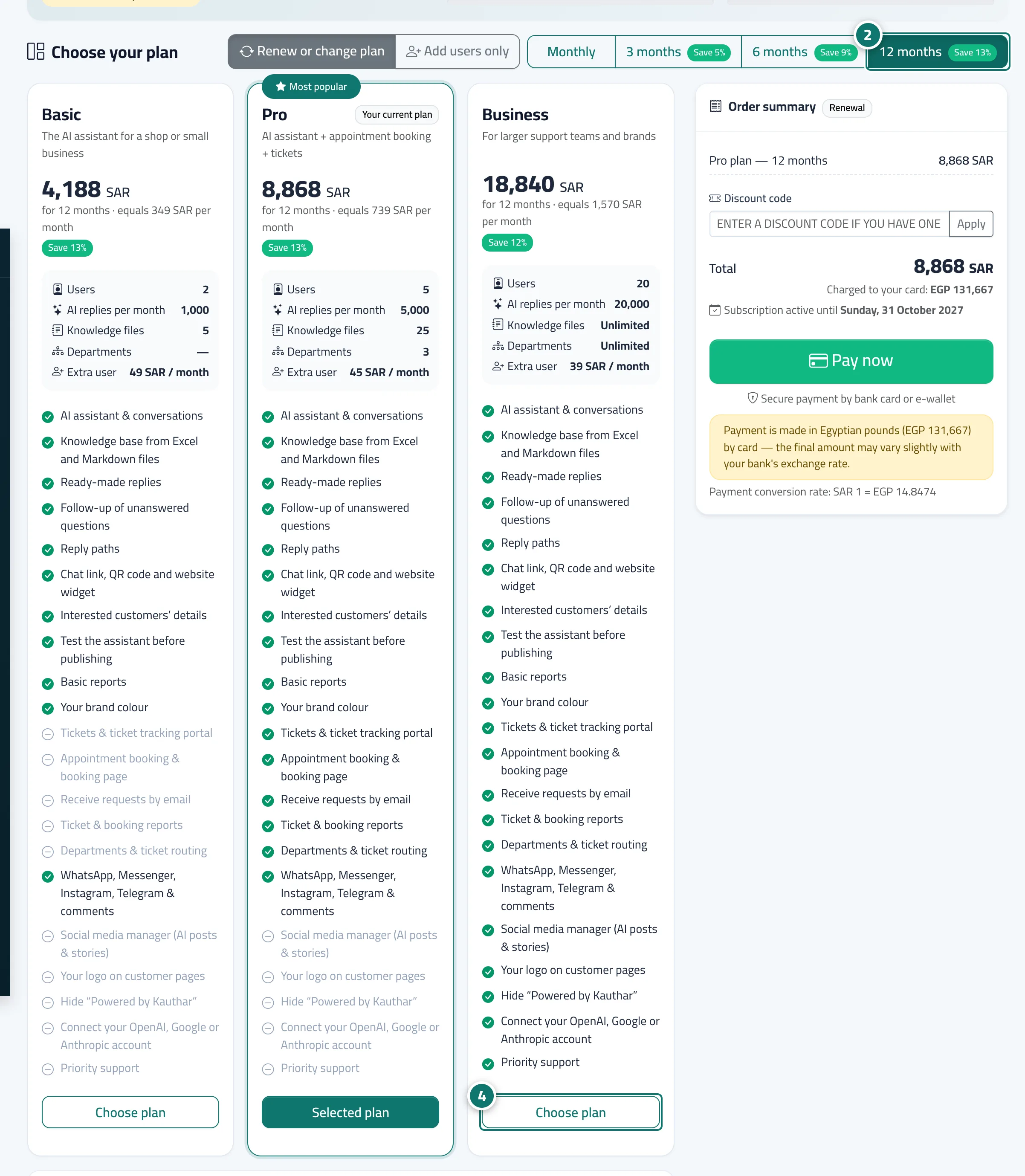
The AI customer support service has three plans: Basic, the AI assistant for a shop or small business; Pro (the most popular), which adds tickets, appointment booking and the support email; and Business, for large support teams and brands. Each plan sets the number of included users, AI replies per month, knowledge base files, departments, the price of an extra user, and the features available. The Subscription page shows comparison cards whose prices update instantly when you change the duration, and an Add-ons section (extra reply packs and an Extra WhatsApp number, for example). The social media manager, business email and Google & AI visibility are separate services, each with its own subscription page and plans. Prices are shown in your business's country currency, and before you pay the Order summary shows the amount that will actually be charged to your card and the exchange rate. If you open a feature your plan doesn't include, a page explains which plan includes it, with an Upgrade plan or Buy add-on button.
- Who can use it
- Business owner / admin / staff (staff can only view the plans)
- Where to find it
- Sidebar → Account → Settings & subscription → Subscription tab → Plans & subscription
Step by step#
- Open the Subscription page: from the Subscription tab in Settings & subscription, from the menu under your name → Subscription, or from the Renew subscription button in the alert bar.
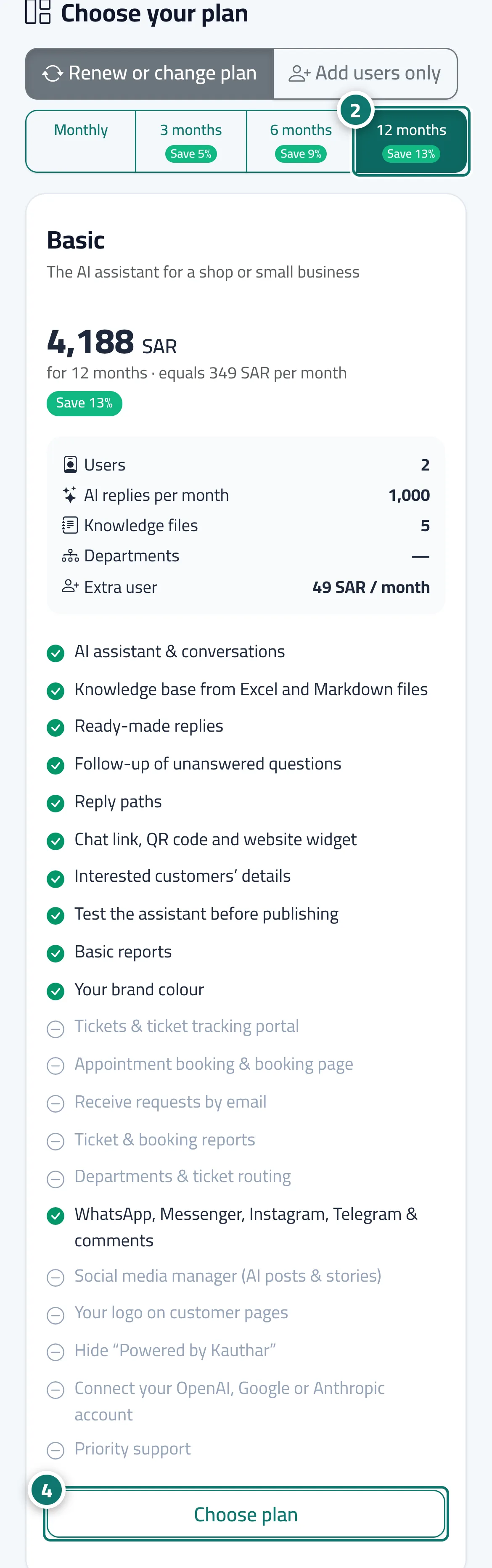
- In Choose your plan, pick the duration: Monthly, 3 months, 6 months or 12 months. Prices update instantly with the monthly equivalent and a Save …% badge; for a first subscription of 3 months or more a Launch price may appear, together with the price it renews at.
- Compare the cards: users, AI replies per month, knowledge base files, departments and the price of an extra user, then the list of features.
- Press Choose plan on the card that suits you; the button changes to Selected plan and the Order summary updates.
- Review the Order summary, then press Pay now.
Tips#
Good to know#
Frequently asked questions#
Is the price on the card monthly or for the whole period?
The large price is the total for the chosen period (for example for 12 months), with the monthly equivalent below it for comparison.
In which currency do I pay?
Prices are shown in your country's currency, and the Order summary states the amount that will actually be charged to your card and the exchange rate before you press Pay now.
I opened Tickets and saw a message that the feature isn't available. Why?
Your current plan doesn't include it. Press Upgrade plan (owner or admin) to turn it on at once, with credit for your remaining paid days.
Can I try the service before paying?
Yes. Your Kauthar account is free, and when you activate AI customer support from My services you get a free trial (currently 14 days) with Pro features. If you subscribe during the trial, the paid period starts when the trial ends.