
Mail drafts: autosave and continue on any device
Whatever you type in a new message or a reply is saved as a draft every few seconds, and appears in «Drafts» on all your devices and in the mailbox's own Drafts — finish it later or discard it.
Overview#
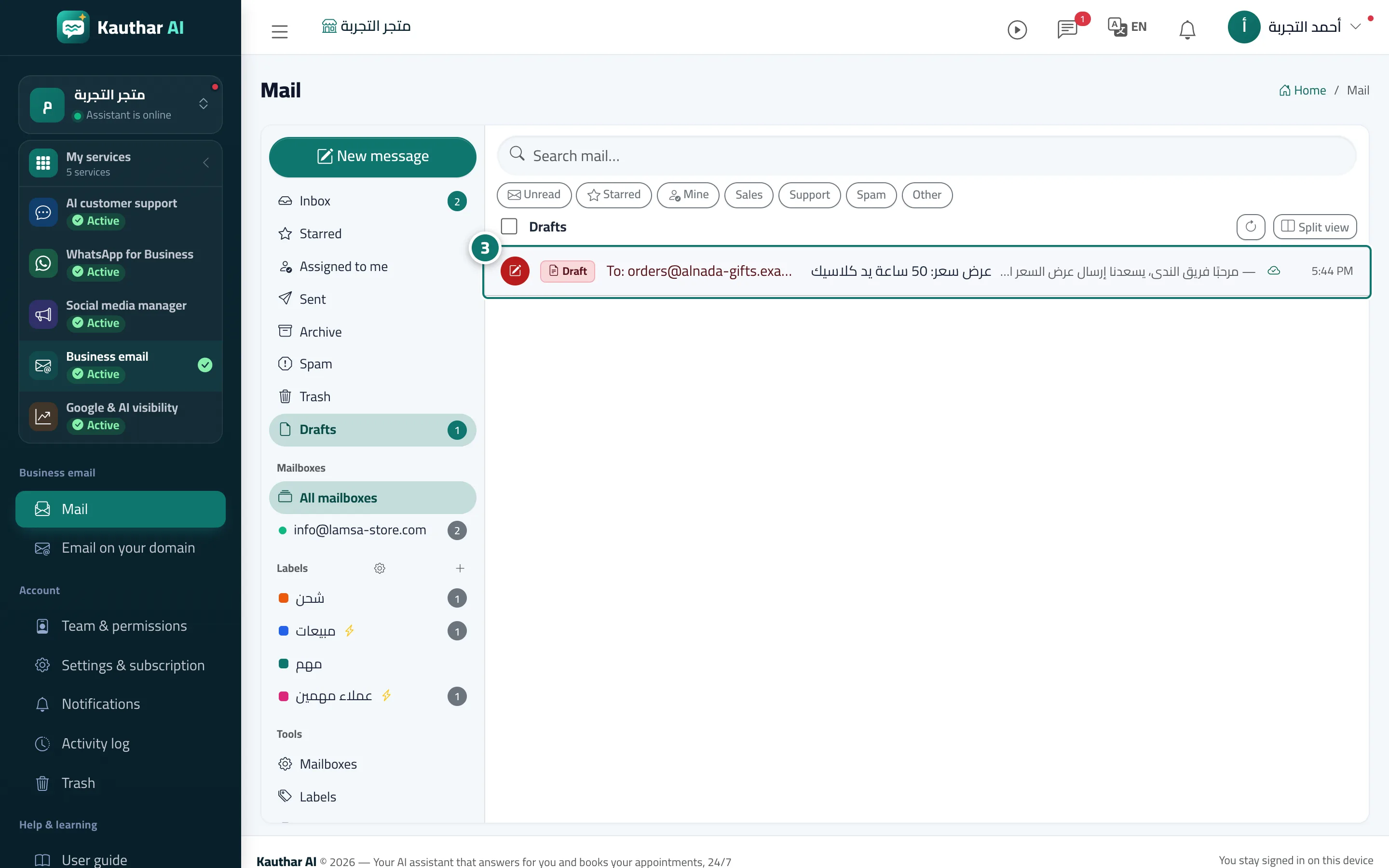
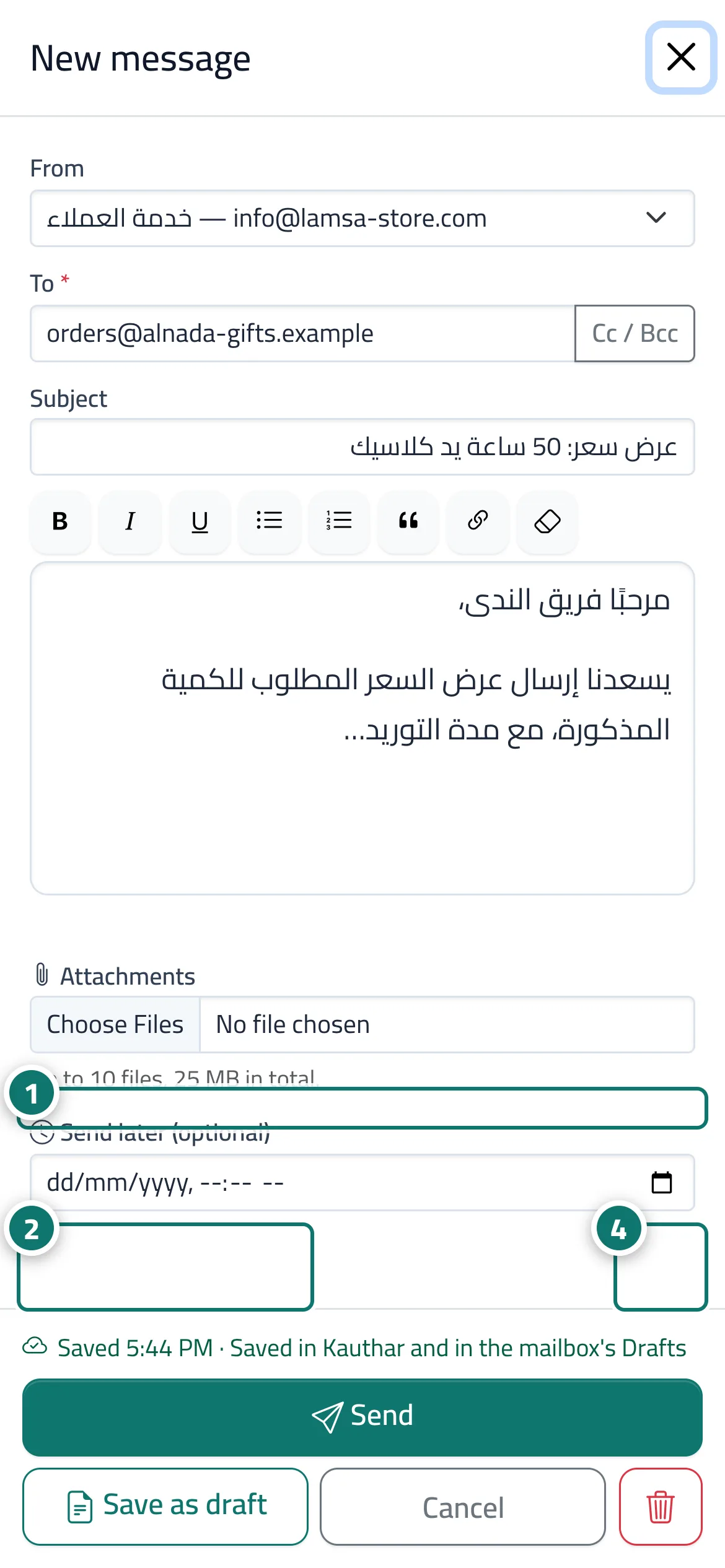
While you write in New message, a reply or a forward, Kauthar saves your text automatically (every few seconds when something changed, when you close the window, and when you switch to another app on the phone), and a line under the editor shows the save state, such as Saved in Kauthar and in the mailbox's Drafts. Save as draft saves and closes the window, and Discard draft deletes it for good from Kauthar and from the mailbox's Drafts. Drafts are listed in the Drafts folder with a Draft badge, the recipient and the subject; clicking one opens it so you can finish it, and a saved reply shows inside its conversation with Continue draft. A draft written in another mail app appears too, and you can Continue this draft here. When you send, the draft is removed automatically.
- Who can use it
- Everyone with the edit permission in Mail; a draft is visible to everyone who can open its mailbox
- Where to find it
- Mail → New message or Reply · the Drafts folder
Step by step#
- Write your email in New message or in a reply; it saves by itself and the save state shows under the editor.
- Click Save as draft to save and close the window — or simply close it, which saves as well.
- Later, open the Drafts folder and click the draft to finish it on any device, then Send.
- To delete it, open it, click Discard draft and confirm.
Tips#
Good to know#
Frequently asked questions#
Do my drafts show in Gmail or Outlook?
Yes, when the mailbox has a Drafts folder: the draft is copied there and updated with every save, and the copy state shows under the editor.