
Upgrading with credit for what you paid
Move to a higher plan at any time; the value of the paid days left on your current subscription is deducted from the price automatically.
Overview#
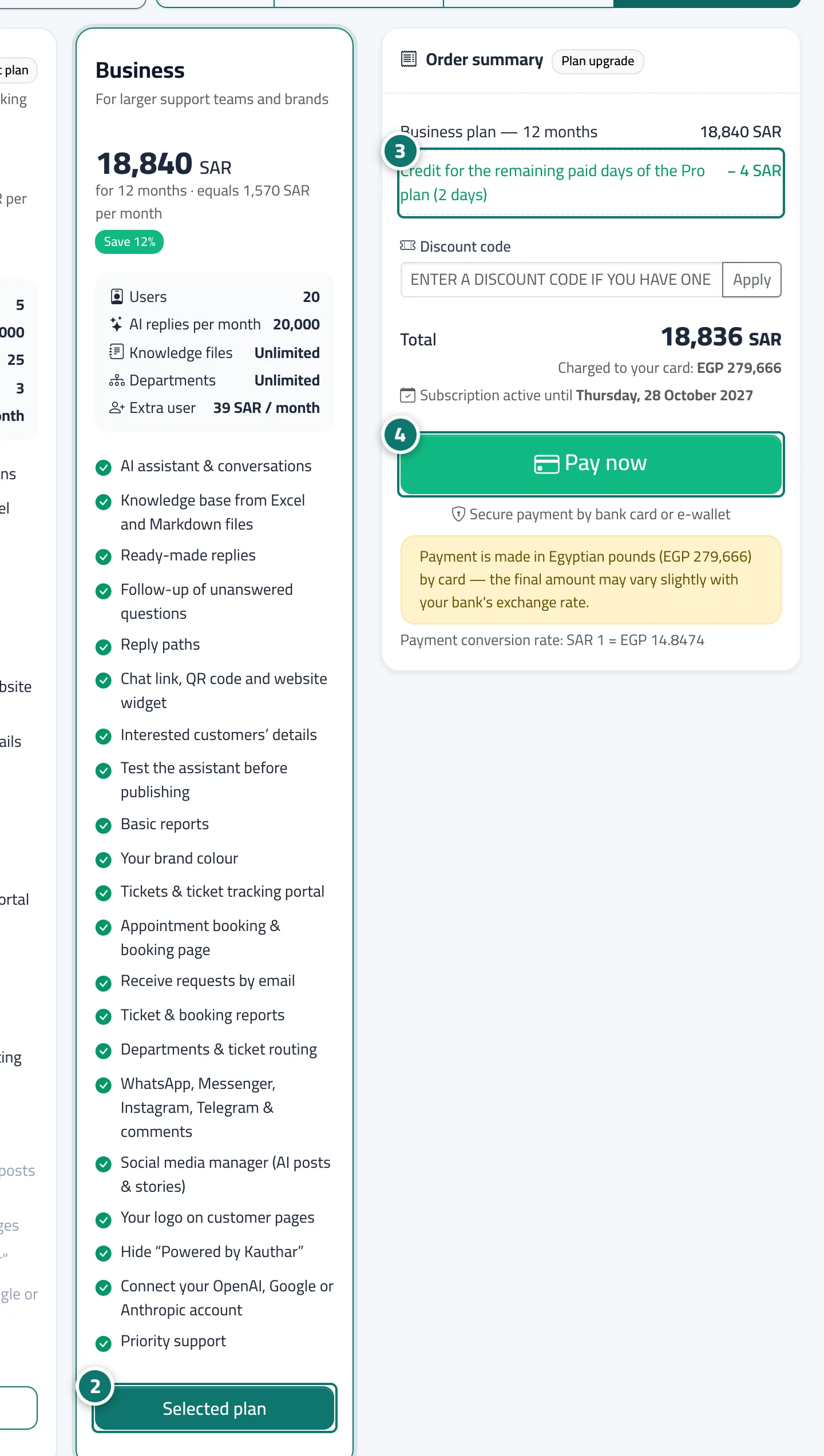
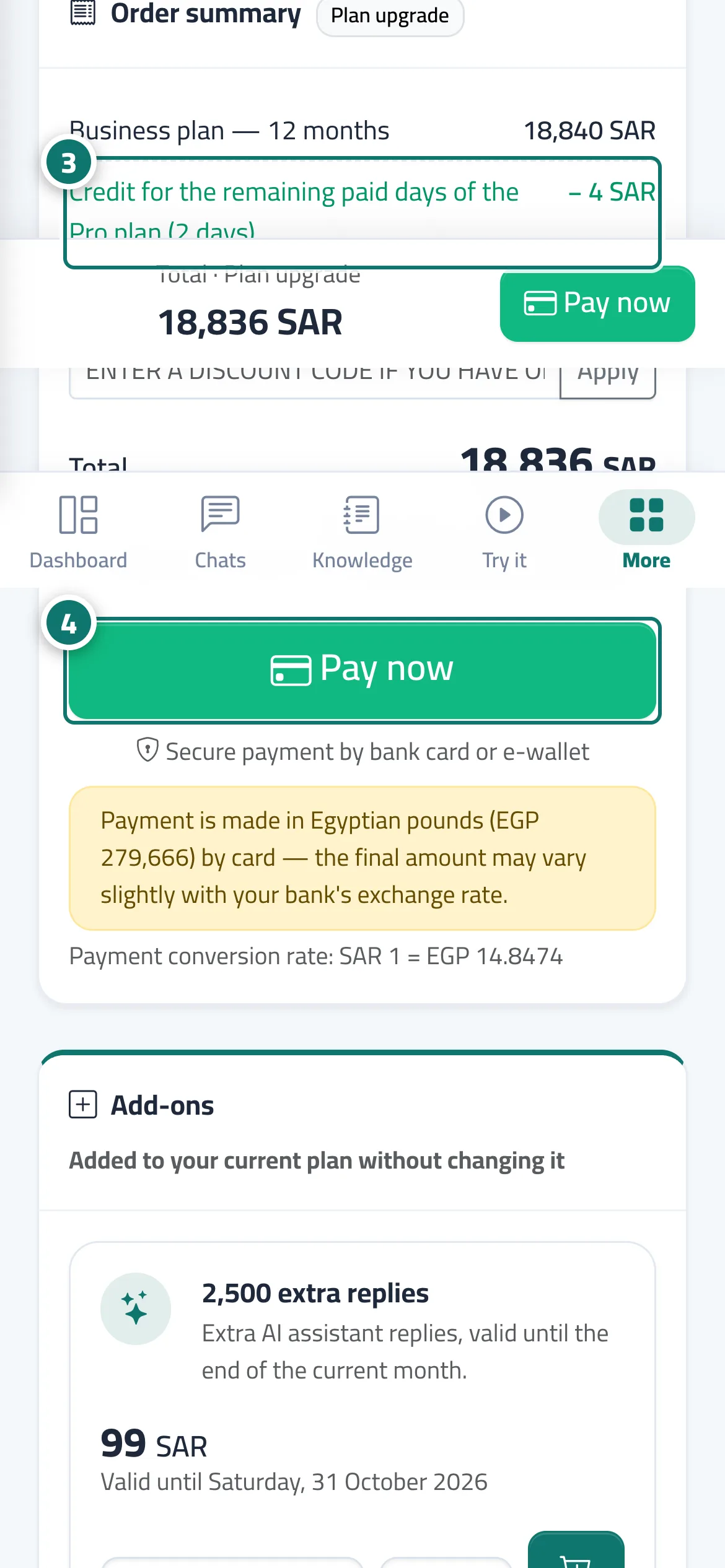
When you choose a higher plan during an active paid subscription, the new plan starts that same day, and the system calculates the value of the paid days you haven't used yet on your current plan and deducts it from the price. The deduction appears in the Order summary as a green line, Credit for the remaining paid days of the … plan (… days); the value of any paid monthly add-ons still remaining is deducted too, and then the Total is calculated. This way you never pay twice for the same period.
- Who can use it
- Business owner / admin
- Where to find it
- Sidebar → Account → Settings & subscription → Subscription tab → Plans & subscription
Step by step#
- Open the Subscription page (or press Upgrade plan on the page of a feature your plan doesn't include).
- Press Choose plan on the higher plan and choose Monthly, 3 months, 6 months or 12 months.
- Review the Order summary: you see the Upgrade plan badge, the new plan's price line, the credit line, then the Total and the Subscription active until date.
- Press Pay now. The new plan and its features activate as soon as the payment is confirmed.
Tips#
Good to know#
Frequently asked questions#
I took Pro for a year and now want Business. Do I lose what I paid?
No. The value of the days left on your Pro subscription is deducted from the Business price, and you see it in the Order summary before paying.
Why is the credit small even though my subscription is long?
Because credit covers only the paid days remaining from your last payment. If your subscription is close to its end, few days are left.