
Fully automatic mode and undoing any change
As soon as you prove you own the site and your business information is in, Kauthar works by herself around the clock: she fixes technical issues, writes content and publishes it directly where your site allows — with a log and an undo button for every change, and «Stop automatic mode» whenever you want.
Overview#
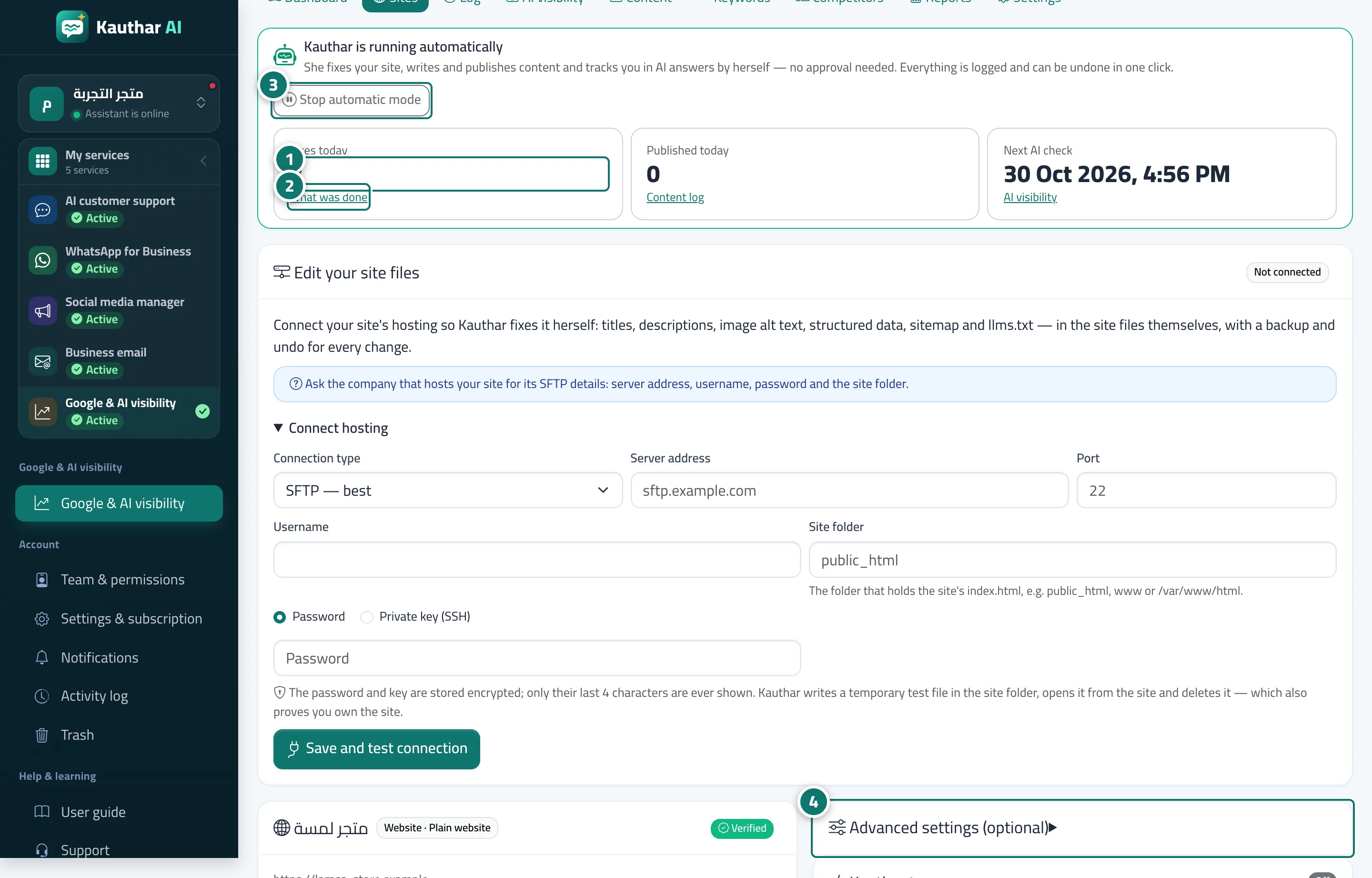
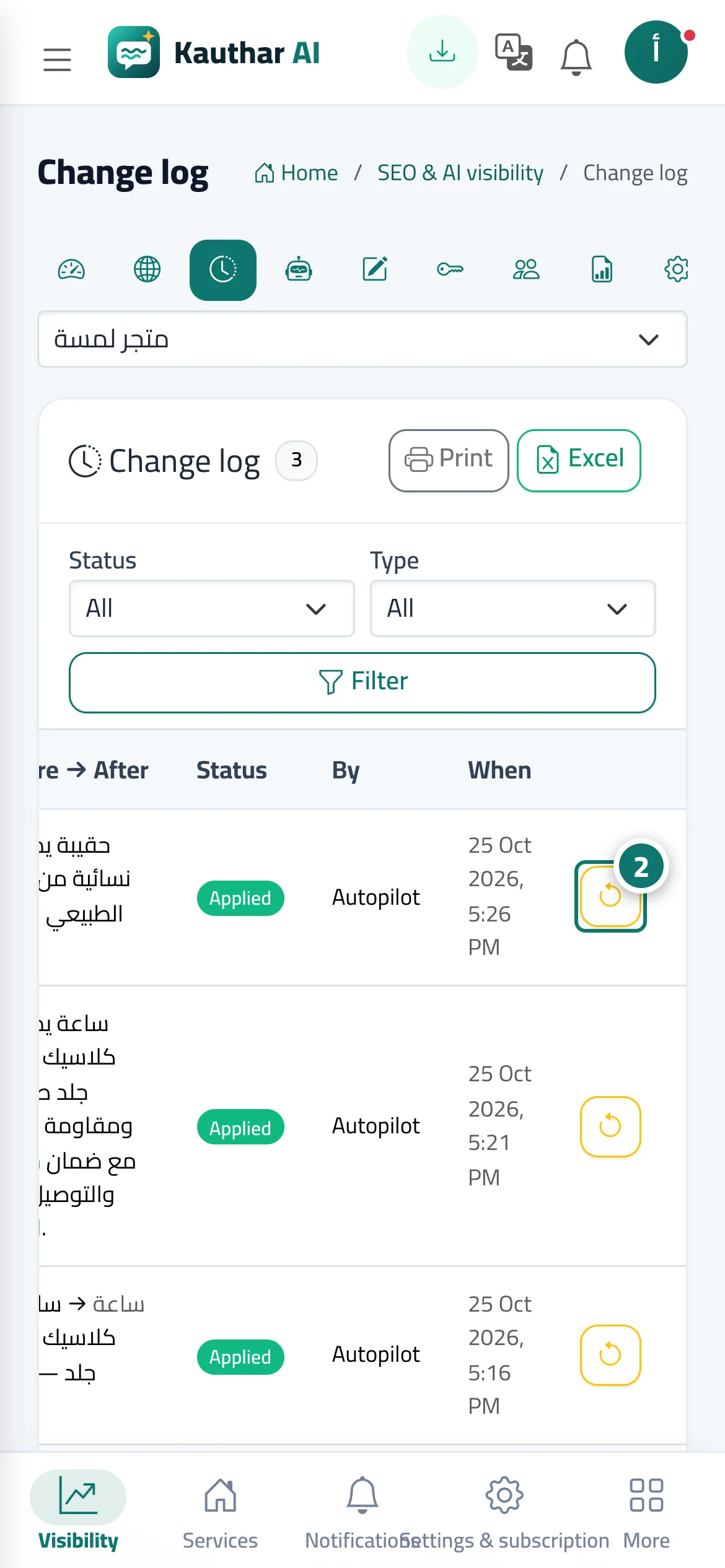
There is nothing to choose: once the site's ownership is confirmed and your business information is in the knowledge base, Kauthar starts by herself (if the information is missing, Add your business information and Kauthar will start automatically shows). At the top of the site page, the Kauthar is running automatically strip shows Fixes today, Published today and the Next AI check, with links to What was done and Content log and the Stop automatic mode button. Kauthar publishes articles directly on sites that allow publishing (WordPress through the plugin, Shopify articles, and product descriptions on Salla, Zid and YouCan); on a plain website the article becomes Ready to publish by hand. An article whose fact check removed a large part is held before publishing with the badge Held for review. Every change is in the Change log with its before and after and can be undone in one click. Under Advanced settings (optional) you can pick Approve before publishing (fixes stay automatic, articles wait for your approval) or Off, and switch individual change types on or off.
- Who can use it
- Business owner / manager
- Where to find it
- Google & AI visibility → Sites → the site · Log
Step by step#
- Open the site from Sites; the Kauthar is running automatically strip shows what was done today.
- Click What was done to see every change with its before and after, and click the undo button (the circular arrow) on a row to cancel that change.
- To stop every automatic change and publication on the site, click Stop automatic mode and confirm; to restart it, click Turn automatic mode on.
- To review articles before they go live, open Advanced settings (optional), pick Approve before publishing and save.
Tips#
Good to know#
Frequently asked questions#
Can I stop every change at once?
Yes: click Stop automatic mode on the site page, or pick Off in the advanced settings, or click Stop all writes in the WordPress plugin.