Verify site ownership
One simple step, even for non-technical owners: pick your site's platform and Kauthar shows the easiest way — the WordPress plugin or your linked store in one click, a code to copy, instructions to send to whoever built your site, or the Kauthar team doing it for you.
On this page
Overview#
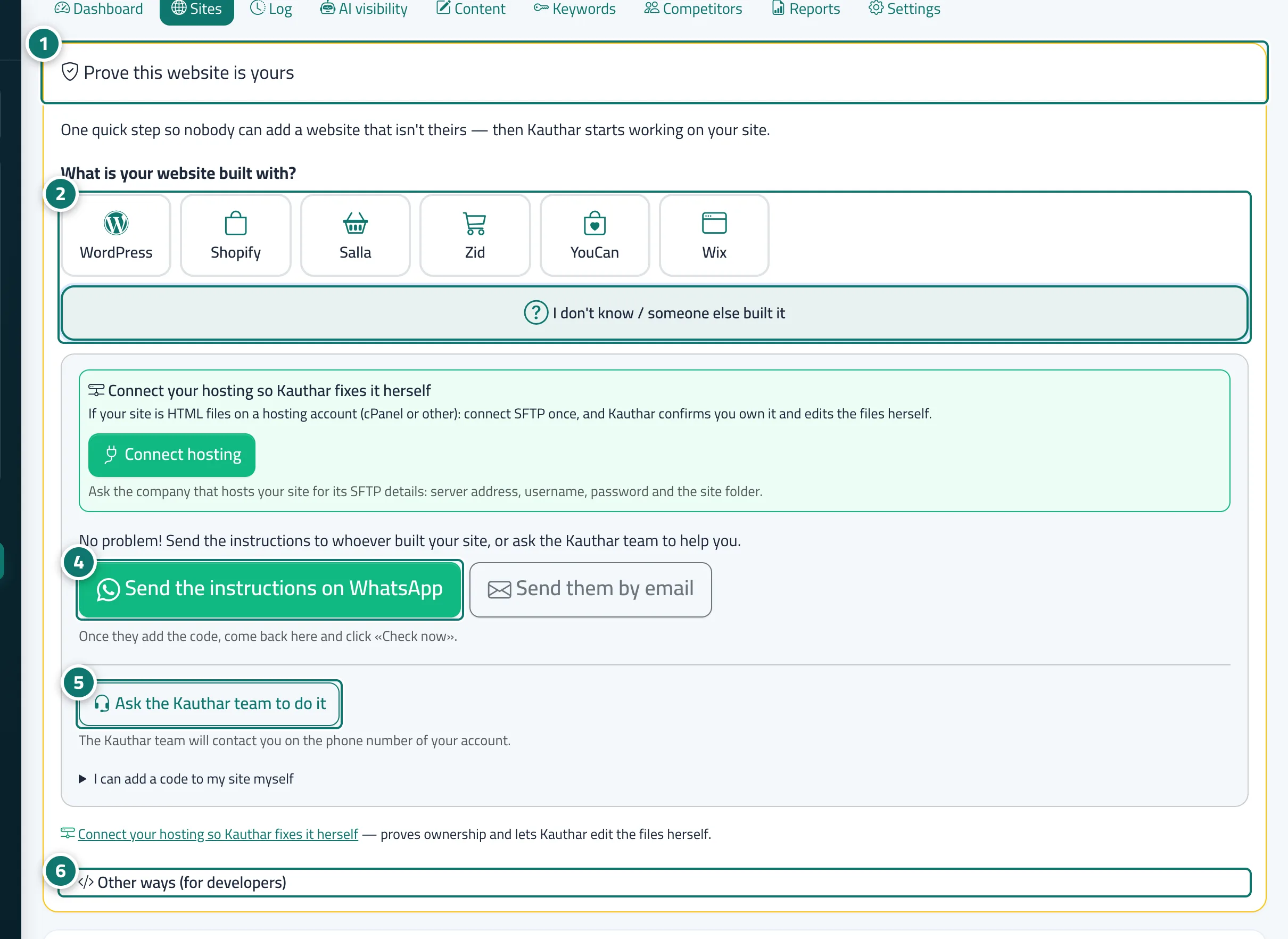
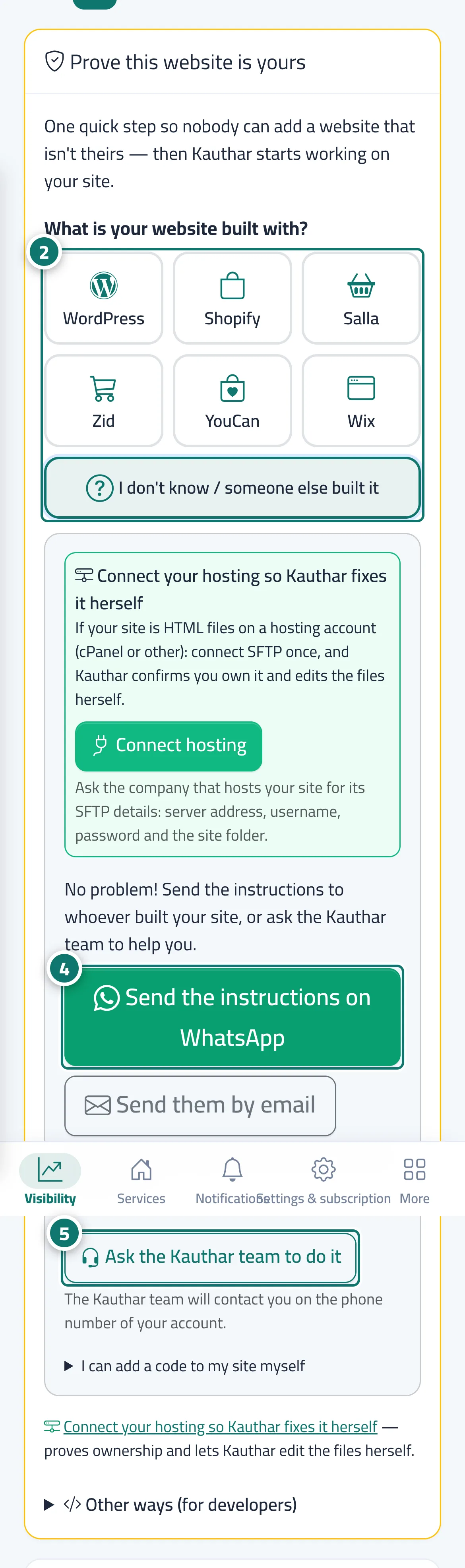
Before Kauthar audits the whole site or changes anything, it asks you to prove ownership so nobody can add a website that isn't theirs. The Prove this website is yours card asks What is your website built with? with tiles: WordPress, Shopify, Salla, Zid, YouCan, Wix and I don't know / someone else built it, and Kauthar may detect the platform and preselect it. Each platform gets its easiest path: WordPress → Install the Kauthar plugin, then Connect to Kauthar (ownership is confirmed automatically); stores → Confirm through your linked store, or link the store first in one click; Wix → plain steps and Copy the verification code; I don't know → Send the instructions on WhatsApp or by email to whoever built your site, or Ask the Kauthar team to do it — your request reaches the team with a request number and they contact you on your account's phone. For developers: Other ways (for developers) (code on the page, DNS record, verification file, Search Console), and for plain websites on a hosting account, connecting the hosting proves ownership too. Once verified, the card disappears and a line reads Ownership confirmed via: ….
- Who can use it
- Business owner / manager
- Where to find it
- Sidebar → Google & AI visibility → Sites → the site (gear button)
Step by step#
- Open the site from Sites (gear button); the Prove this website is yours card is at the top.
- Pick your site's platform from the tiles; the easiest way for it appears.
- Follow it (install the plugin, confirm through the linked store, or paste the verification code), then click Check now.
- If you don't know: pick I don't know and click Send the instructions on WhatsApp (or by email) to whoever built your site.
- Or click Ask the Kauthar team to do it and the team will contact you.
- Developers can open Other ways (for developers) and use a code on the page, a DNS record, a file or Search Console.