
Knowledge base from Excel, Markdown and text
Upload your price list or FAQ file and Kauthar learns from it within minutes — no coding needed.
Overview#
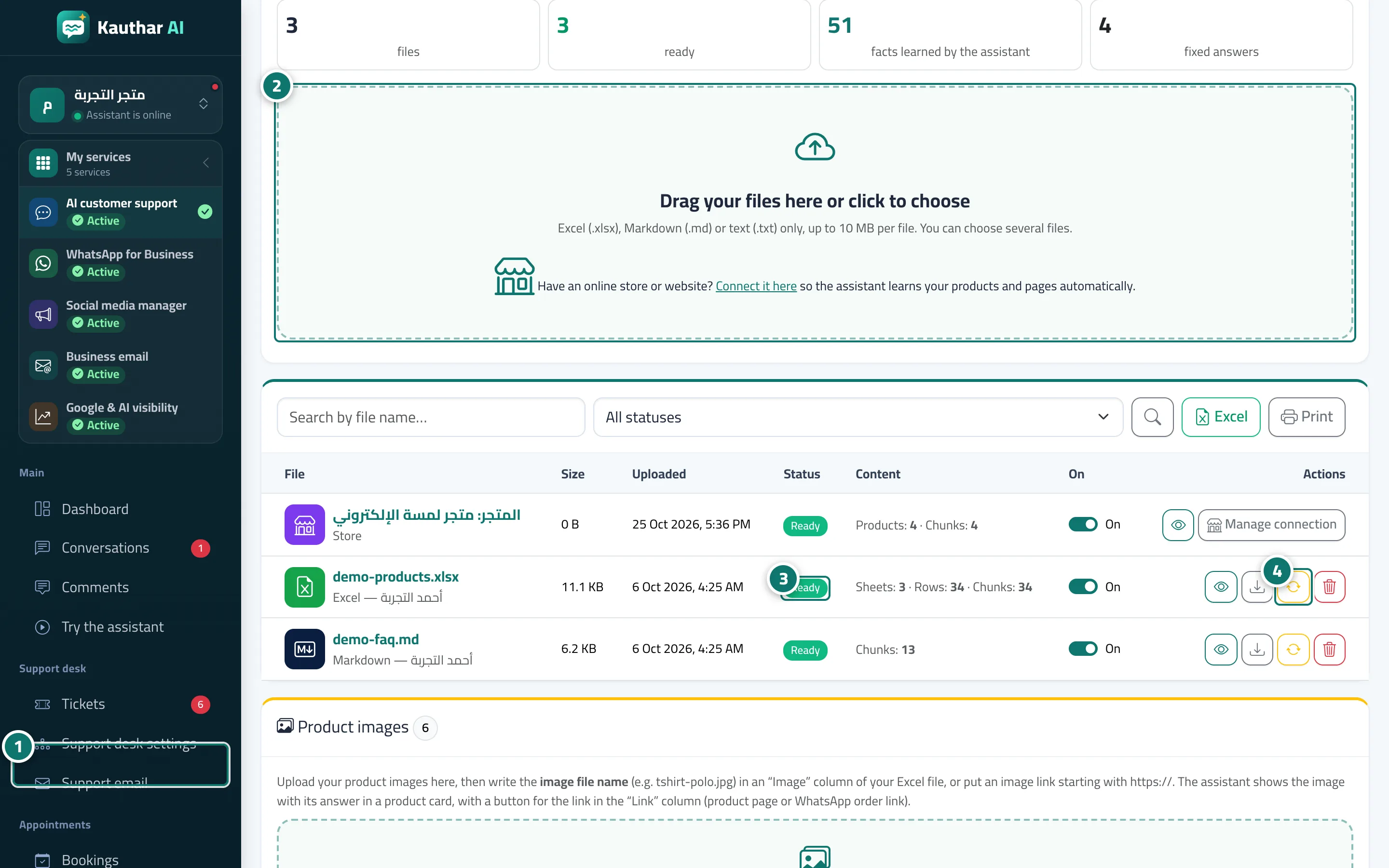
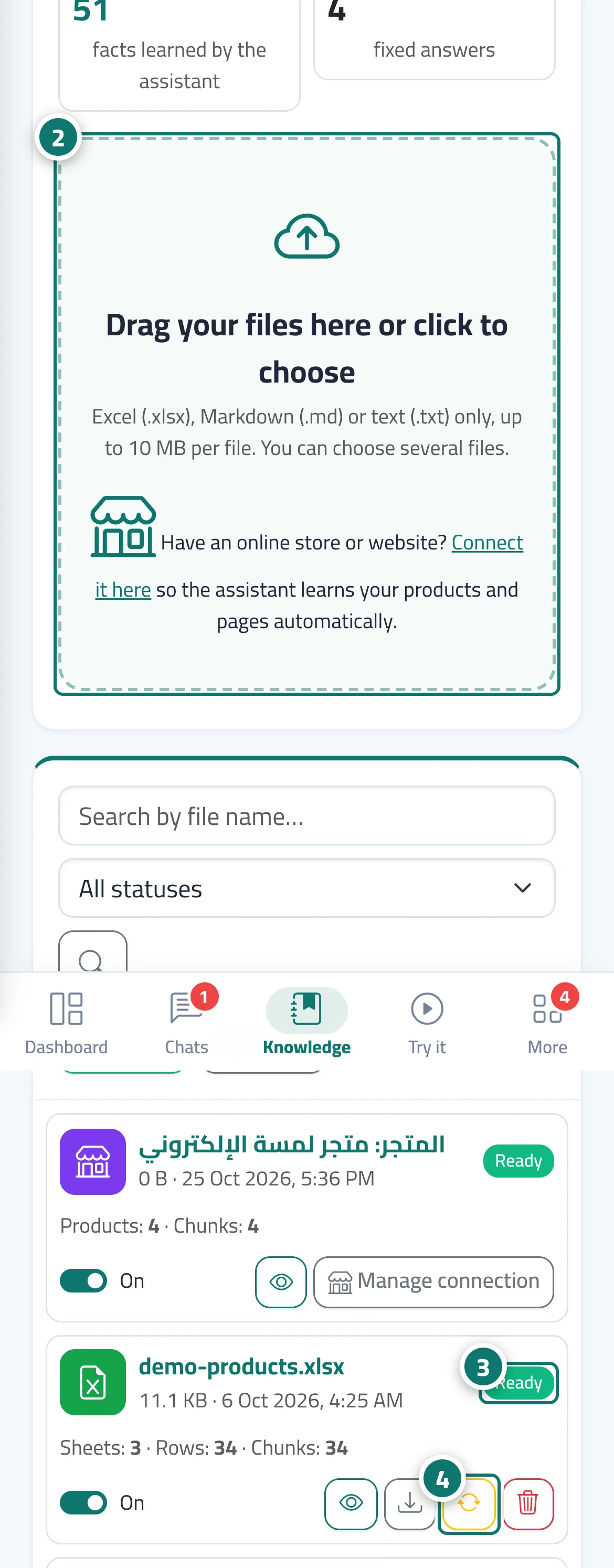
The assistant learns from Excel (.xlsx), Markdown (.md) and plain-text (.txt) files. After upload the file is processed (status Processing, then Ready or Processing failed) and split into chunks that the assistant searches for every question. The top of the page shows the number of files, how many are ready, how many pieces of information the assistant has learned and how many fixed answers you have. Each file has an On / Off switch to pause it without deleting it, plus buttons to preview, download, reprocess and delete. Connected store and website sources also appear in the list with a Store or Website icon, and in the Product images card you upload your product photos so the assistant can show them in a product card with its answer.
- Who can use it
- Business owner / manager / team member (depending on permissions)
- Where to find it
- Sidebar → Train your assistant → Knowledge base
Step by step#
- Open Knowledge base.
- Drag your files onto the box Drag your files here or click to choose (you can pick several files at once).
- Wait until the status changes to Ready; the page refreshes by itself.
- If Processing failed appears, hover over the status to see why, then fix the file and upload it again or click Reprocess.
Tips#
Good to know#
Frequently asked questions#
Can I upload a PDF or a picture catalogue?
Not as a knowledge file. Move the information into an Excel or text file — ready-made templates are available to download on the same page. Product photos go in the Product images card, and you mention the image name in the Image column.
How long does it take the assistant to learn a file?
Usually a few minutes, depending on the file size; the status changes from Processing to Ready automatically.
If I delete a file, does the assistant forget it?
Yes — a deleted or paused file is not used in replies. You can restore a deleted file from Trash.
How do I change a single piece of information without re-uploading the whole file?
The quickest way is to add it as a Fixed answer, since fixed answers take priority over knowledge files. Then update the file later so the two don't conflict.