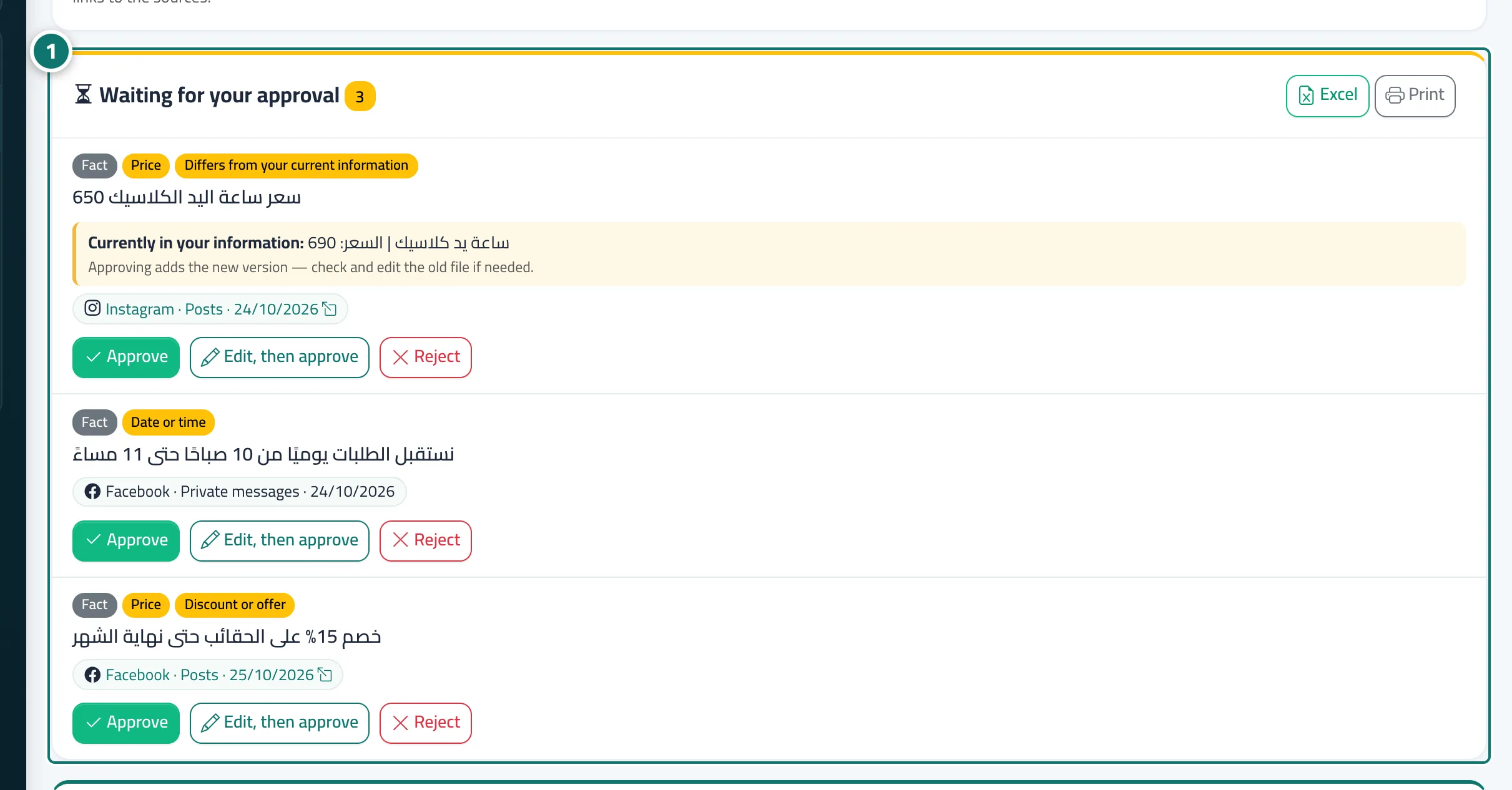
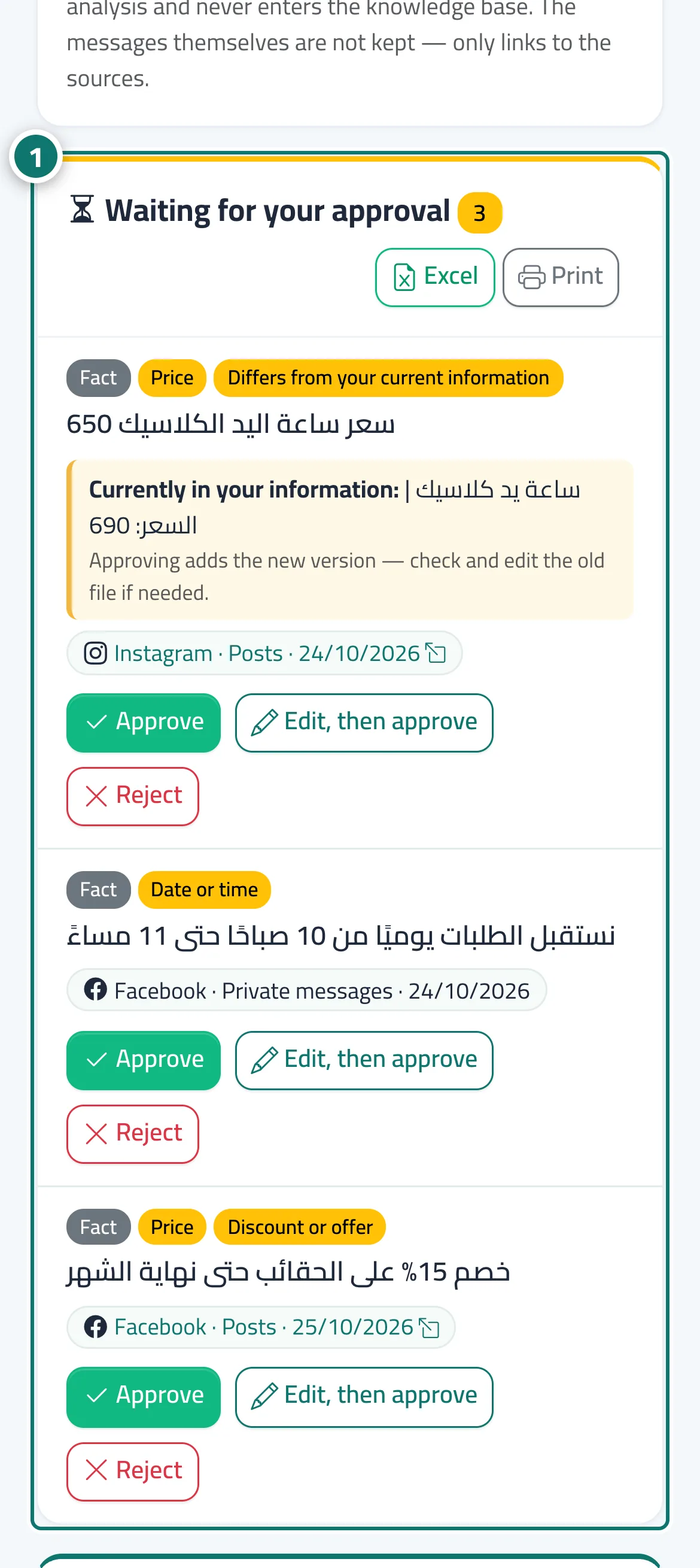
Waiting for your approval — confirming what Mr. Analyst learned
Any price, phone number, address, date or discount Mr. Analyst finds is not used by Kauthar before you approve it, nor is anything that differs from your current files.
On this page
Overview#
The Waiting for your approval section of the Mr. Analyst screen gathers everything that needs your approval: facts with a price, phone, address, date or time, or a discount, and anything that differs from your knowledge base (such as another price) — both versions are shown side by side: the new one and the current one. Each item shows why it waits and its sources.
- Who can use it
- Business owner / manager / anyone who can edit the knowledge base
- Where to find it
- Side menu → Assistant training → Mr. Analyst → Waiting for your approval
Step by step#
- Open Mr. Analyst and scroll to Waiting for your approval.
- Read the item and why it waits; if there is a conflict, compare it with the current version.
- Press Approve to add it as it is, Edit, then approve to correct the text first, or Reject.