
Renewal reminders and the direct pay link
Before the trial or subscription of any service ends, Kauthar reminds you in the dashboard, by email and on WhatsApp from its official number — with a direct pay link that renews without signing in.
Overview#
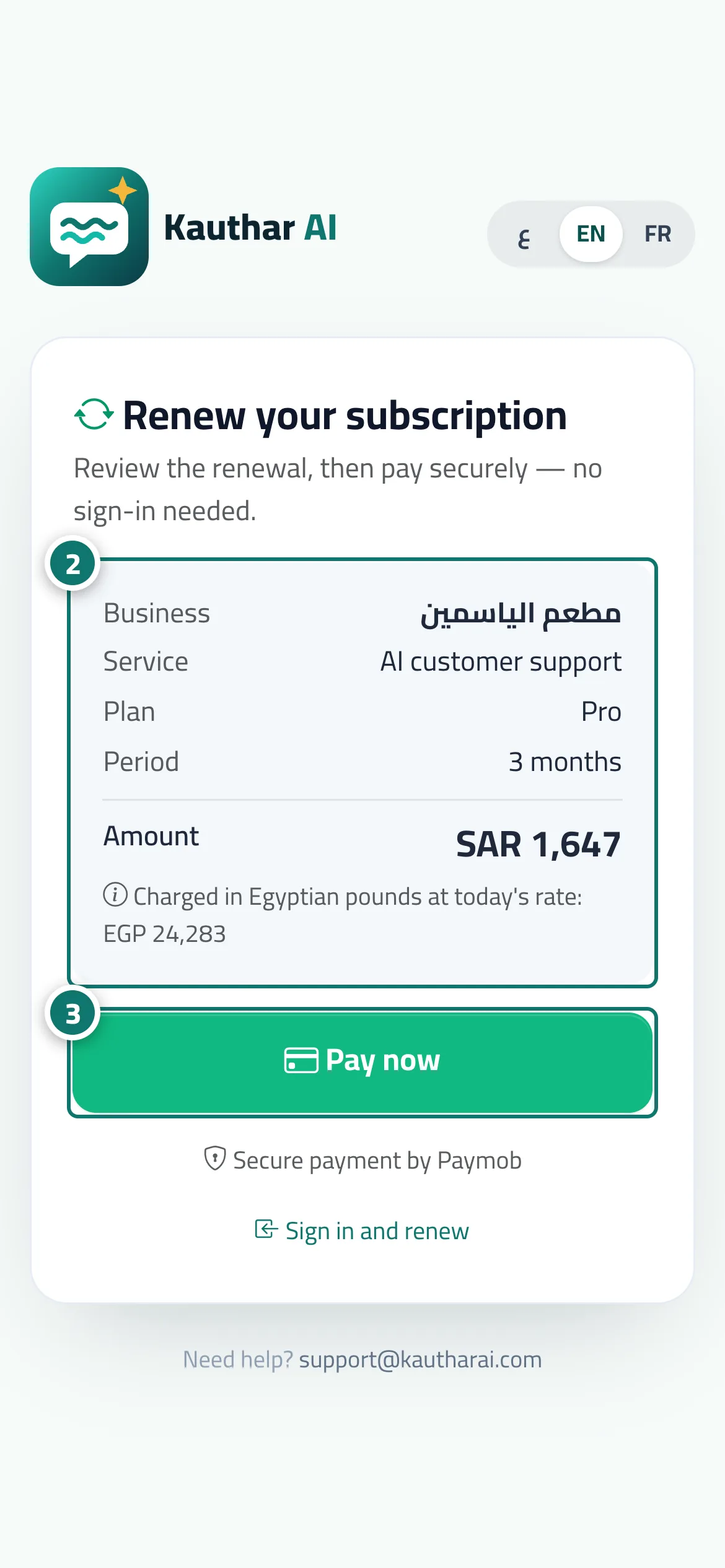
Every Kauthar service (AI customer support, WhatsApp Business, the social media manager, business email, and visibility on Google and AI answers) sends automatic reminders as its free trial or paid term comes to an end, at four moments: a set number of days before the end (7 by default), one day before, on the last day itself, and on the last day of the grace period after it ends. Each moment goes out once per term, on three channels: a notification inside Kauthar (the bell), an email to the business owner, and a WhatsApp message from Kauthar's official number with two buttons, Pay now and Stop reminders. Pay now opens a Renew your subscription page that needs no sign-in and shows only the business name, the service, the plan, the period and the amount from your country's price list, followed by a Pay now button that takes you to the secure payment gateway — the same checkout as renewing from inside your account. Nothing else about your account is shown on that page.
- Who can use it
- Business owner (WhatsApp reminders on by default) · Admins (turn them on for themselves)
- Where to find it
- Sent automatically · To stop WhatsApp: your name menu → Notifications & my devices → Renewal reminders on WhatsApp
Step by step#
- When a service is close to ending, the reminder arrives in the notification bell, in your email and on WhatsApp from Kauthar's official number.
- Tap Pay now in the WhatsApp message or the email; the Renew your subscription page opens without signing in and shows the business, service, plan, period and amount.
- Check the details and tap Pay now to go to the secure payment gateway; the subscription renews as soon as the payment is confirmed.
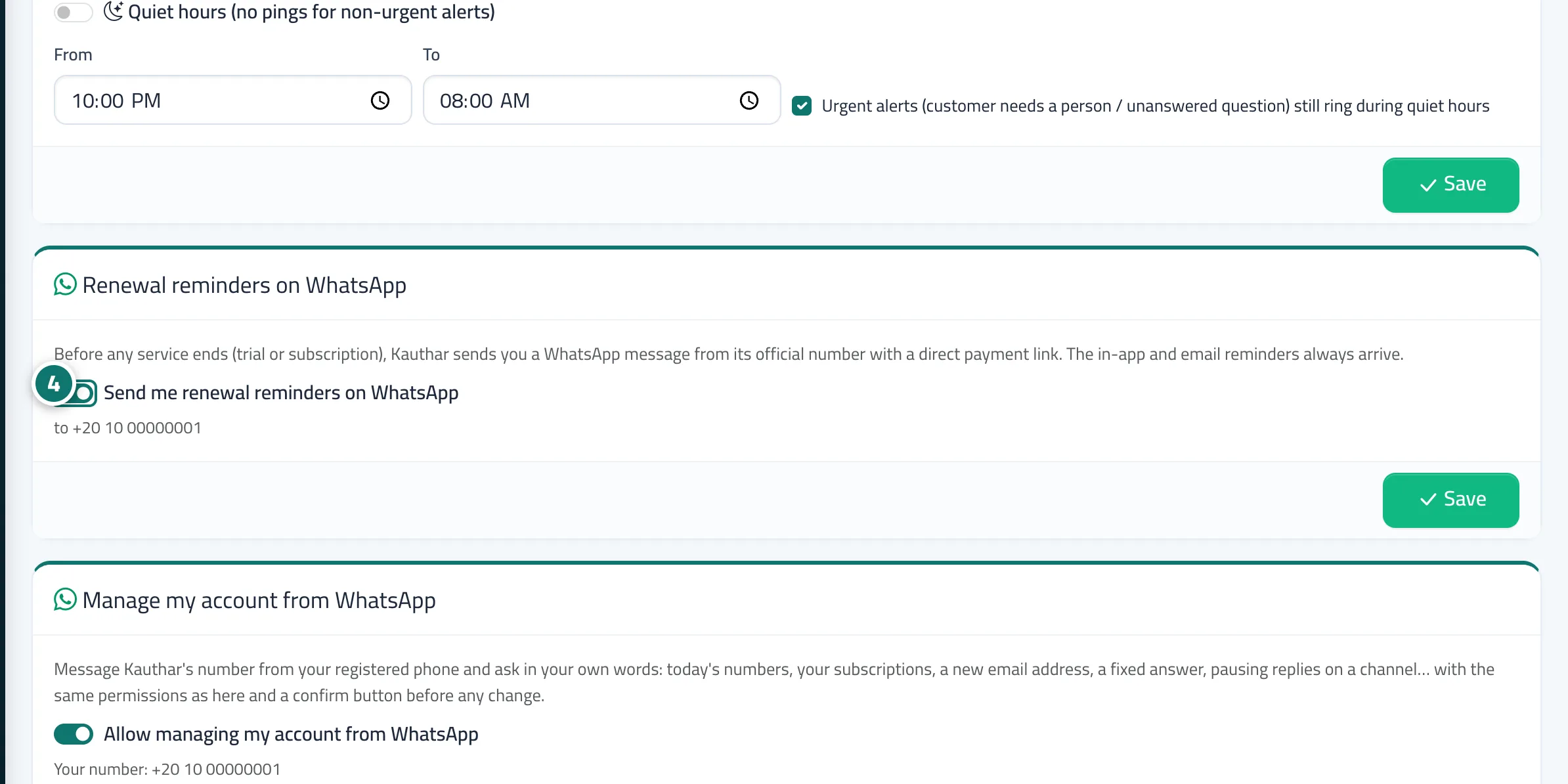
- To stop WhatsApp reminders, tap Stop reminders in the message itself, or turn off Send me renewal reminders on WhatsApp in Notifications & my devices and press Save.
Tips#
Good to know#
Frequently asked questions#
I renewed — will I keep getting reminders?
No. Kauthar checks the end date right before every send, and a renewal starts a new term with a fresh set of reminders near its end.
Can anyone who gets the link see my account?
No. The page shows only the business name, service, plan, period and amount, and the link is signed so it cannot be altered.