
Handoff to staff and collecting customer details
When the assistant has no answer or the customer asks for a person: a WhatsApp button to your number, a form where the customer leaves a name and number, and optional registration before the chat starts.
Overview#
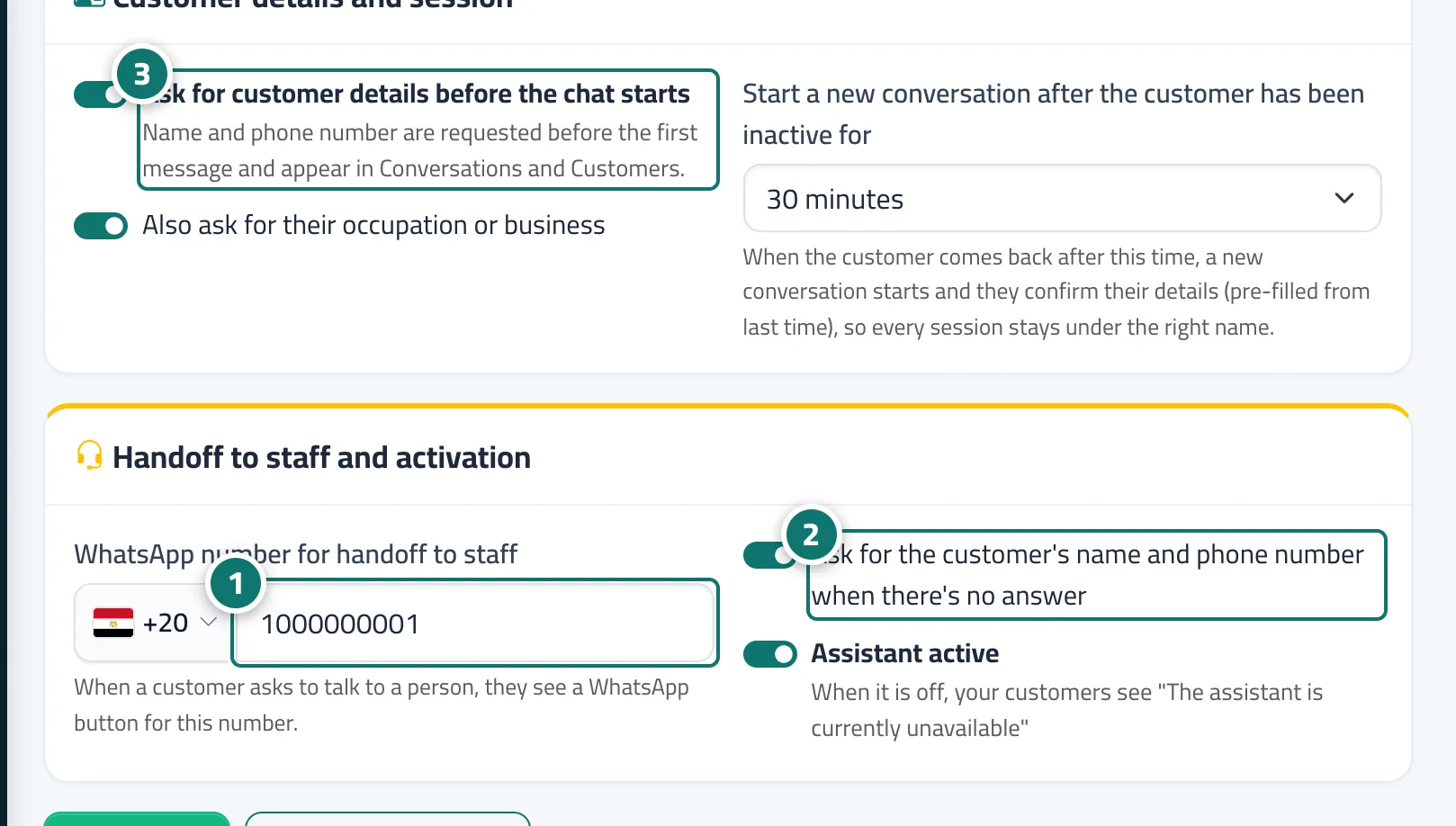
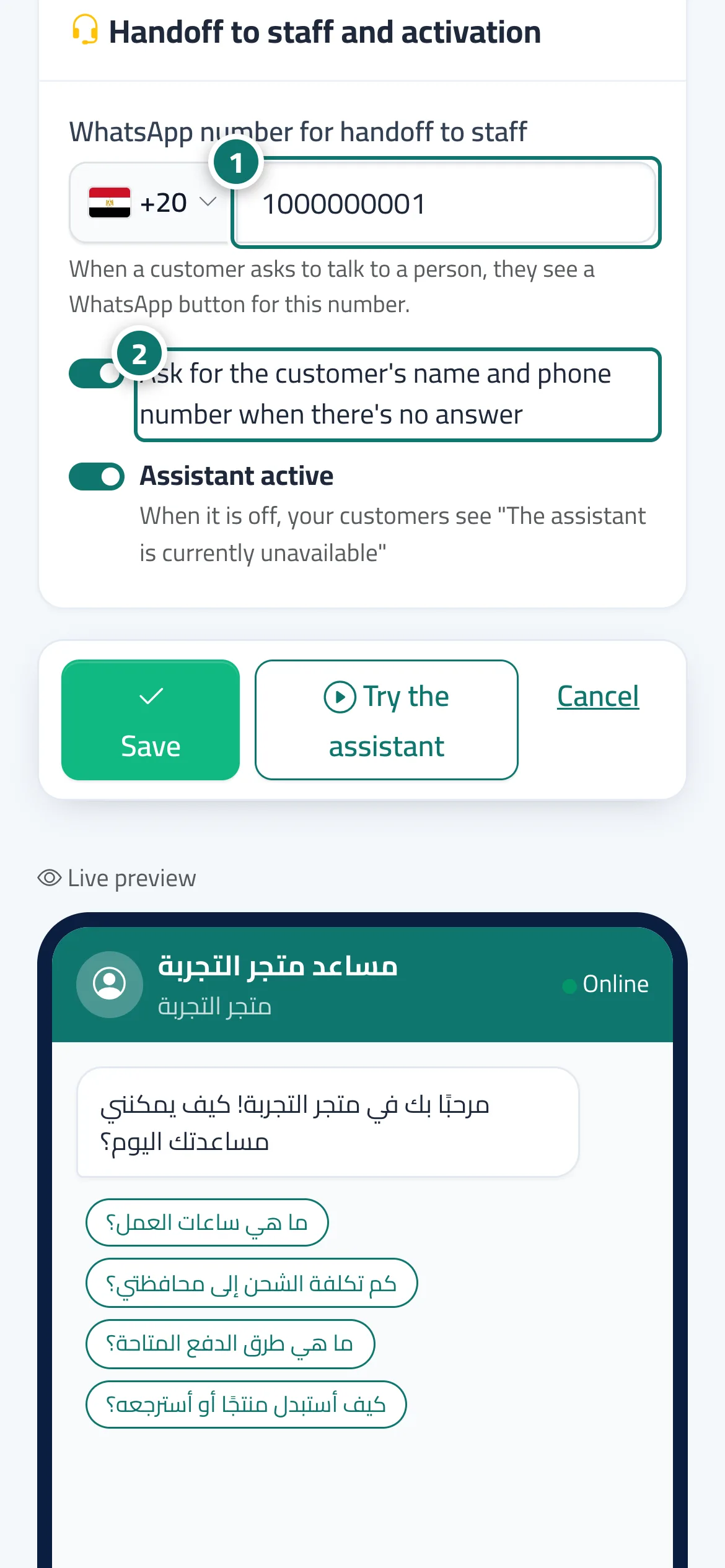
In the Handoff to staff and activation card, the WhatsApp number for handoff to staff (choose the country, then type the number) shows your customers a WhatsApp button to that number when they ask to talk to a person; the conversation is marked as needing a person and your team gets an alert. The Ask for the customer's name and phone number when there's no answer switch shows the customer a short form to leave their details, which then appear under Customers. In the Customer details and session card you can turn on Ask for customer details before the chat starts (name and phone number, and optionally Profession or business), and set Start a new conversation after the customer has been inactive for anywhere from 5 minutes to 24 hours.
- Who can use it
- Business owner / admin
- Where to find it
- Sidebar → Account → Assistant settings → Customer details and session and Handoff to staff and activation cards
Step by step#
- Choose the country and type your number in WhatsApp number for handoff to staff.
- Turn on Ask for the customer's name and phone number when there's no answer.
- If you want customers to register first, turn on Ask for customer details before the chat starts and choose after how long a new conversation starts.
- Press Save.
Tips#
Good to know#
Frequently asked questions#
How does a customer ask to talk to a person?
With the Talk to a person button on the chat page, or with a Reply paths button set to hand off to staff.
What happens if I don't add a WhatsApp number?
The conversation is handed to your team in Conversations as usual and the customer can leave their details, but no WhatsApp button appears.
Can a staff member take over the conversation personally?
Yes. In Conversations a staff member takes over the conversation, replies directly, and hands it back to the AI assistant when done.