
Taking over a conversation from the AI assistant
When a customer needs a person, take over the conversation and write to them yourself in the same chat window, then hand it back to the AI assistant.
Overview#
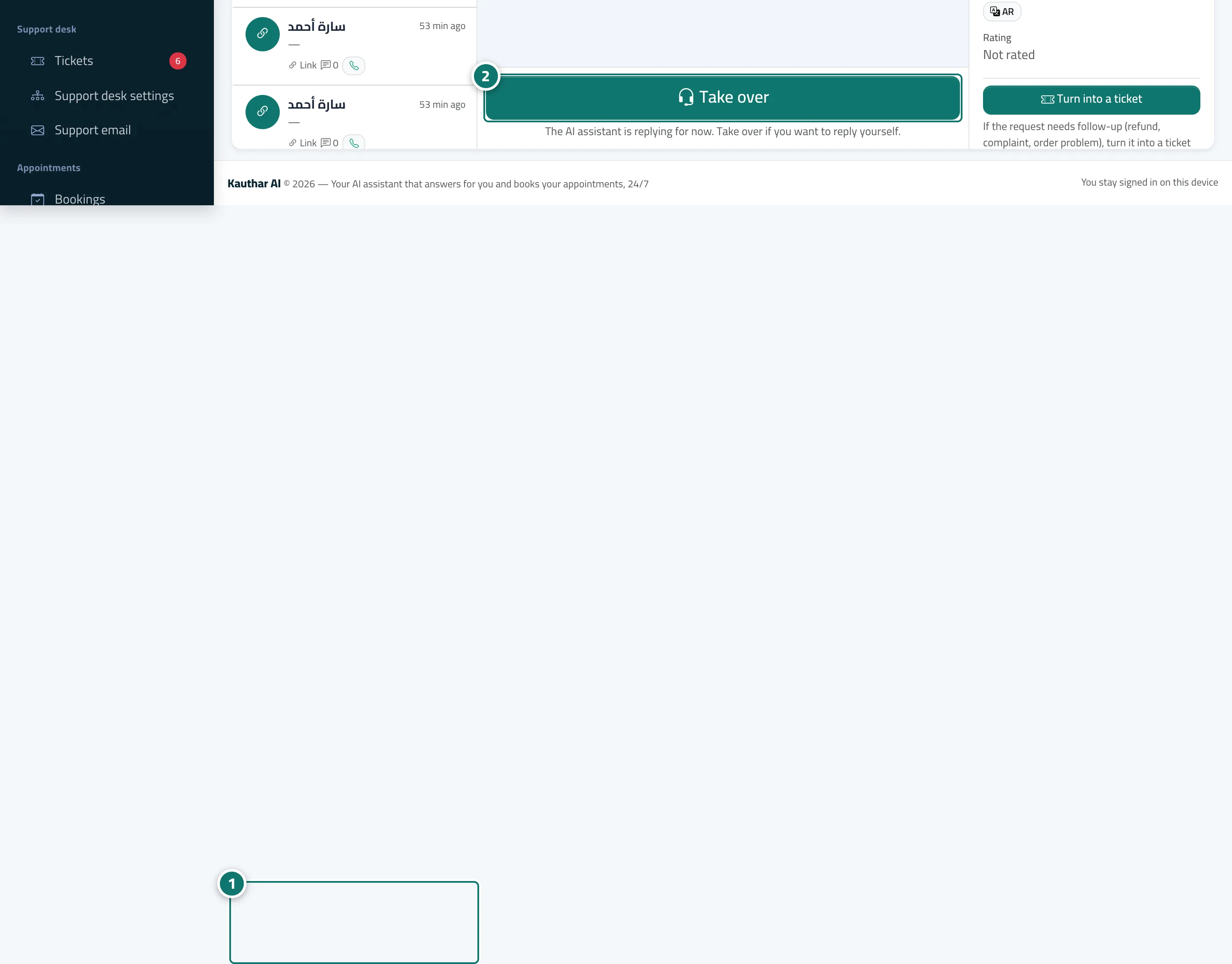
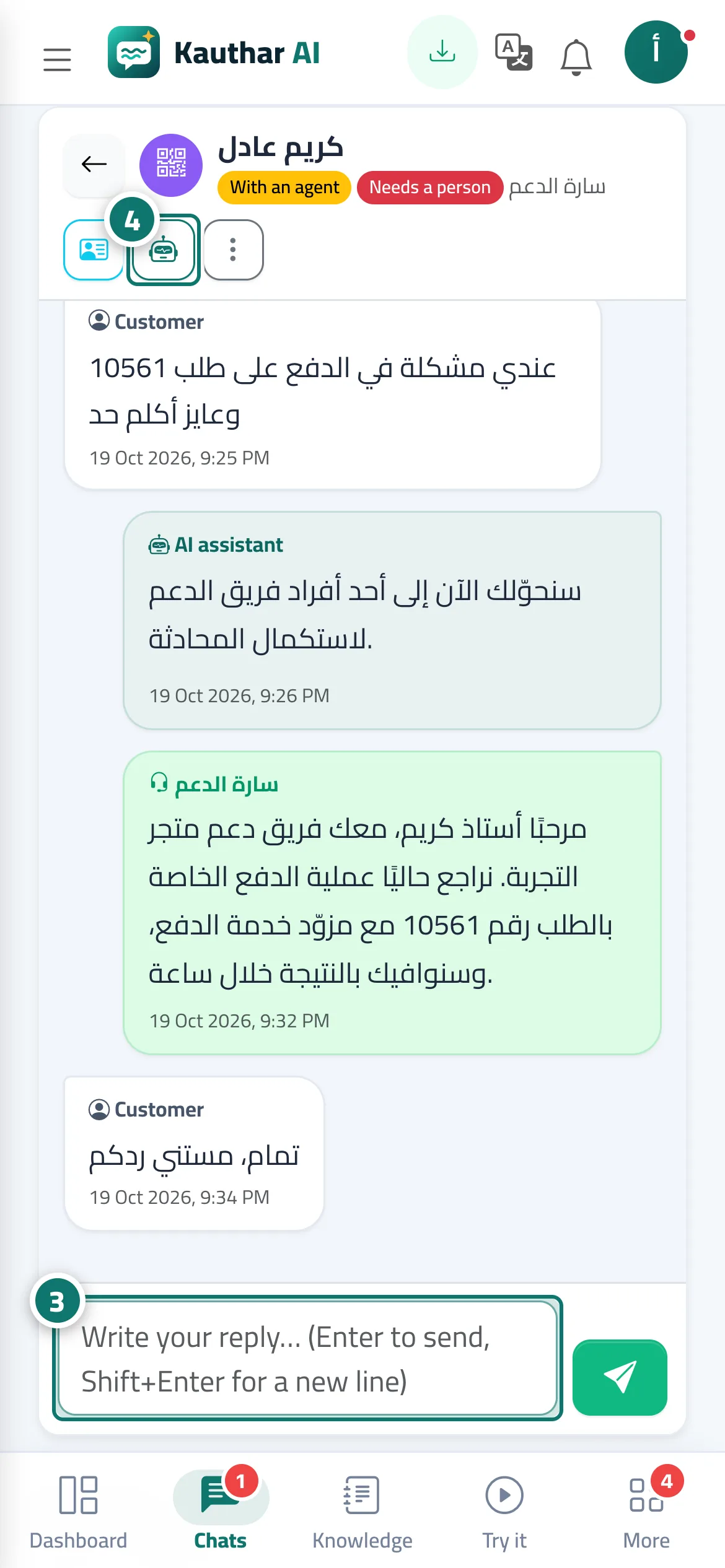
When a customer taps Talk to a person or the AI assistant can't find an answer, the conversation is marked Needs an agent and you get the notification A customer asked to talk to a person. Clicking Take over stops the AI assistant from replying; the customer sees a message that a customer service agent (with your name) has joined the conversation, and your replies reach them in the same chat window. When you're done, click Back to AI so the assistant carries on.
- Who can use it
- Business owner / manager / agent
- Where to find it
- Sidebar → Main → Conversations → (the conversation)
Step by step#
- Open the conversation from Conversations or from the notification.
- Click Take over.
- Type your reply in the box at the bottom (Enter to send, Shift+Enter for a new line).
- When you're done, click Back to AI, or choose Close from More.
Tips#
Good to know#
Frequently asked questions#
Does the AI assistant keep replying after I take over?
No. While the conversation is with an agent the AI assistant stops, and the customer's messages come to you.
How does a customer ask to talk to a person?
The chat page has a Talk to a person button. If you add a WhatsApp number in Assistant settings, the customer also sees a button to contact you on WhatsApp.
What happens if nobody on the team is available?
The conversation stays under Needs an agent in the list, the customer is told they've been passed to the customer service team and that an agent will reply as soon as possible, and they can leave their name and phone number so you can contact them later.