
Monthly AI reply allowance
A clear monthly allowance of AI replies, with alerts at 80% and 100%, an automatic reset at the start of each month, and extra reply packs when you need them.
Overview#
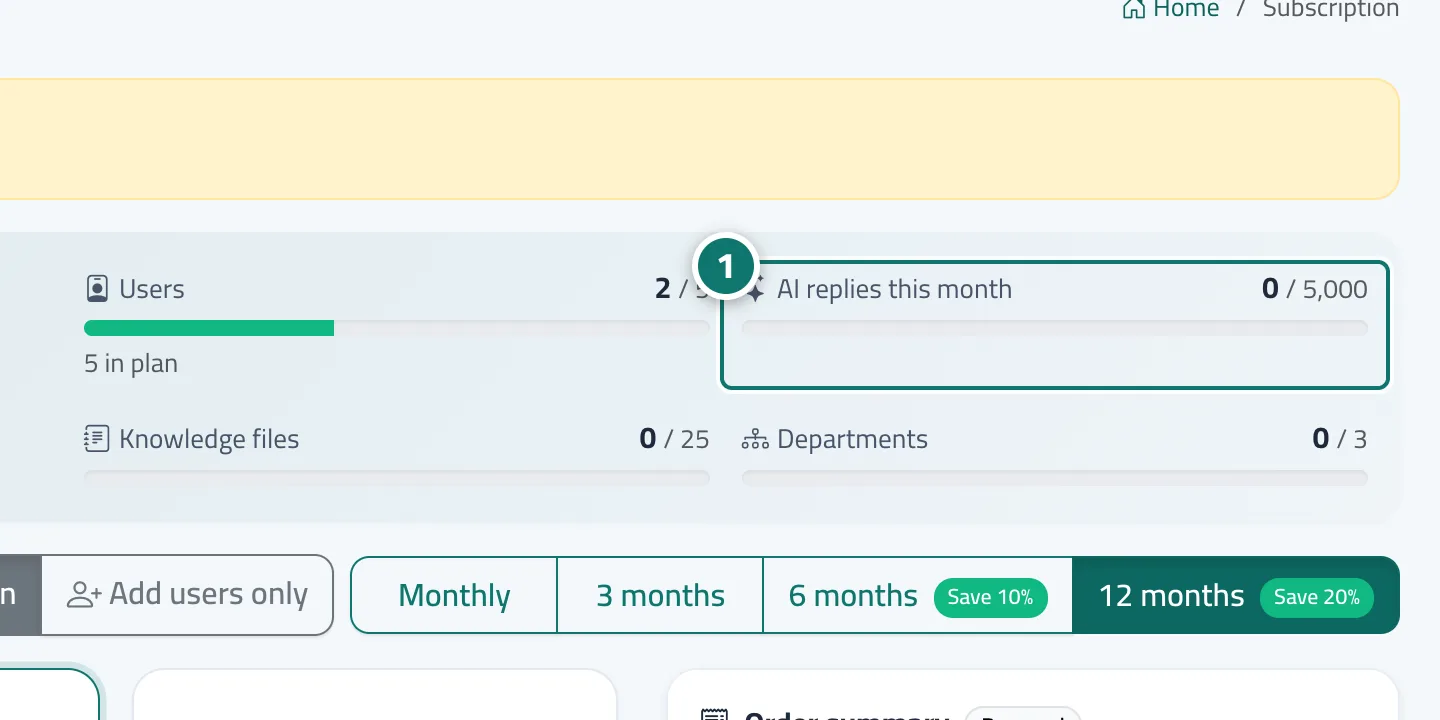
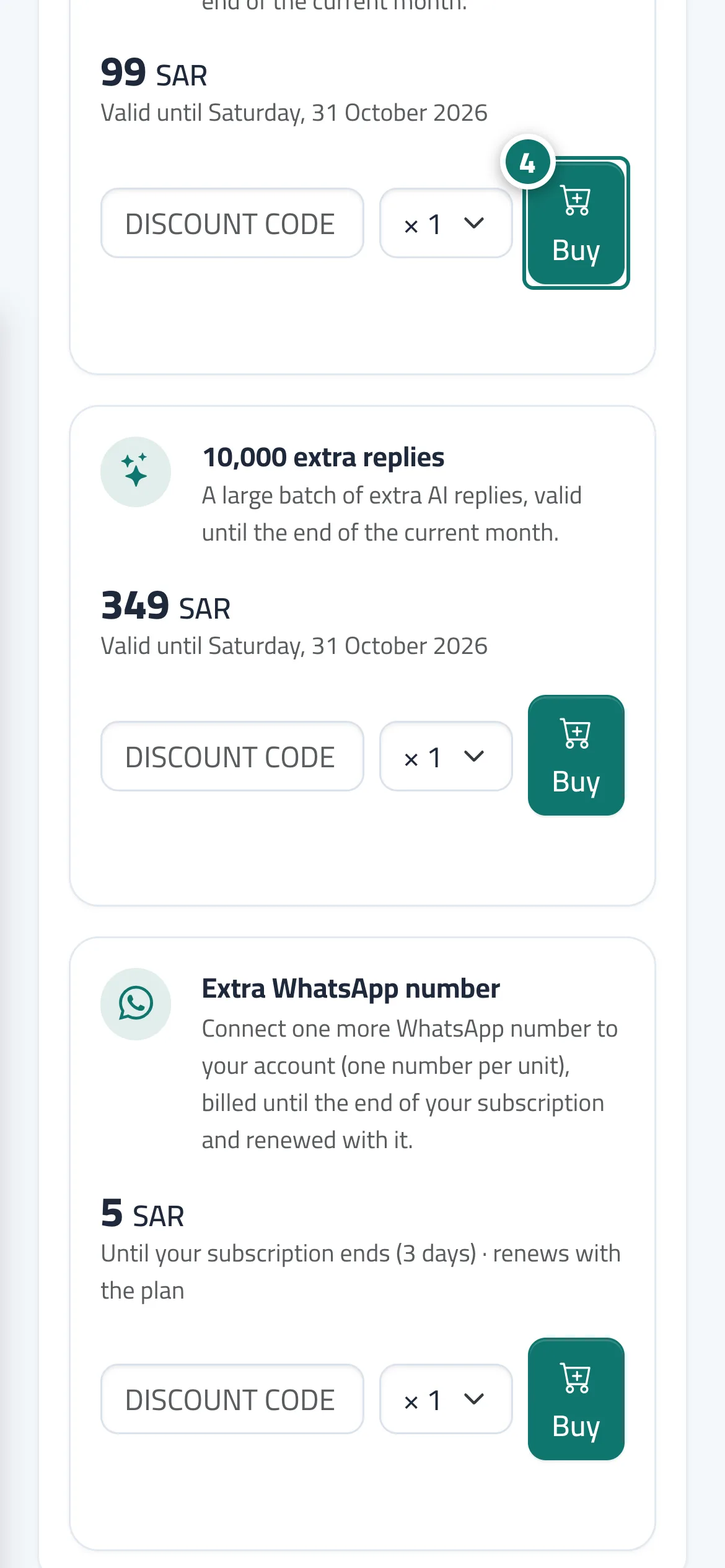
Each plan includes a number of AI replies per month (Basic 1,000, Pro 5,000, Business 20,000). A reply counts only when the AI assistant writes a new answer from the knowledge base; fixed answers, buttons and reply paths do not count. You follow your usage with the AI replies this month meter on the Subscription page, and the allowance resets automatically at the start of each month. When needed, you buy a 2,500 extra replies or 10,000 extra replies pack from the Add-ons section; it is added to the current month's allowance at once.
- Who can use it
- Business owner / admin
- Where to find it
- Sidebar → Account → Settings & subscription → Subscription tab → Plans & subscription → AI replies this month meter
Step by step#
- Open the Subscription page and check the AI replies this month meter (used / limit).
- At 80% you get a You’ve used …% of this month’s AI replies alert and a bar appears at the top of the dashboard.
- At 100% you get a This month’s AI replies are used up alert and the bar turns red.
- To raise the allowance at once, press Add replies in the bar or buy a reply pack from the Add-ons section, or choose a higher plan.
Tips#
Good to know#
Frequently asked questions#
Does every message a customer sends count as a reply?
No. Only a reply the AI assistant writes from the knowledge base counts. Fixed answers, buttons and reply paths don't.
When does the allowance reset?
Automatically at the start of each calendar month. You can raise it at once with an extra reply pack or by upgrading to a higher plan.