
Kauthar AI extension for OpenCart, PrestaShop and Odoo
Install the free Kauthar AI extension in your OpenCart, PrestaShop or Odoo store: it shares your products with Kauthar and adds the chat bubble to your store — connected with a button or a code, no keys to copy.
Overview#
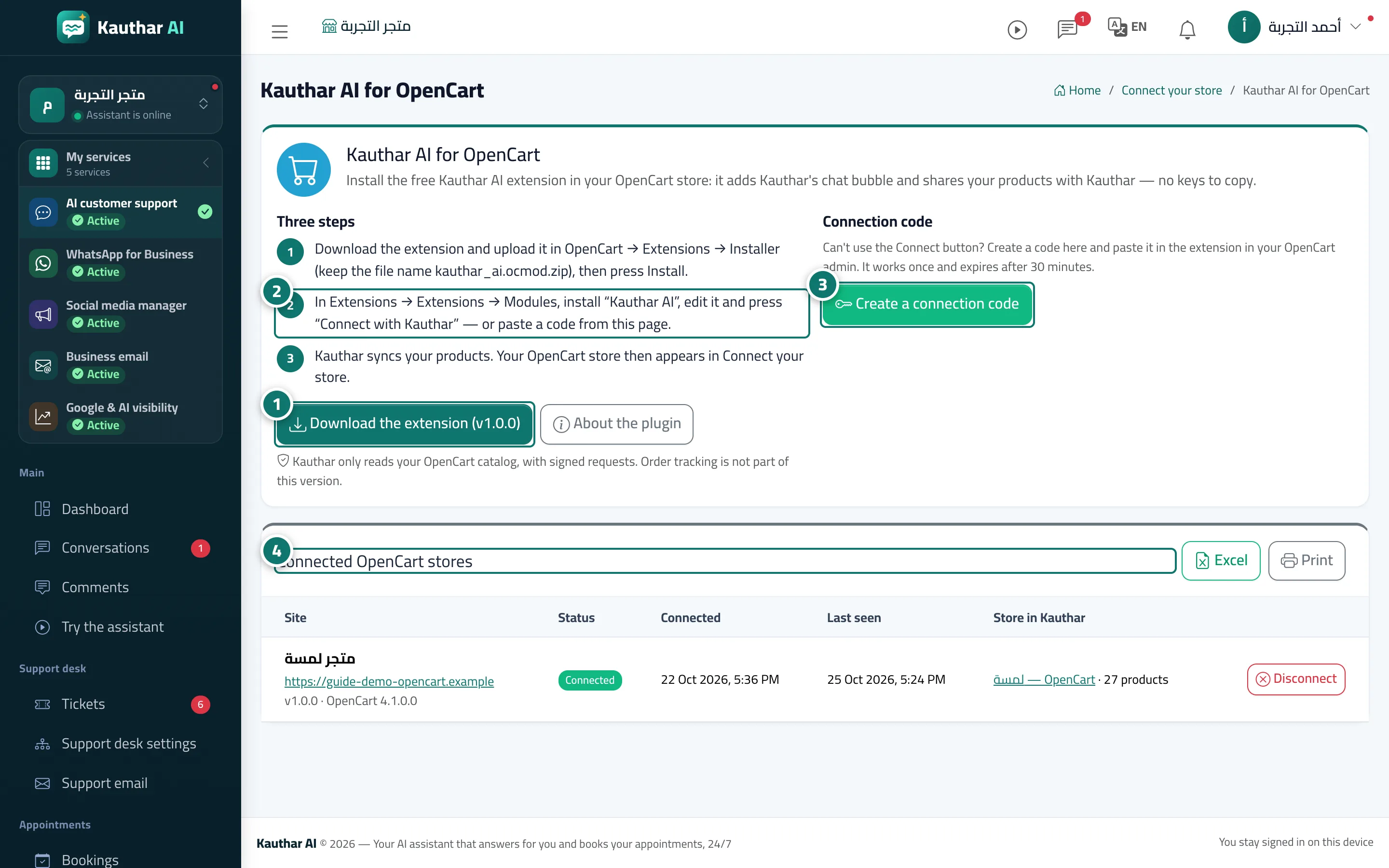
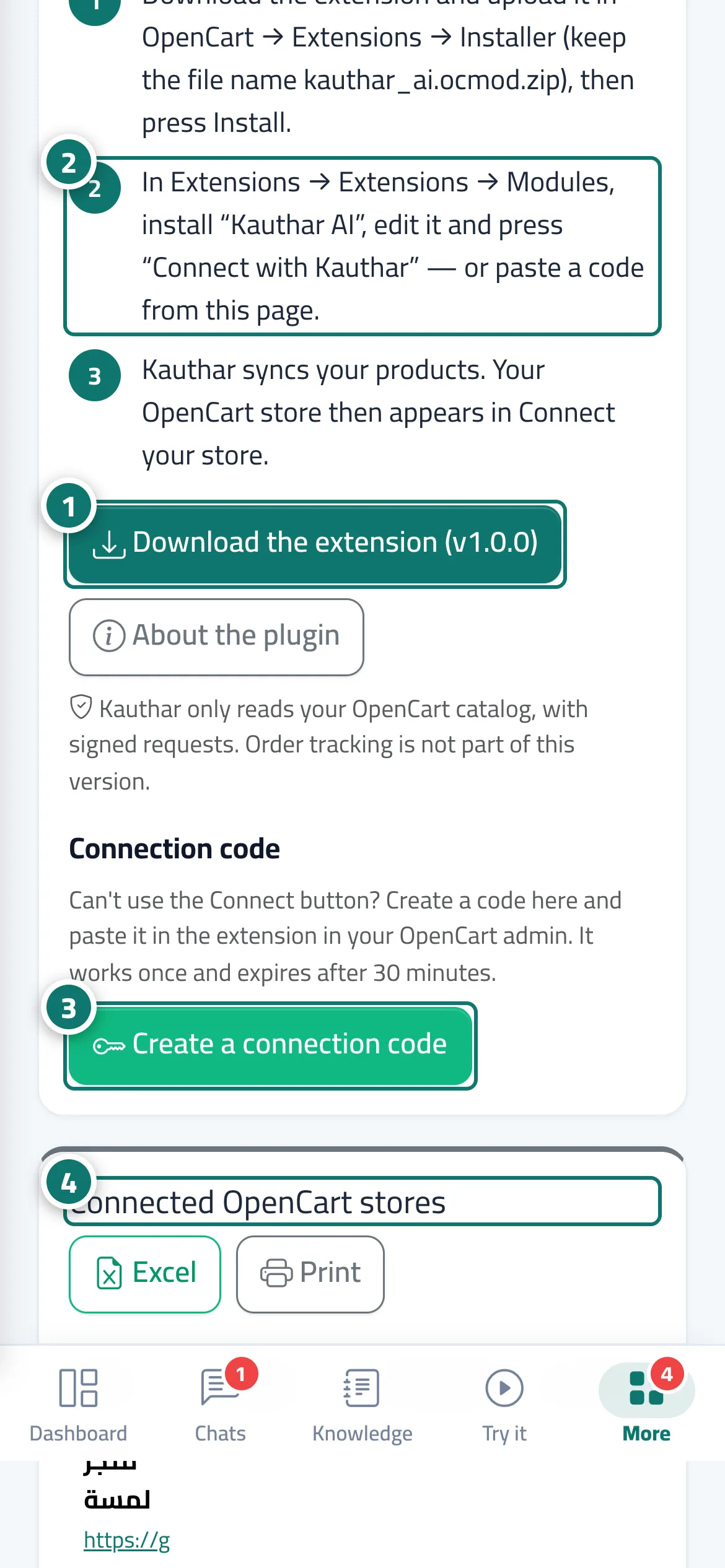
These platforms don't let anyone read the catalog with a copied key, so they are connected by the Kauthar AI extension that you install in your store. In Connect your store, press OpenCart, PrestaShop or Odoo to open the Kauthar AI for <platform> page with three steps: download the extension (the current version is on the button) and install it from your store admin, then press Connect with Kauthar inside the extension and approve in Kauthar (or create a connection code on this page and paste it into the extension). Kauthar then syncs your products, and your store appears in Connect your store with Kauthar extension: Connected. The extension shares your catalog with Kauthar read-only, with signed requests; it tells Kauthar whenever a product is saved or deleted, so changes arrive within minutes; and it adds the Kauthar chat bubble to your storefront (switched on or off in the extension settings). The Connected <platform> stores table lists each store with its status, connection date, last seen, the matching store in Kauthar and its product count, with a Disconnect button plus Excel and Print.
- Who can use it
- Business owner / manager (Connect your store permission)
- Where to find it
- Sidebar → Train your assistant → Connect your store → OpenCart, PrestaShop or Odoo
Step by step#
- On the Kauthar AI for <platform> page press Download the extension.
- Install it in your store: OpenCart in Extensions → Installer and then Modules; PrestaShop in Modules → Module Manager → Upload a module; Odoo by adding the module to your addons and installing Kauthar AI.
- Inside the extension press Connect with Kauthar, then Connect on Kauthar's confirmation page — or press Create a connection code here and paste the code into the extension.
- Your store appears under Connected <platform> stores and in Connect your store, and the product sync starts.
Tips#
Good to know#
Frequently asked questions#
Does the extension change anything in my store?
It doesn't edit your products or theme files; it only reads the catalog and adds the chat bubble script to your store pages.