
Notifications & my devices
Choose for yourself what reaches your phone and what reaches your email, review and test the devices registered to you, and set quiet hours.
Overview#
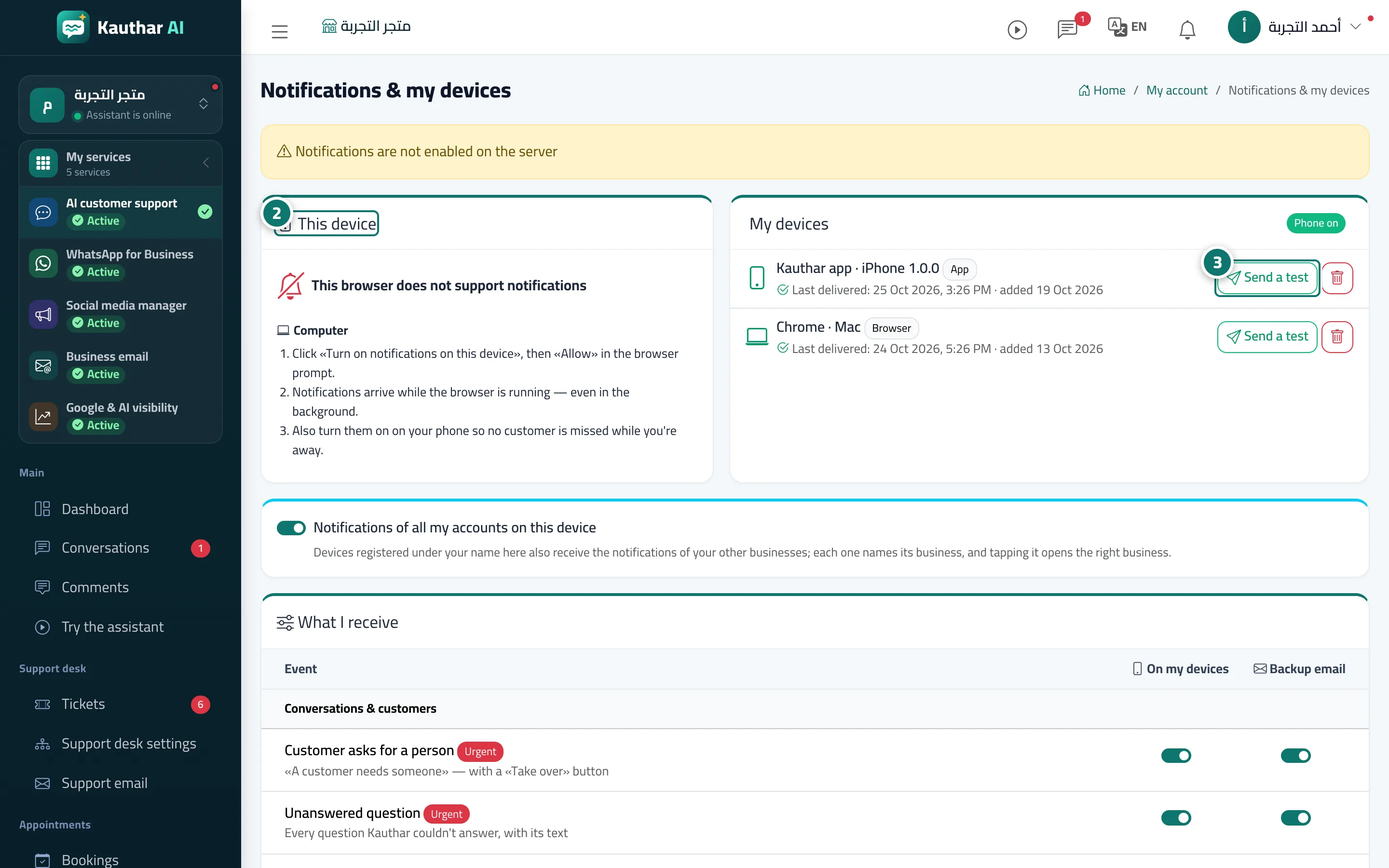
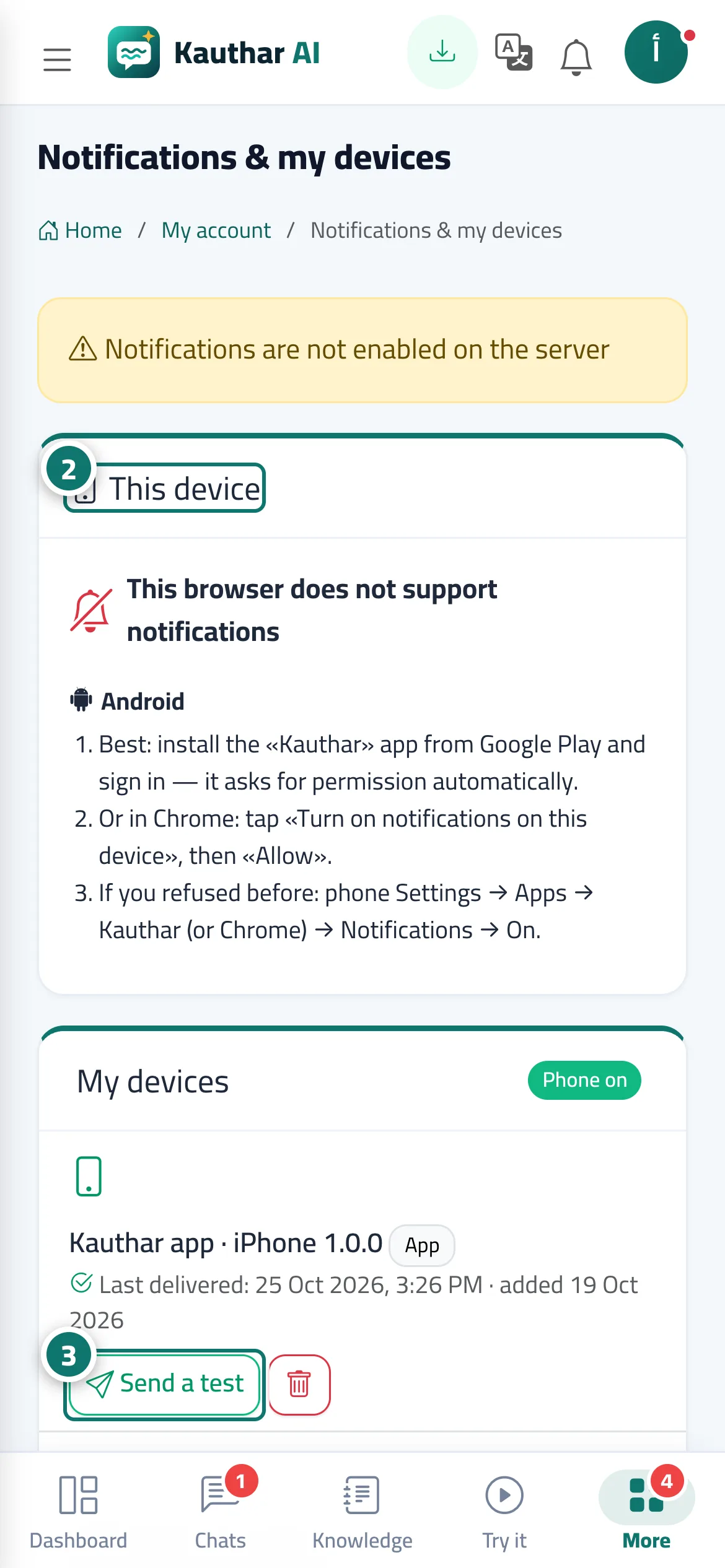
The Notifications & my devices page is personal to each team member. The This device card shows the notification status of the device you are using right now and a Turn on notifications on this device button, with steps tailored to iPhone, Android, the app and computers. The My devices card lists every device registered to you (the Kauthar app or a browser) with the last notification delivered and the date it was added, a Send a test button and a delete button, plus a Phone on badge when notifications reach a phone. What I receive is a table of events in groups (conversations and customers, bookings and orders, tickets, content and system, account and subscription), each with two switches: On my devices and Backup email (sent only if no device received the notification within a few minutes). Finally, Quiet hours silences non-urgent alerts. At the bottom are two WhatsApp cards: Renewal reminders on WhatsApp (for the owner and admins) and Manage my account from WhatsApp (for every member). On an Android phone with the Kauthar app installed, the This device card shows Your notifications arrive in the Kauthar app with an Open the app button.
- Who can use it
- Every team member
- Where to find it
- Your name menu → Notifications & my devices · or the bell in the top bar → Notifications & my devices
Step by step#
- Open Notifications & my devices from your name menu or the bell menu.
- In This device, press Turn on notifications on this device, then Allow, and follow the steps shown for your type of device.
- In My devices, press Send a test next to your phone to check that notifications arrive, and delete any device you no longer use.
- In What I receive, switch each event on or off for On my devices and Backup email.
- Turn on Quiet hours, set From and To, then save.
Tips#
Good to know#
Frequently asked questions#
A device shows a red mark — what does it mean?
The last delivery attempts to it failed (the app was removed or the permission was withdrawn). Delete it and turn notifications on again on that device.