Business info, photos and posts on Google
Edit opening hours, phone, website and description, upload photos and publish updates, offers and events on your business profile — with a before / after log of every change.
On this page
Overview#
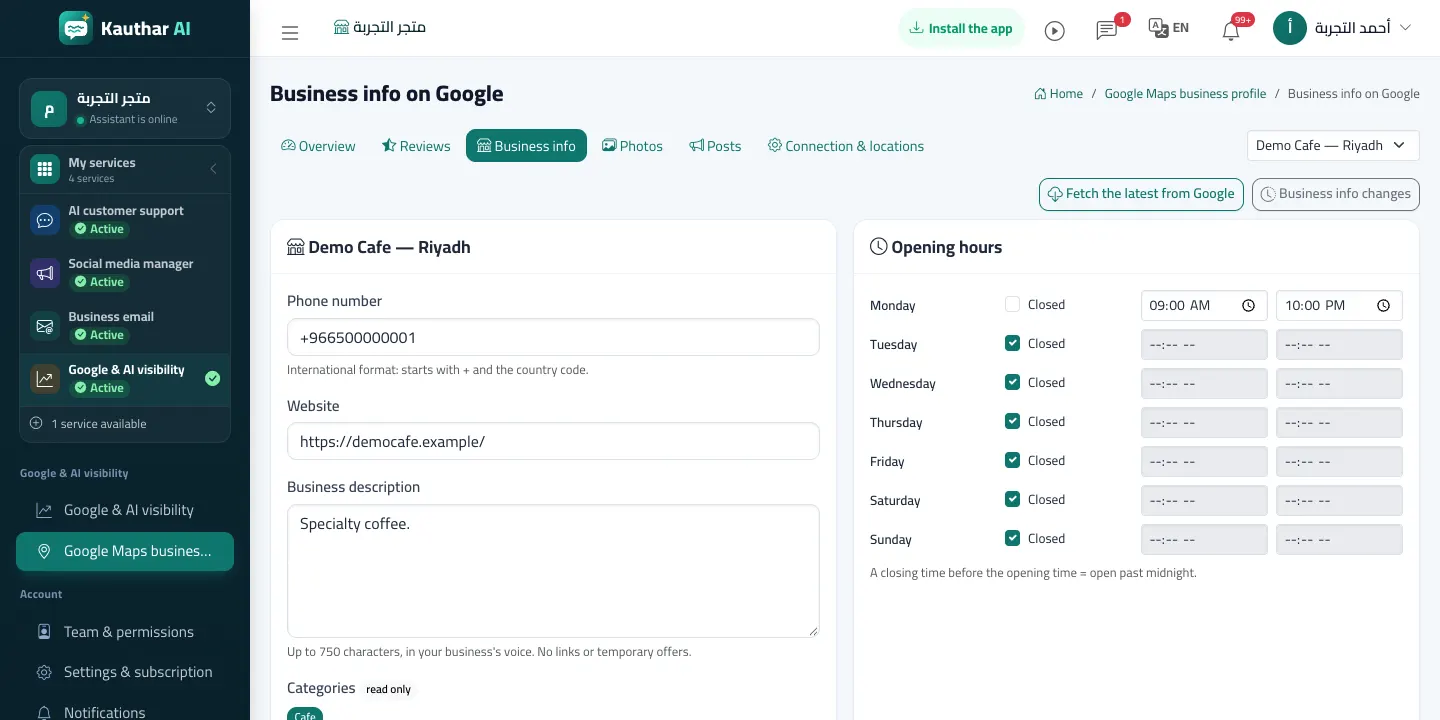
Business info shows the location's data as Google has it: phone, website, description and the hours of each day (categories and address are read only). On save only the fields you changed are sent, and the change is recorded in Business info changes with its before and after values. Photos uploads a picture from your device or your Kauthar files with its type (cover, interior, product…). Posts publishes an update, an offer or an event with an optional action button, and can start from a knowledge-base answer.
- Who can use it
- Business owner / manager
- Where to find it
- Google & AI visibility → Google Maps business profile → Business info / Photos / Posts
Step by step#
- Open Business info, change the phone, website, description or the hours, and click Save to Google.
- Check what changed on the change page (before / after) or in Business info changes.
- In Photos pick a picture and its type and click Send to Google.
- In Posts choose the type, write the text (or start from a fixed answer) and click Publish on Google.