
Opening a ticket on the customer's behalf
Customer called or messaged you on WhatsApp? Log the request as a ticket in a minute so it gets followed up and isn't forgotten.
Overview#
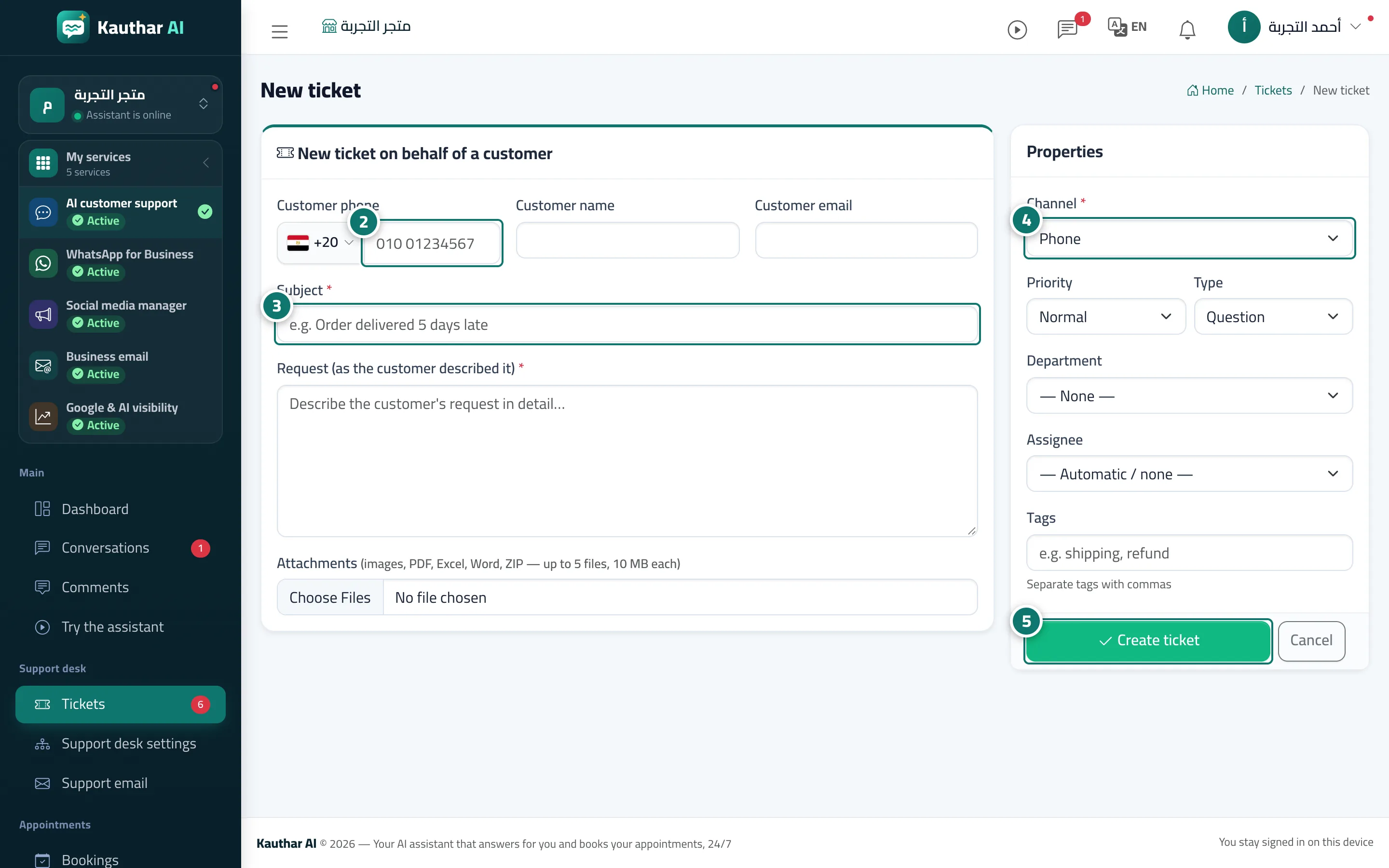
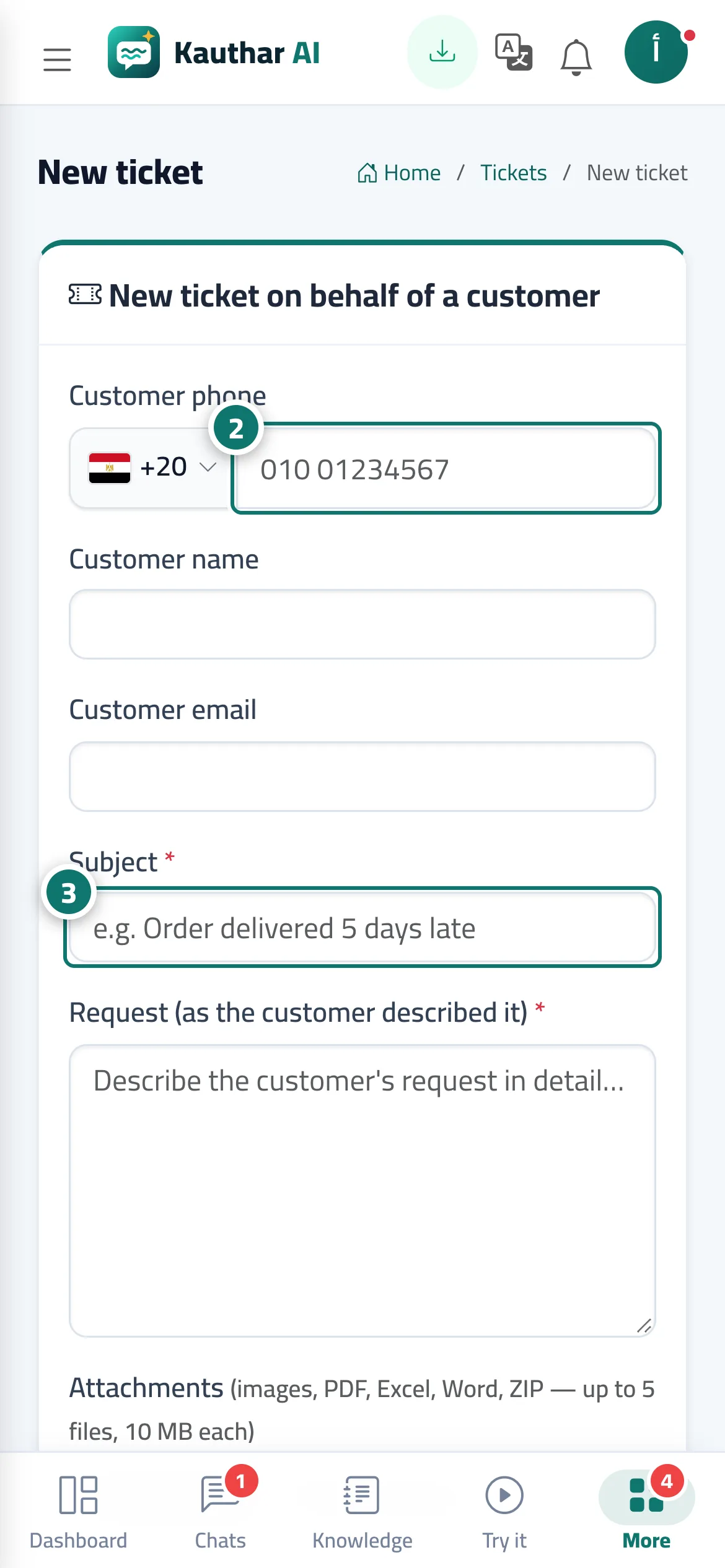
Agents can open a ticket themselves for any request that came in outside the system (phone, WhatsApp, Facebook, a visit). When you type the customer's phone (choosing the country) or email, Kauthar looks them up, fills in their name if they've dealt with you before, and shows This customer has previous tickets:. You choose the channel, priority, type, department, assignee and tags, and you can attach images or files.
- Who can use it
- Business owner / manager / agent
- Where to find it
- Sidebar → Support desk → Tickets → New ticket
Step by step#
- On the Tickets screen, press New ticket.
- Enter the Customer phone (and the Customer name and Customer email if you have them).
- Enter the Title and the Request (as the customer described it).
- Choose the Channel (phone, agent, WhatsApp, Facebook, email), Priority, Type, Department and Assignee, and add tags separated by commas.
- Press Create ticket.
Tips#
Good to know#
Frequently asked questions#
Why open a ticket for a customer who phoned me?
So the request has a number, a deadline and an owner — it isn't forgotten, and it shows up in the reports.
Does the customer know a ticket was opened for them?
If you enter their email, the support email is connected and the acknowledgement email is turned on, they receive a message with the ticket number. In every case you can send them the tracking link on WhatsApp.
Why choose a channel?
So the reports show you which channels bring in most of your requests (phone, WhatsApp, chat…).