
Round-robin ticket assignment
Each new ticket is automatically assigned to the next agent in line within its department, so the work is shared evenly.
Overview#
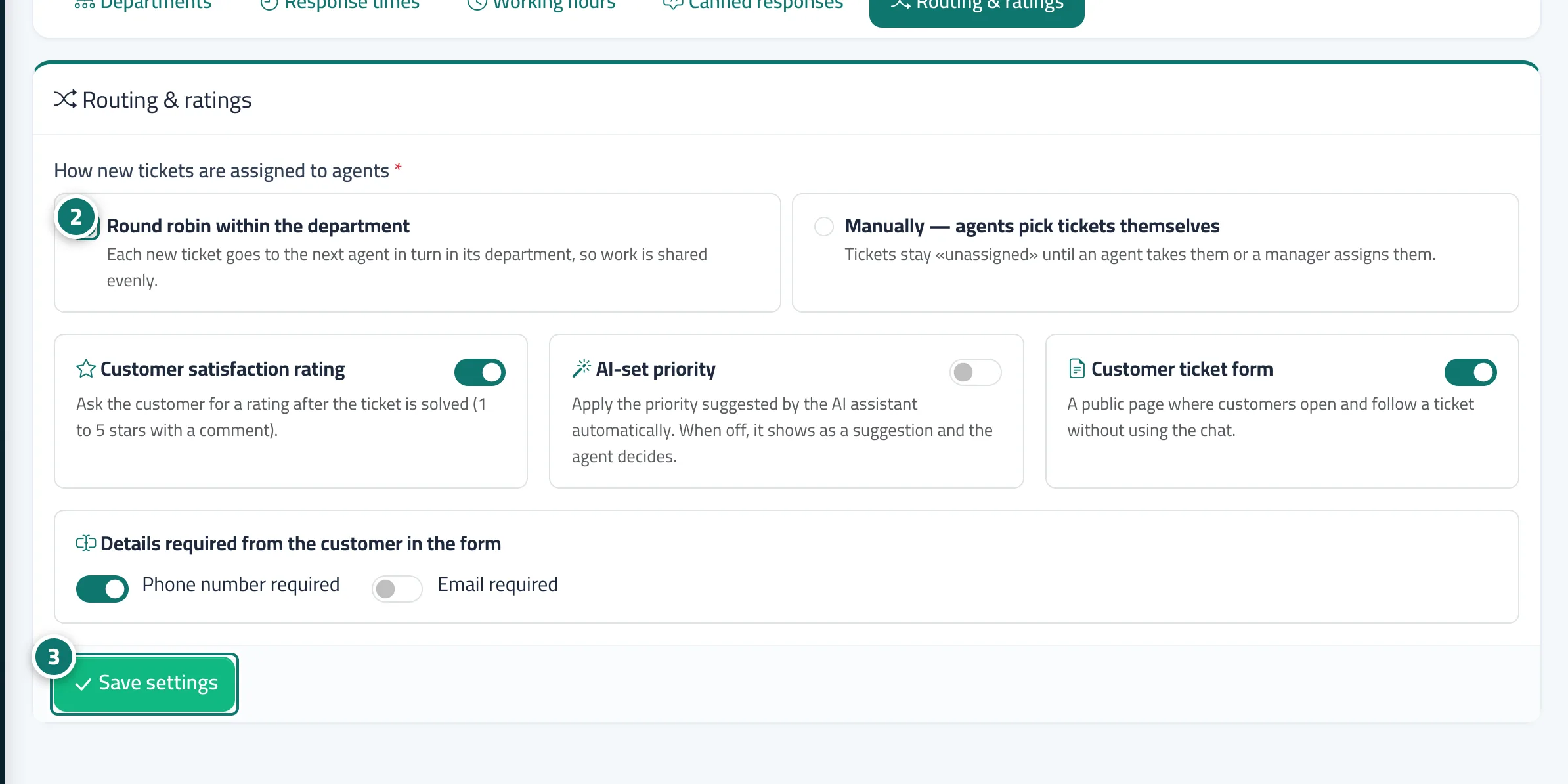
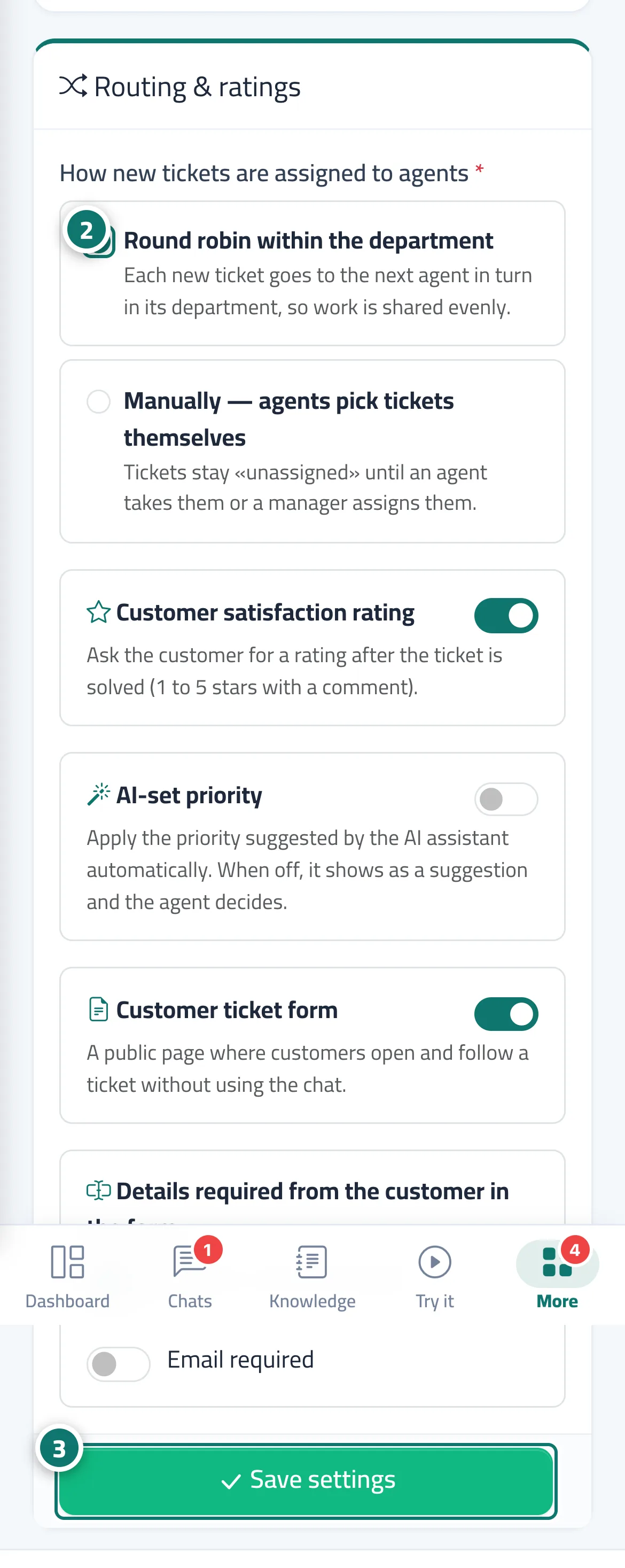
In the Routing & ratings tab you choose How new tickets are assigned to agents: Round robin within the department (each new ticket goes to the next agent in line within its department) or Manually — agents pick tickets themselves (tickets stay unassigned until an agent takes them or a manager assigns them). The agent who gets a ticket receives an alert. The same tab holds the Customer satisfaction rating, AI-set priority and Customer ticket form options, along with the details the form requires (Phone number required / Email required).
- Who can use it
- Business owner / manager
- Where to find it
- Sidebar → Support desk → Support desk settings → Routing & ratings
Step by step#
- Open Support desk settings → the Routing & ratings tab.
- Under How new tickets are assigned to agents, choose Round robin within the department or Manually — agents pick tickets themselves.
- Press Save settings.
Tips#
Good to know#
Frequently asked questions#
What if a department has no agents?
Any agent can pick up the tickets of a department with no agents, and its tickets are shared among all agents in rotation.
Are tickets that an agent opens themselves assigned automatically?
If they choose an Assignee when opening it, it goes to that person; if they leave it on — Automatic / none —, automatic routing applies.