
Billed through Shopify
If your business is connected through the Kauthar app on Shopify, every Kauthar subscription is added to your Shopify invoice, and you approve the amount on Shopify's official page.
Overview#
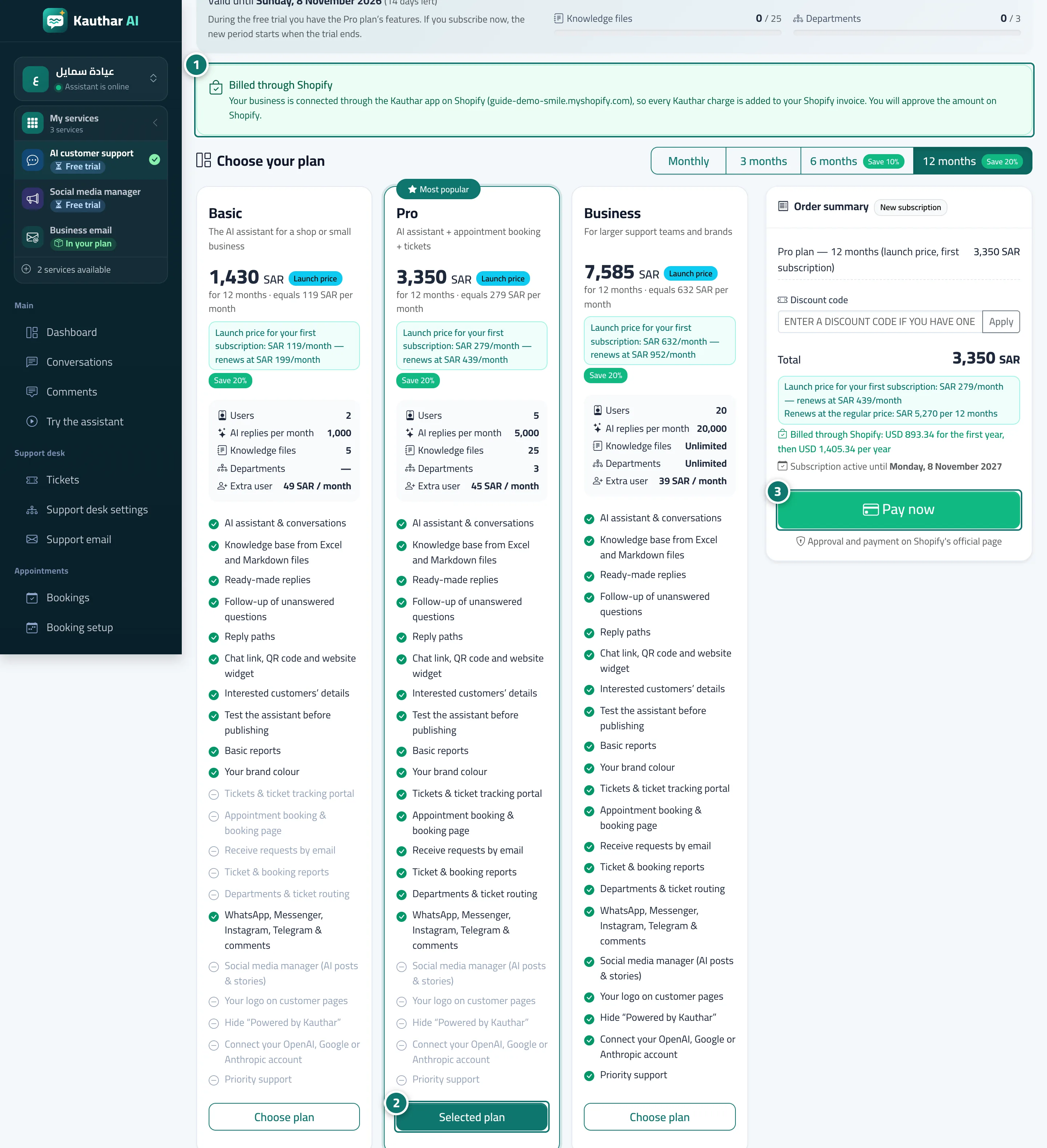
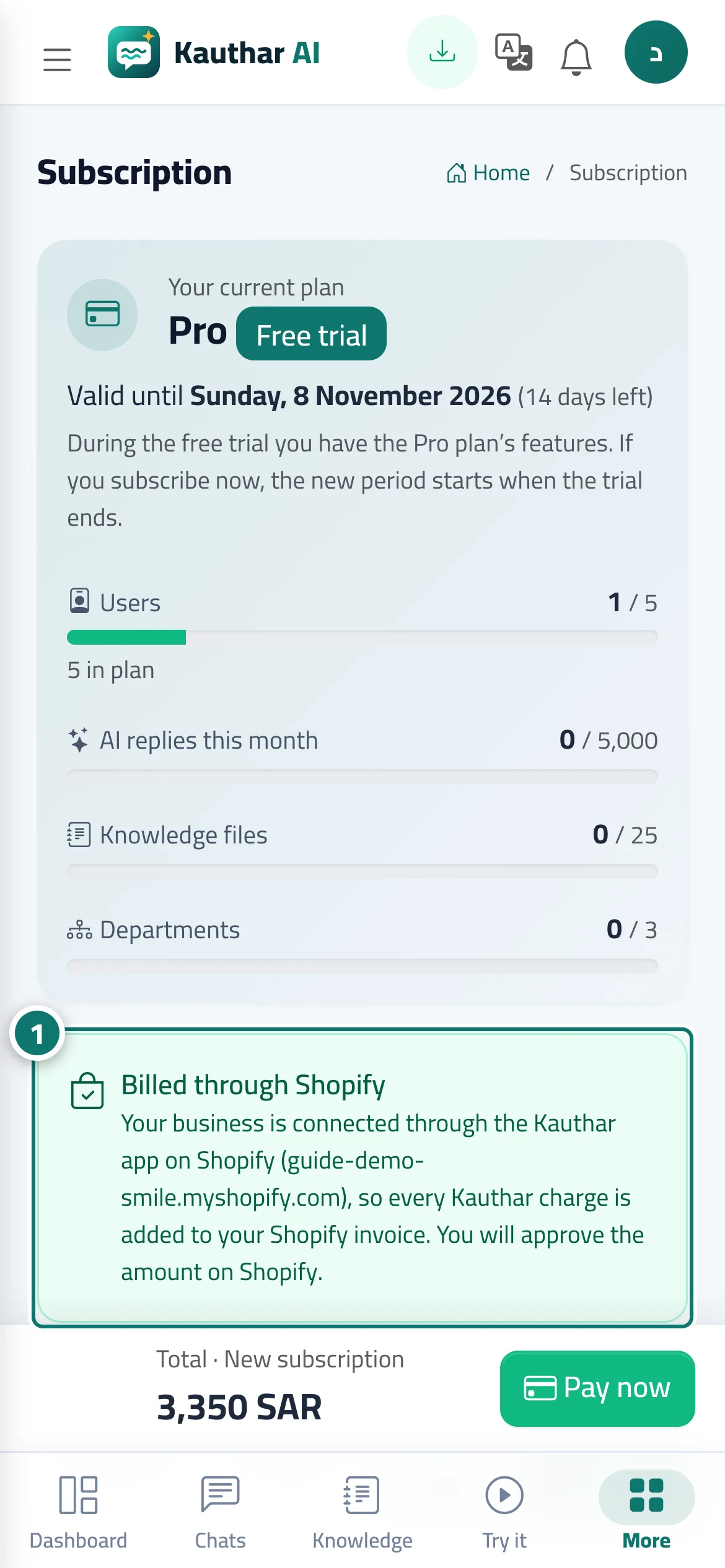
The Shopify App Store requires apps to charge through Shopify itself. So when your store is connected through the Kauthar Shopify app, the subscription page (customer support or any other service) shows a Billed through Shopify box with your store name: every Kauthar charge is added to your Shopify invoice, and pressing Pay now takes you to Shopify's official page to approve the amount before you come back. A line under the price explains how it is charged (for example Billed through Shopify: … every 30 days, renews automatically), and once active the box shows Your Shopify subscription renews automatically with the end of the current period. Every paid period is recorded in Payment history.
- Who can use it
- The owner of a business connected through the Kauthar app on Shopify
- Where to find it
- Sidebar → Account → Settings & subscription → Subscription (or My services → the service → Subscription)
Step by step#
- Open the subscription page — the Billed through Shopify box shows your store name.
- Choose the plan and term; the line under the price shows the amount Shopify will charge and how often.
- Press Pay now and approve the amount on Shopify's page; you return to Kauthar and your subscription is active.
Tips#
Good to know#
Frequently asked questions#
Can I pay by card directly instead of through Shopify?
Not while your business is connected through the Kauthar Shopify app — Shopify requires this of every app in its store.