
Live conversations
Follow your customers' conversations with the AI assistant as they happen, and see at once who needs a person from your team.
Overview#
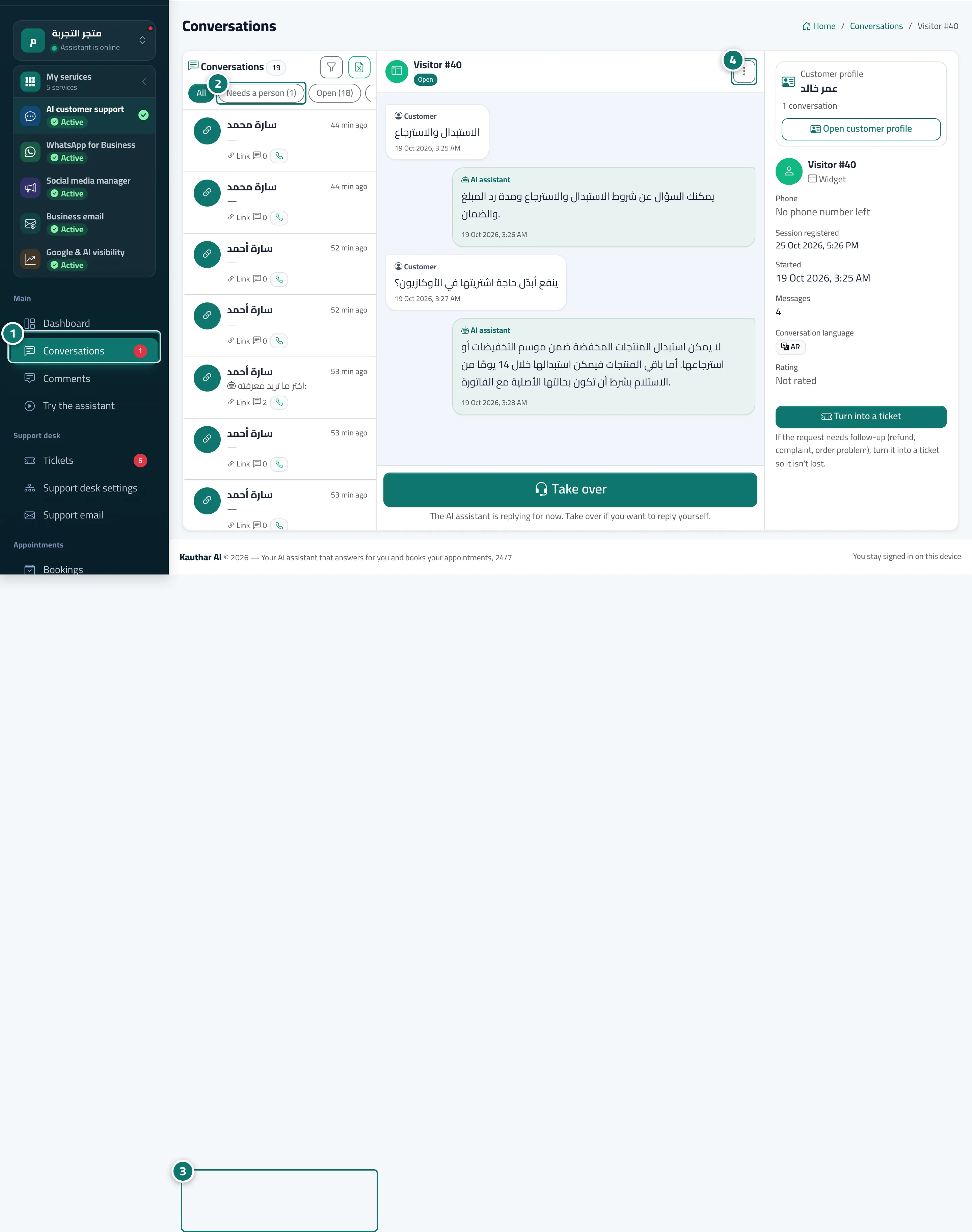
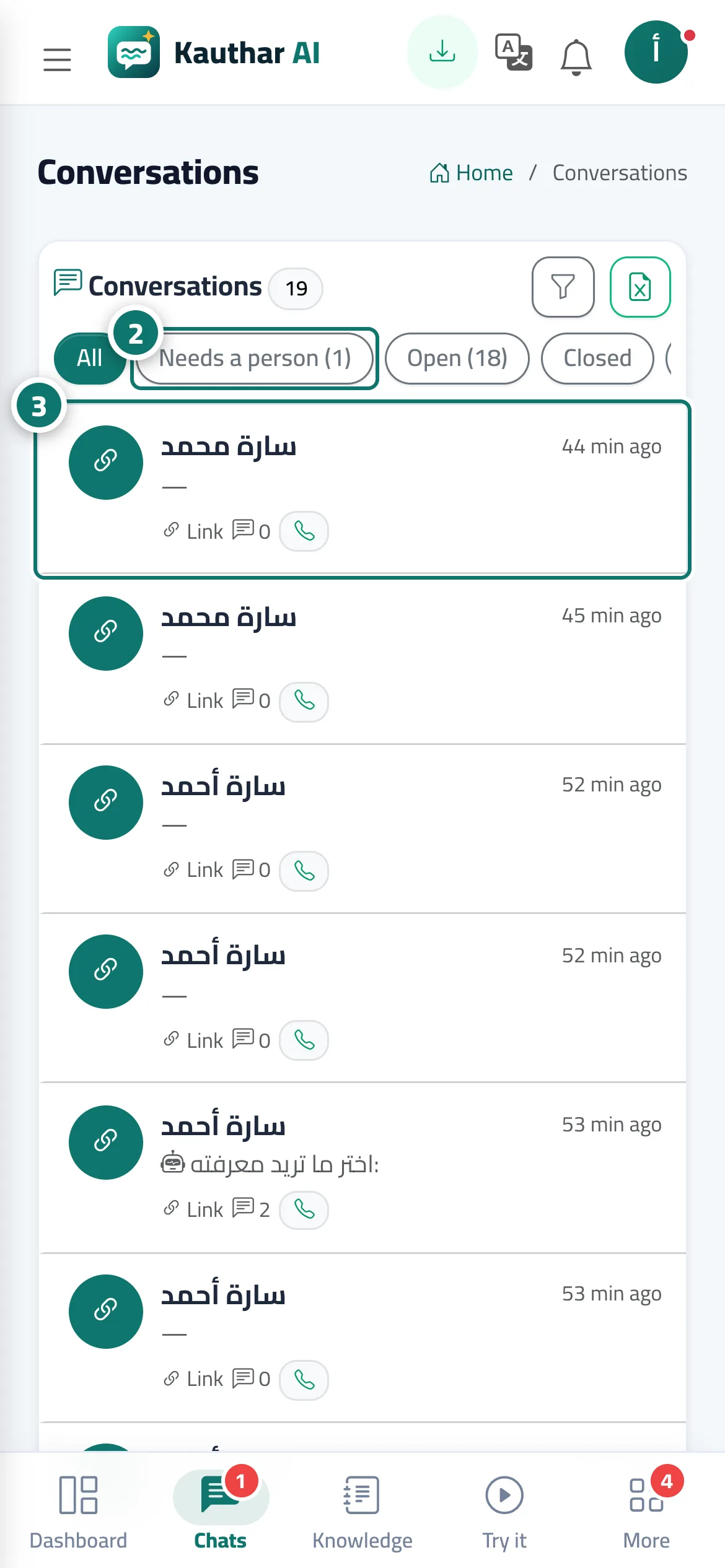
The Conversations screen shows every customer conversation that comes in from the chat link, the chat window on your website (the widget) or the QR code: the list on one side and the open conversation on the other, with the customer's messages and the AI assistant's replies, Answer sources to see which file each reply relied on, and product cards when the assistant showed them with a reply. The open conversation refreshes every 3 seconds and the list every 10 seconds. Quick filters are available: All · Needs an agent · Open · Closed · Unanswered questions, and the Search and filter button (funnel icon) lets you search messages, names or numbers and filter by channel and date. If you connected more than one WhatsApp number, an All WhatsApp numbers list lets you show one number's conversations. The customer details panel has a Customer profile card with their conversations on other channels and their next appointment, plus an Open customer profile button.
- Who can use it
- Business owner / manager / agent
- Where to find it
- Sidebar → Main → Conversations
Step by step#
- Open Conversations; the number next to it in the sidebar is how many conversations need an agent.
- Choose Needs an agent to show the conversations waiting for a reply from your support team.
- Pick a conversation to see all its messages and the customer's details: phone, the page they were browsing, start date, number of messages, conversation language and rating.
- From More you can: Print conversation · Close · Reopen · Delete.
Tips#
Good to know#
Frequently asked questions#
How do I know the AI assistant couldn't answer?
The conversation is marked Needs an agent or shows the number of unanswered questions, and you receive the notification A question the assistant couldn't answer.
Does the customer see that a person is reading the conversation?
No, not until you click Take over; then they see a message that a customer service agent has joined the conversation.
Can I print the conversation of a customer who has a complaint?
Yes. More → Print conversation gives you an A4 page with every message and its time.