
Public chat link
One link with your business's name that any customer can open to ask the assistant and get an instant reply — no account to create, no app to download.
Overview#
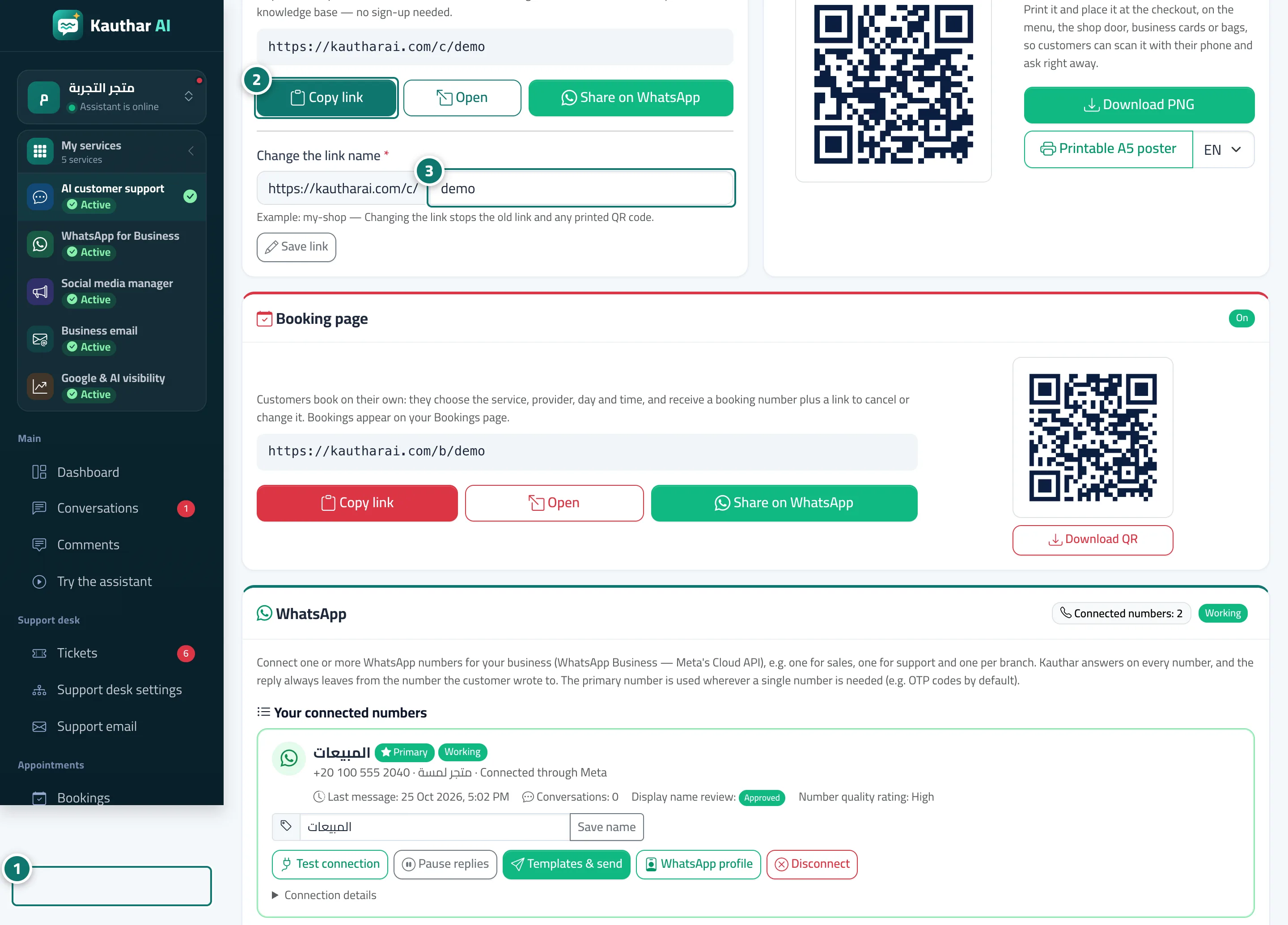
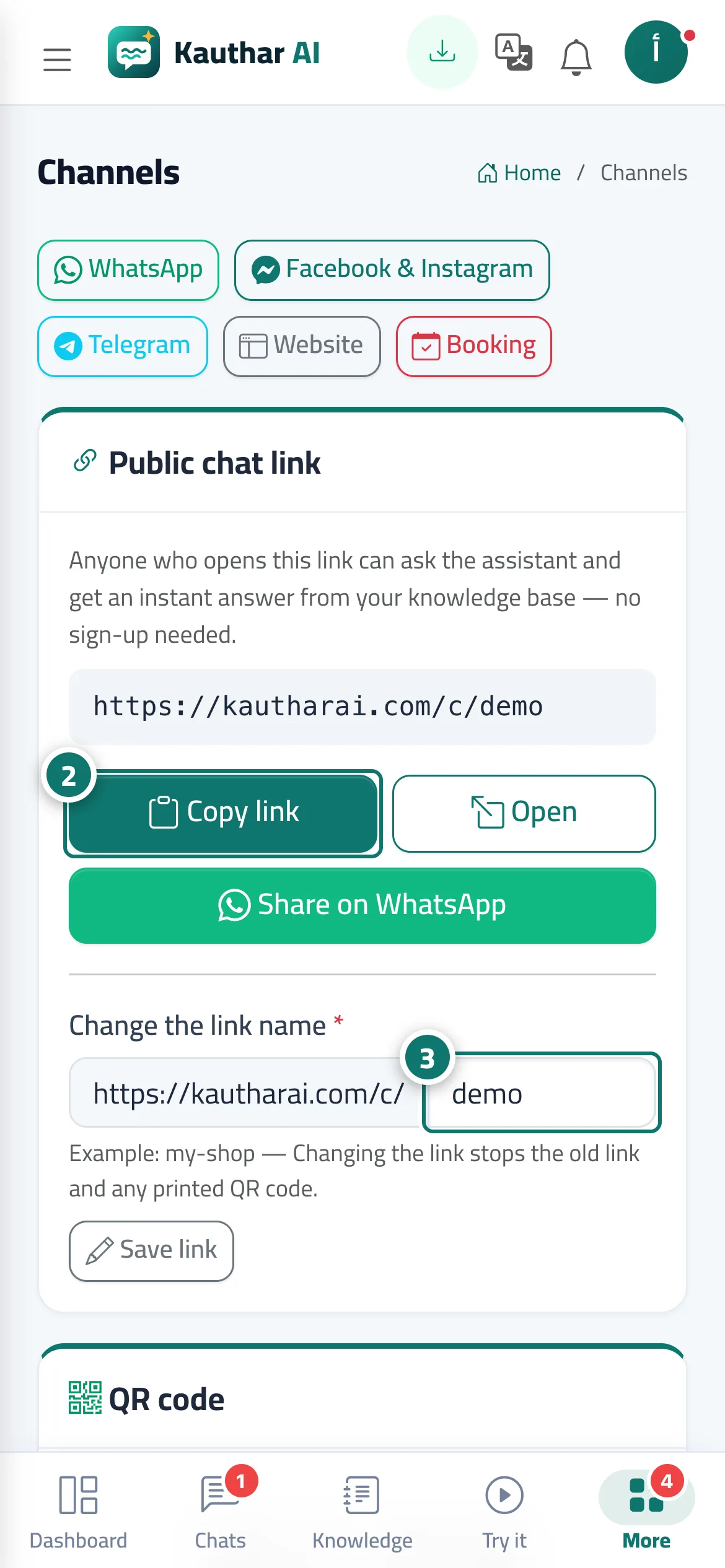
Every business has a public chat link ending in /c/<link-name>. The customer opens it on a phone or computer and starts asking straight away; the page appears in the language of their device (Arabic, English or French) and the assistant answers from your knowledge base. You can Copy link, Open it or Share on WhatsApp in one click, and Change the link name to an easy name that represents your business. The chat page uses your brand colour and logo from Branding.
- Who can use it
- Business owner / manager
- Where to find it
- Sidebar → Channels & customers → Channels
Step by step#
- Open Channels from the sidebar.
- In the Public chat link card, click Copy link, Open or Share on WhatsApp.
- To change the name: type the new name under Change the link name in small English letters (for example: my-shop), then click Save link and confirm.
Tips#
Good to know#
Frequently asked questions#
Does the customer need to sign up or download an app?
No — they open the link and type their question directly. If Ask for customer details before the chat starts is on, they enter their name and phone number once first.
I changed the link name — does the old QR code still work?
No, the old link and its code stop working. Download the new QR code from the QR code card and print it.
Can I put the link in my WhatsApp Business greeting message?
Yes, it's one of the best places: in the WhatsApp Business app, go to Business tools → Greeting message / Away message.