Daily mail digest
Every day at the time you choose (09:00 by default) Kauthar reads your business e-mail and sends you a digest: what arrived, what the team or Kauthar answered, what is still waiting for you and since when, with one line per important message and the next step.
On this page
Overview#
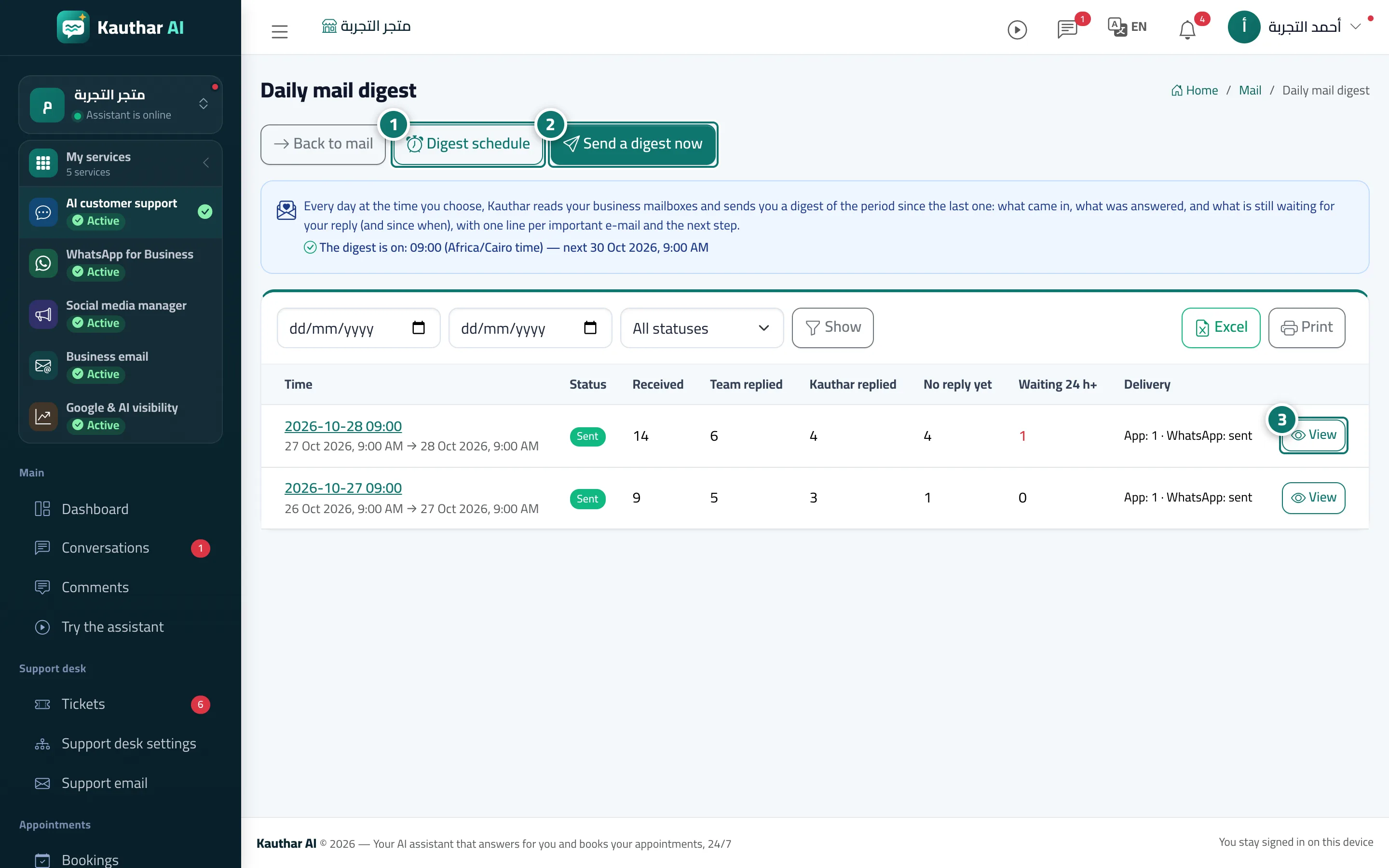
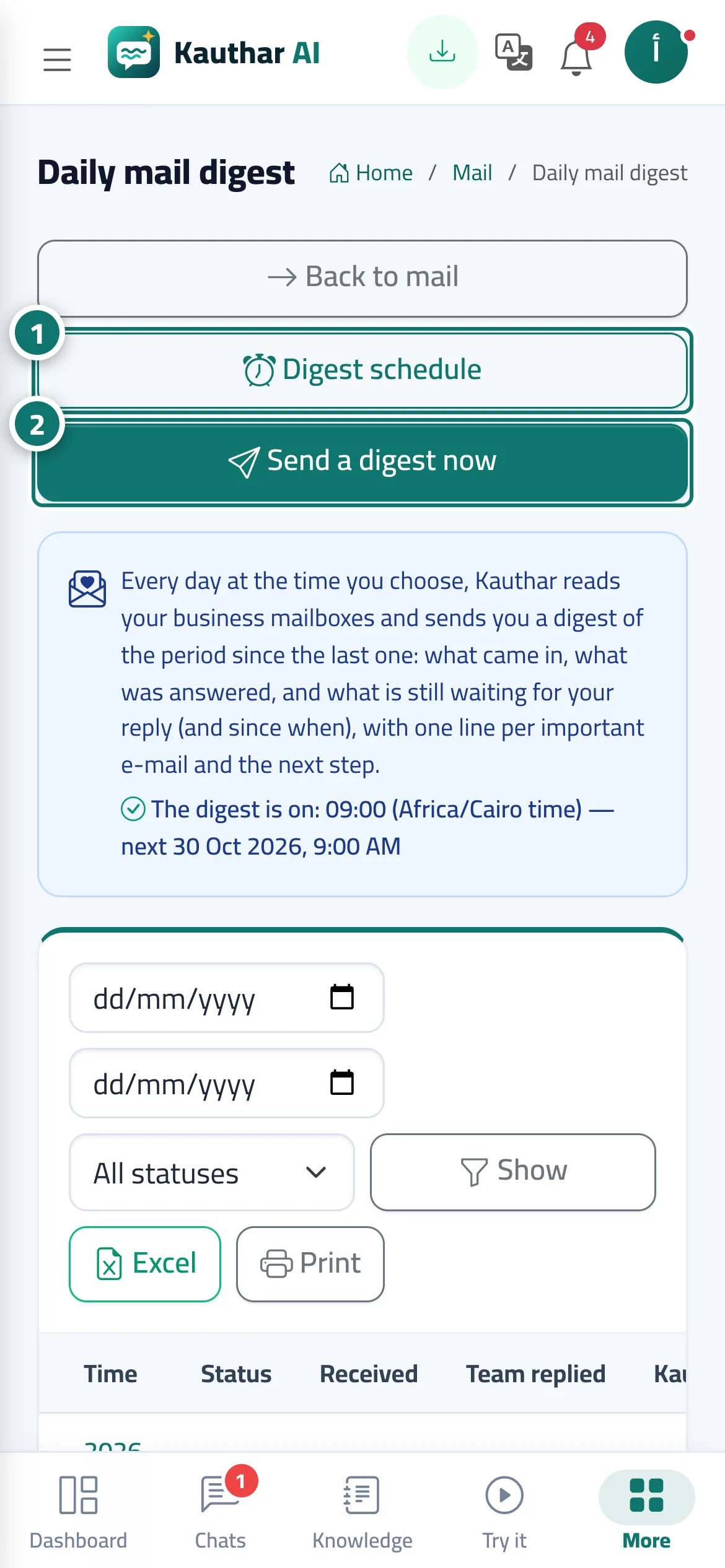
The Daily mail digest screen inside Mail. At each digest time (up to 3 a day) Kauthar reads the connected mailboxes and sends a digest of the period since the previous one: received, answered by the team, answered by Kauthar, still unanswered, waiting more than 24 hours, plus the important waiting threads (sender, subject, a one-line summary and the suggested next step) and urgent flags (complaint, payment or invoice, legal, deadline, meeting request). It reaches you on WhatsApp, inside Kauthar and as a push notification, and by e-mail if nothing reached your phone. The page shows the digest status, the next time, and the history with date/status filters, A4 print and Excel.
- Who can use it
- Owner and admins (settings), plus the team members they add as recipients
- Where to find it
- Sidebar → Business email → Mail → Daily mail digest
Step by step#
- Press Digest schedule to choose how many times a day, the times, the recipients and the delivery methods.
- Press Send a digest now for an immediate digest since the last one.
- Press View on any digest in the history to read it with Open the message and Write a reply links.