
SEO & AI visibility · Connect your hosting so Kauthar fixes the site files herself
My site is neither WordPress nor a store — how can Kauthar fix it herself?
For a site built as HTML files on a hosting account (cPanel or other): connect SFTP once, and Kauthar confirms you own it and edits titles, descriptions, image alt text and structured data in the site files themselves, with a backup and undo for every change.
Who this is for: Owner & manager
Where: Google & AI visibility → Sites → the site → the «Edit your site files» card
Steps
- Ask the company that hosts your site for its SFTP details: server address, username, password and site folder.
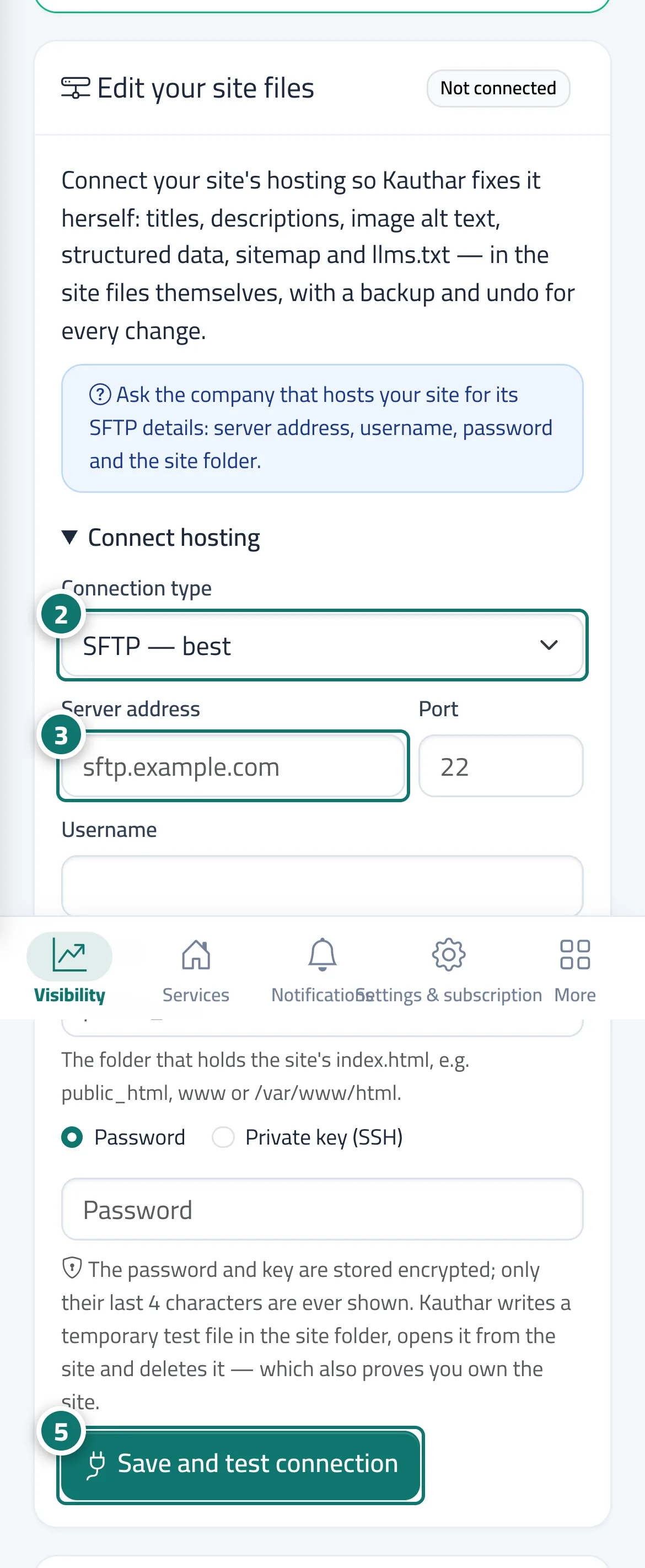
- Open the site from «Sites», scroll to the «Edit your site files» card and choose the «Connection type» (SFTP is the best). Number 2 on the picture
- Enter the server address, port, username and password or key. Number 3 on the picture
- Enter the «Site folder» (the folder that holds index.html, such as public_html).
- Click «Save and test connection»; when it works, «Kauthar edits it herself» appears. Number 5 on the picture
Steps
- Ask the company that hosts your site for its SFTP details: server address, username, password and site folder.
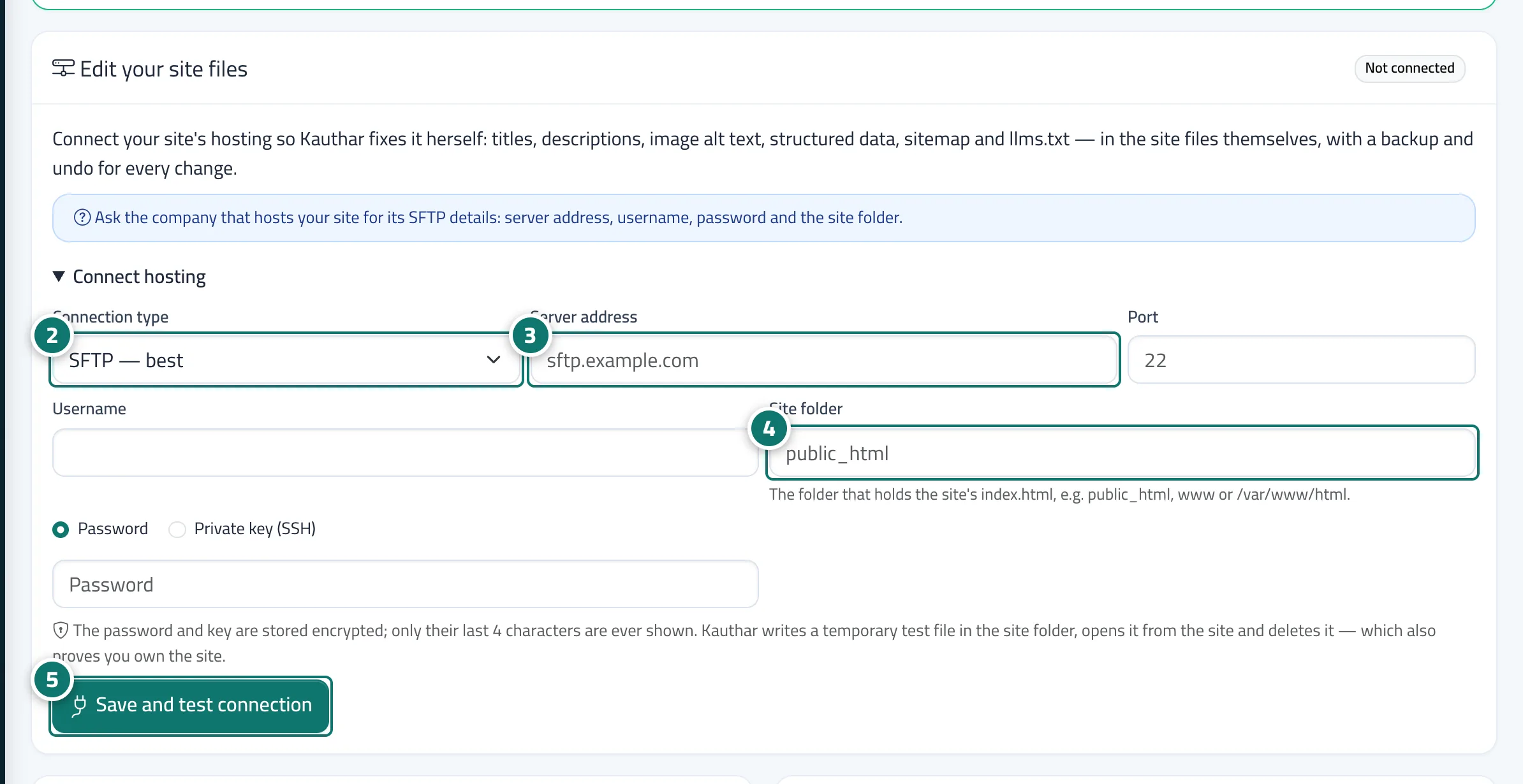
- Open the site from «Sites», scroll to the «Edit your site files» card and choose the «Connection type» (SFTP is the best). Number 2 on the picture
- Enter the server address, port, username and password or key. Number 3 on the picture
- Enter the «Site folder» (the folder that holds index.html, such as public_html). Number 4 on the picture
- Click «Save and test connection»; when it works, «Kauthar edits it herself» appears. Number 5 on the picture