
SEO & AI visibility · What Kauthar can change on your site: approvals and the capability table
What can Kauthar change on my site?
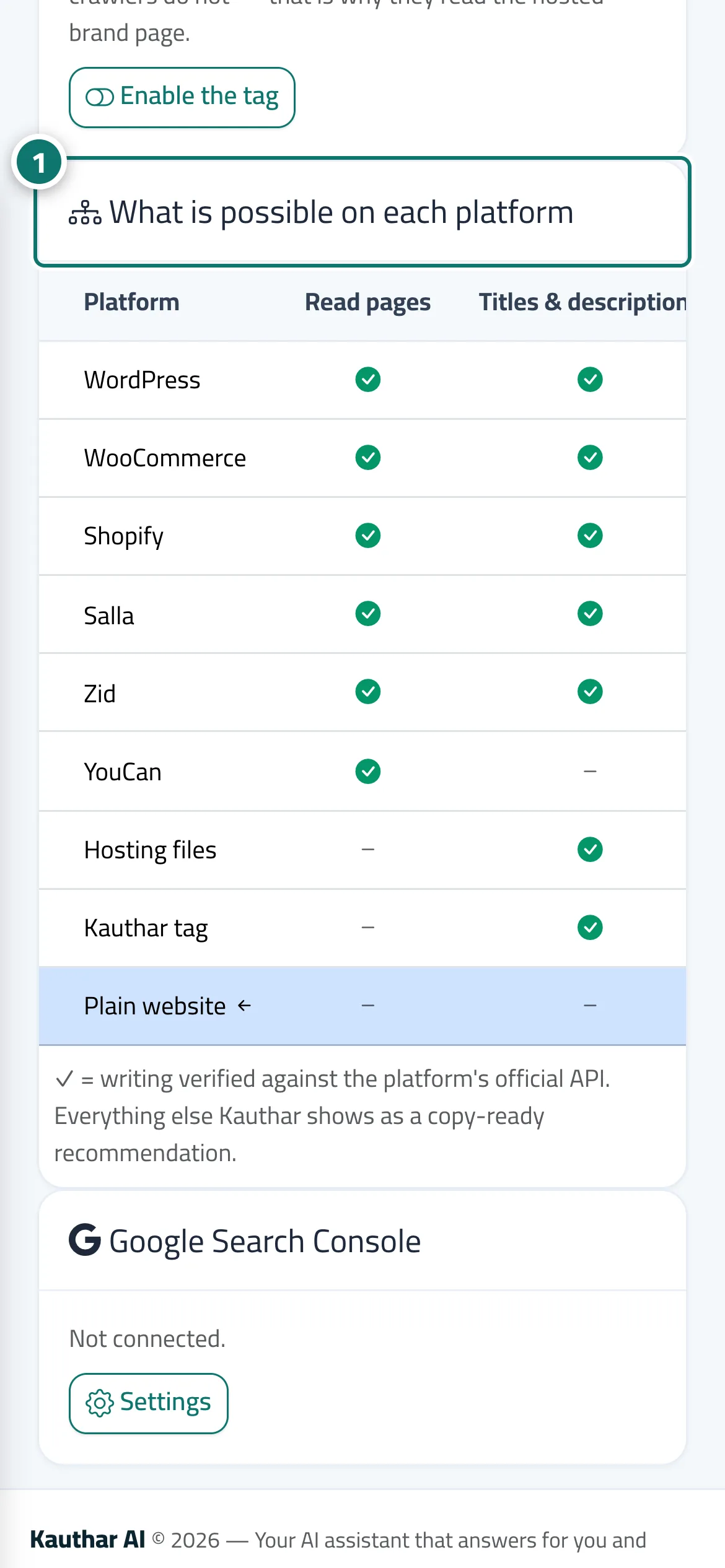
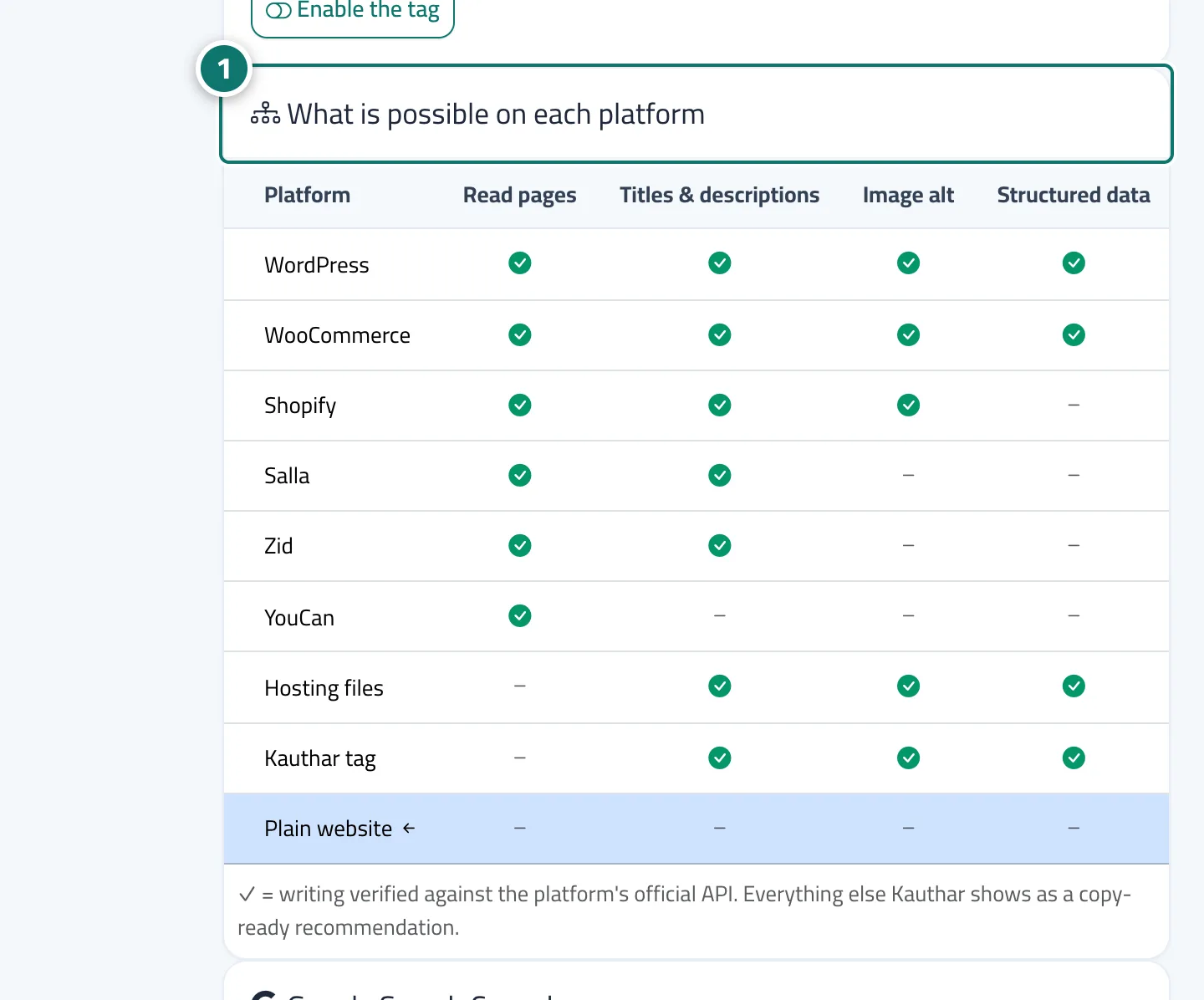
Each site's page has a clear table of what Kauthar can change on your platform; on WordPress nothing changes until you approve each category inside the Kauthar plugin (version 1.1).
Who this is for: Owner & manager
Where: Google & AI visibility → Sites → gear button next to the site
Steps
- Open the site from “Sites” and review the “What is possible on each platform” table. Number 1 on the picture
- On WordPress, open the plugin → “Kauthar SEO”, turn on the allowed categories, choose the user, then save the Kauthar SEO settings.
- On the “Autopilot” card of the site page, turn change types on or off; types not available on your platform appear locked.
Steps
- Open the site from “Sites” and review the “What is possible on each platform” table. Number 1 on the picture
- On WordPress, open the plugin → “Kauthar SEO”, turn on the allowed categories, choose the user, then save the Kauthar SEO settings.
- On the “Autopilot” card of the site page, turn change types on or off; types not available on your platform appear locked.