
Team & security · Business details, country and currency
How do I change my business name or phone number?
Your business name, phone, email and address, plus its country, price currency and time zone in one place; they are used on your screens, the chat page, bookings and printouts.
Who this is for: Owner & manager
Where: Sidebar → Account → Settings & subscription → «Business details» tab
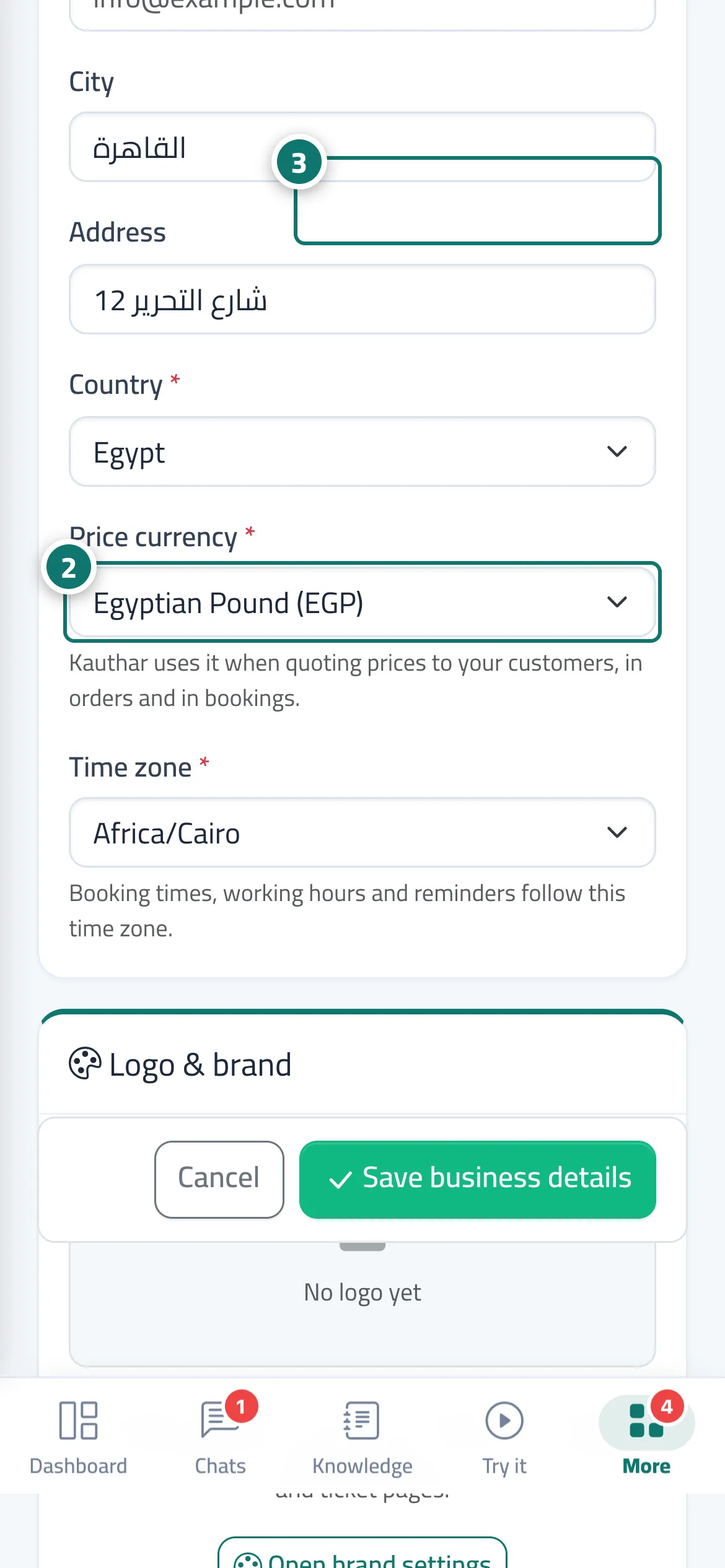
Steps
- Open «Settings & subscription».
- Edit the details in the «Business details» tab, and choose the right country, currency and time zone. Number 2 on the picture
- Press «Save business details». Number 3 on the picture
- To change the logo or colour, press «Open brand settings».
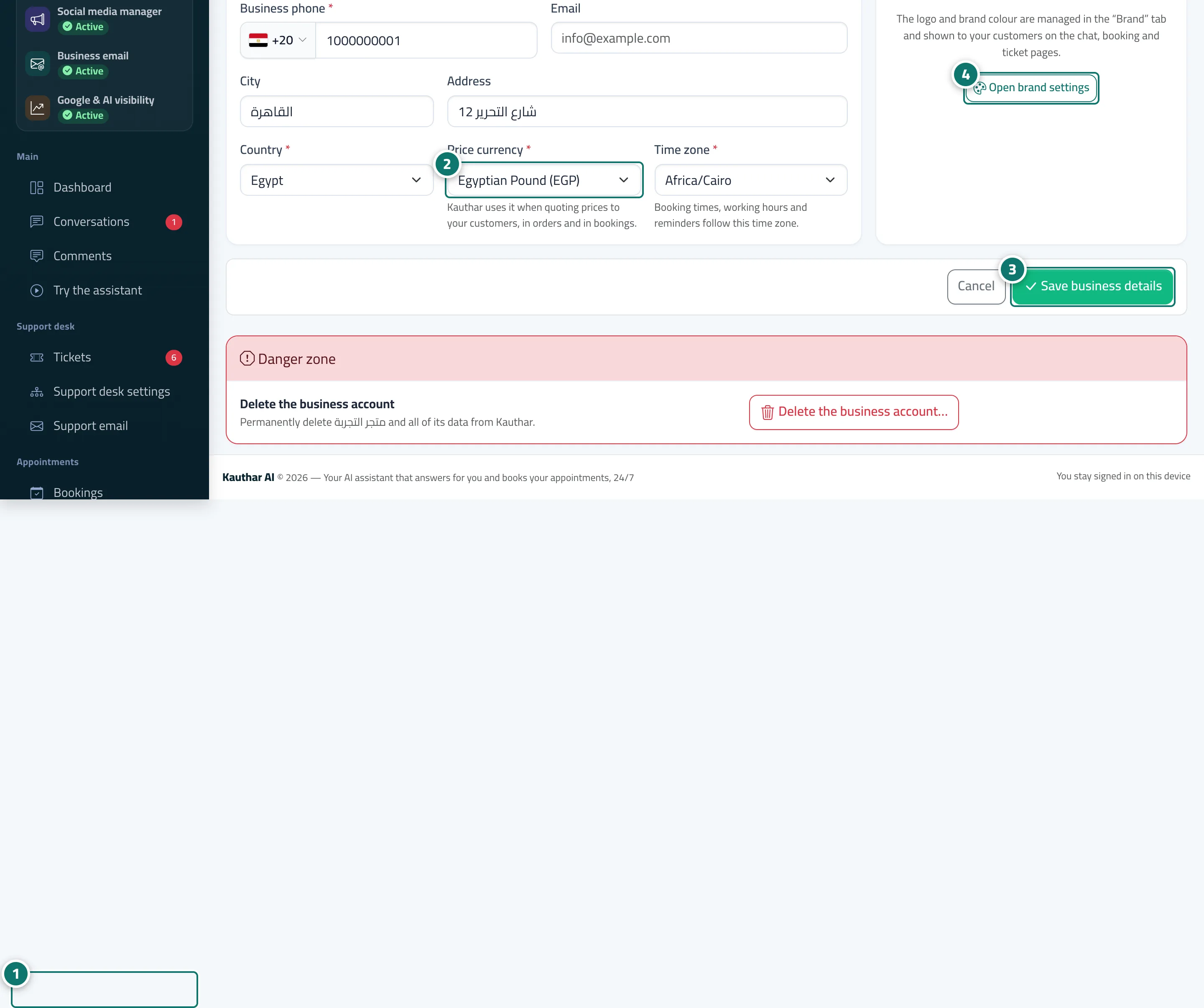
Steps
- Open «Settings & subscription». Number 1 on the picture
- Edit the details in the «Business details» tab, and choose the right country, currency and time zone. Number 2 on the picture
- Press «Save business details». Number 3 on the picture
- To change the logo or colour, press «Open brand settings». Number 4 on the picture