
Team & security · Partner programme: referrals and managing client accounts
How do I see my Kauthar partner commissions?
For agencies, consultants and accountants accepted into the Kauthar partner programme: a referral link, code and QR code, a commission on every subscription payment of your clients, payout requests, and for agencies adding and managing client accounts.
Who this is for: Owner & manager
Where: Sidebar → Account → Partner programme
Steps
- Open «Partner programme» from the sidebar.
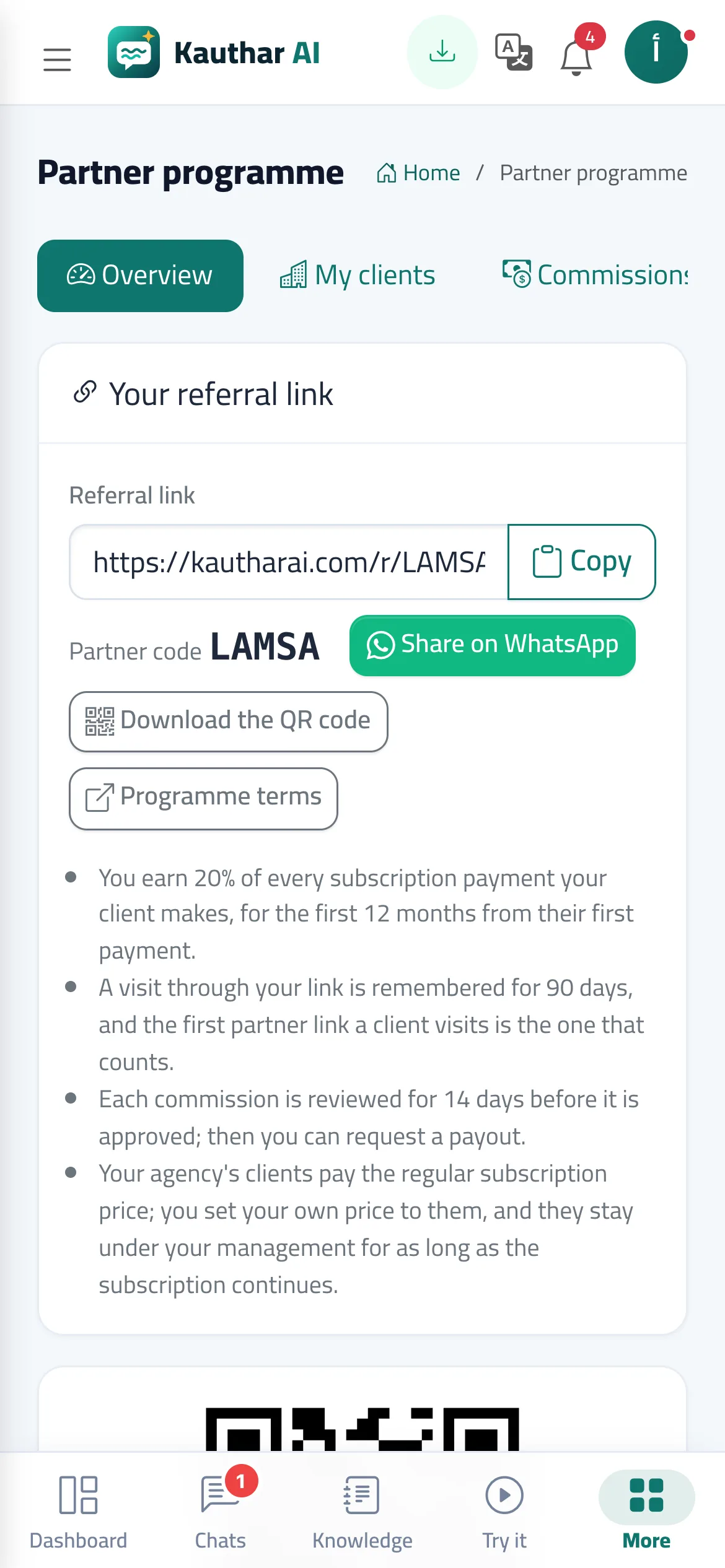
- Copy or share your referral link on WhatsApp, or download the QR code to print it; your client can also type your code in the «Partner code» field when signing up.
- Follow your clients in «My clients» and each commission in «Commissions»: it starts «Under review» and becomes «Approved» after the review period.
- In «Payouts», press «Request a payout» for a currency whose approved balance reached the minimum; the Kauthar team transfers it manually and the request shows «Paid out» with the transfer reference.
- Agencies: in «Add a client», create a new business account with its owner's number, or send «Invite a registered business» with the owner's number and wait for their acceptance.
Steps
- Open «Partner programme» from the sidebar.
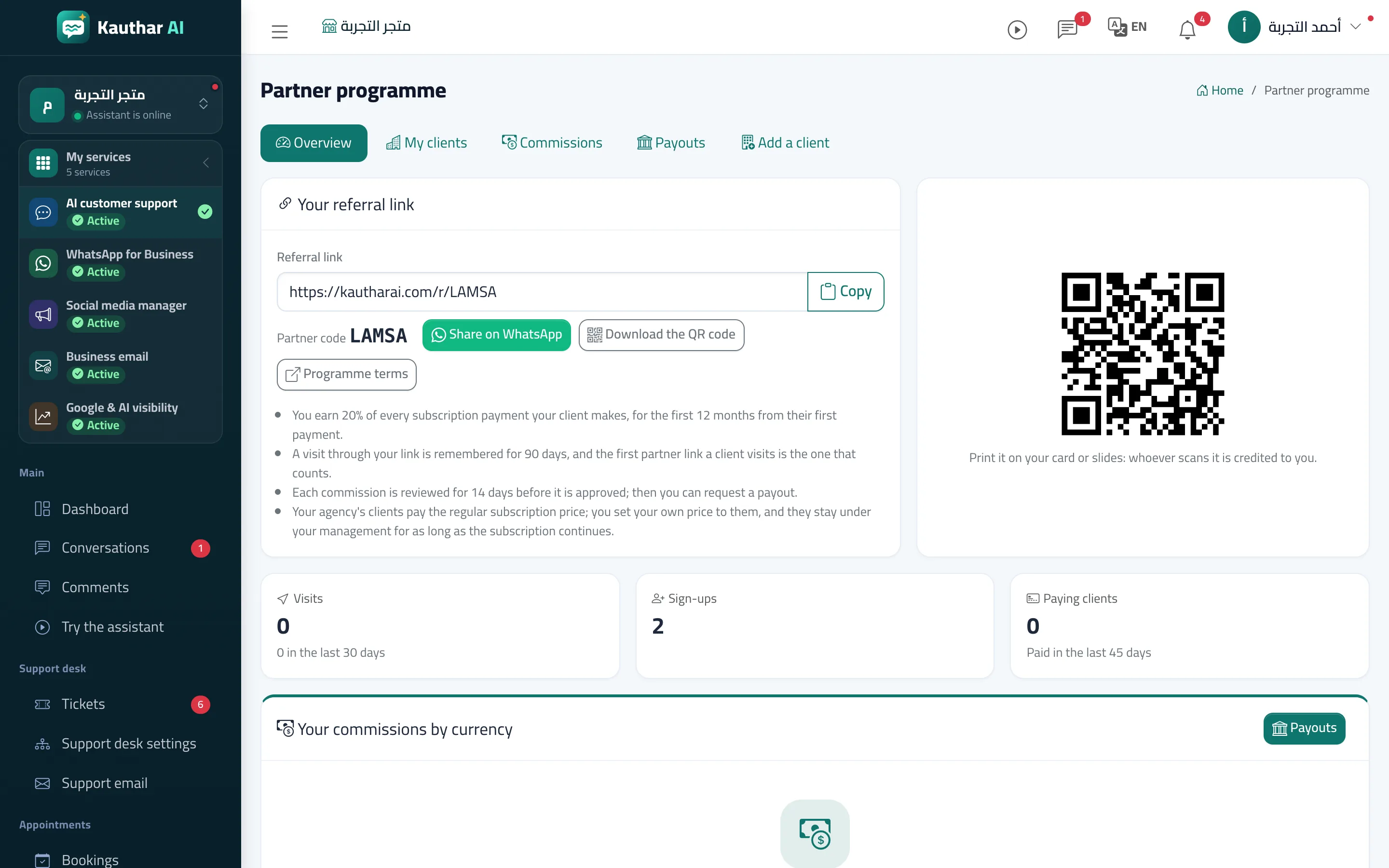
- Copy or share your referral link on WhatsApp, or download the QR code to print it; your client can also type your code in the «Partner code» field when signing up.
- Follow your clients in «My clients» and each commission in «Commissions»: it starts «Under review» and becomes «Approved» after the review period.
- In «Payouts», press «Request a payout» for a currency whose approved balance reached the minimum; the Kauthar team transfers it manually and the request shows «Paid out» with the transfer reference.
- Agencies: in «Add a client», create a new business account with its owner's number, or send «Invite a registered business» with the owner's number and wait for their acceptance.