Team & security · Permissions for every screen
How do I let a staff member reply to tickets without deleting them?
Decide, for each staff member, what they can view, add, edit or delete on every screen; changes apply immediately.
Who this is for: Owner & manager
Where: Sidebar → Account → Team & permissions → «Add member» or «Edit» → «Permissions» card
Steps
- 1
Open the member and press «Edit» or «Edit permissions».
- 2
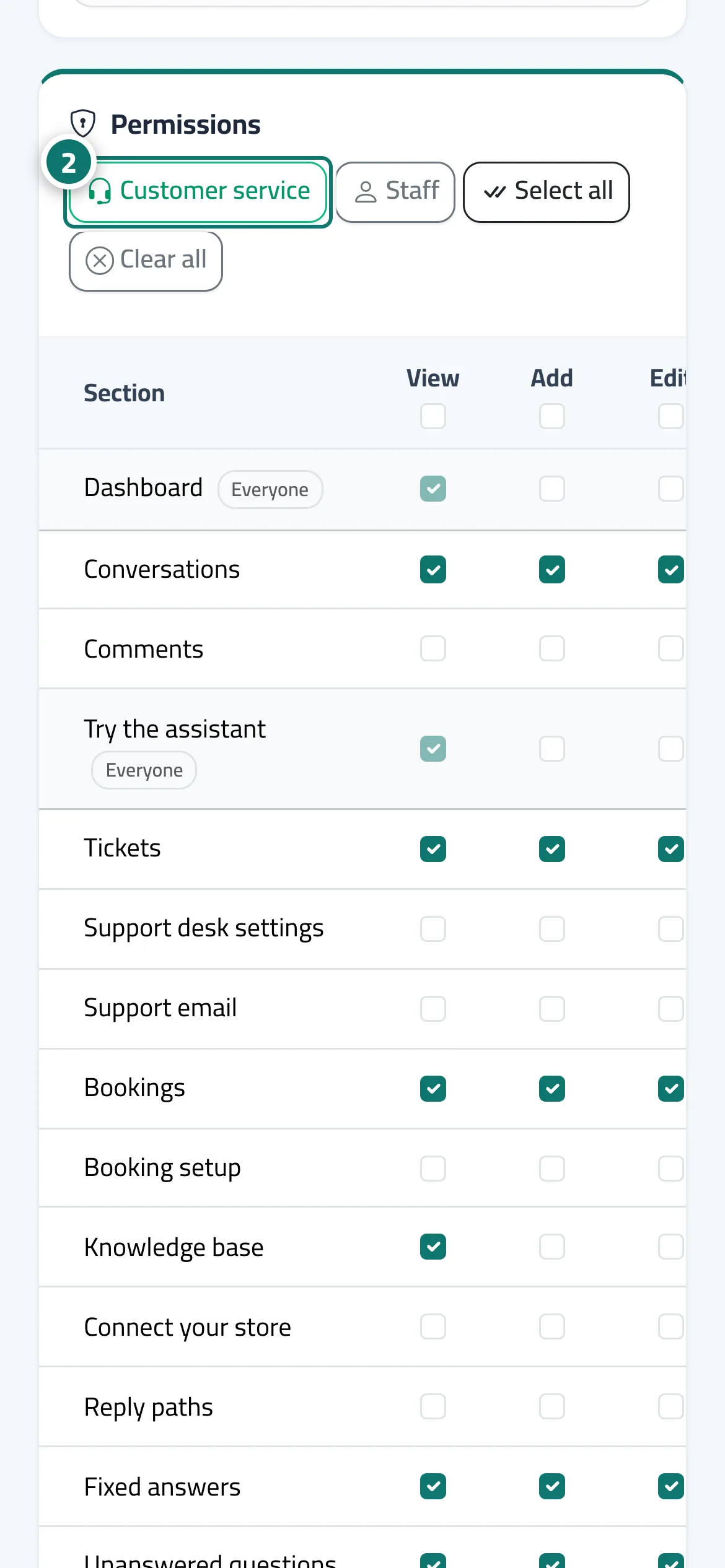
Choose a quick fill («Customer service» or «Staff») or tick the boxes yourself. Number 2 on the picture
- 3
Press «Save changes».
Steps
- 1
Open the member and press «Edit» or «Edit permissions».
- 2
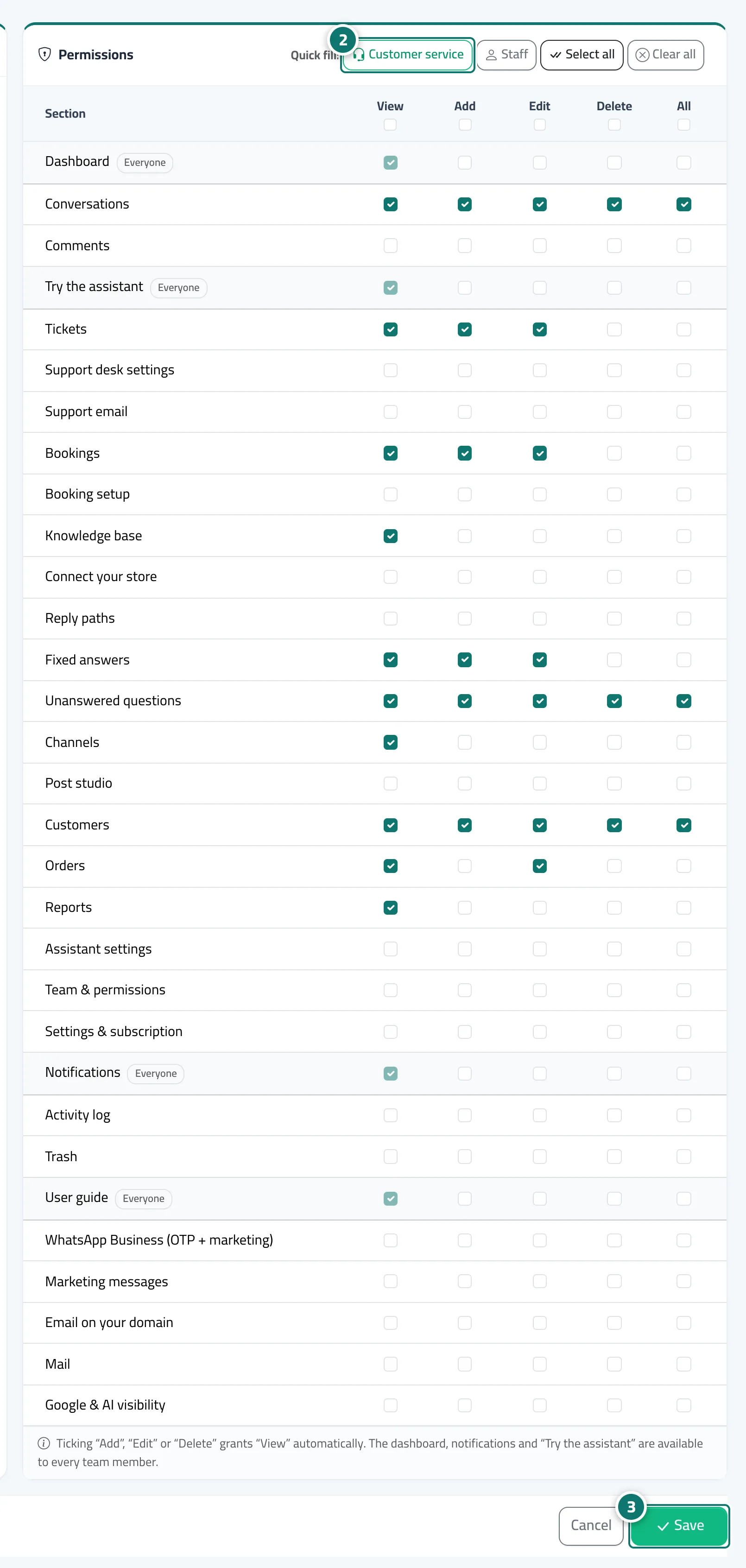
Choose a quick fill («Customer service» or «Staff») or tick the boxes yourself. Number 2 on the picture
- 3
Press «Save changes». Number 3 on the picture
Full explanation in the docs
