
Facturation et offres · Monthly AI reply allowance
How many AI replies does my plan include?
A clear monthly allowance of AI replies, with alerts at 80% and 100%, an automatic reset at the start of each month, and extra reply packs when you need them.
Pour qui : Propriétaire et responsable
Où : Sidebar → Account → Settings & subscription → «Subscription» tab → «Plans & subscription» → «AI replies this month» meter
Étapes
- Open the «Subscription» page and check the «AI replies this month» meter (used / limit).
- At 80% you get a "You’ve used …% of this month’s AI replies" alert and a bar appears at the top of the dashboard.
- At 100% you get a "This month’s AI replies are used up" alert and the bar turns red.
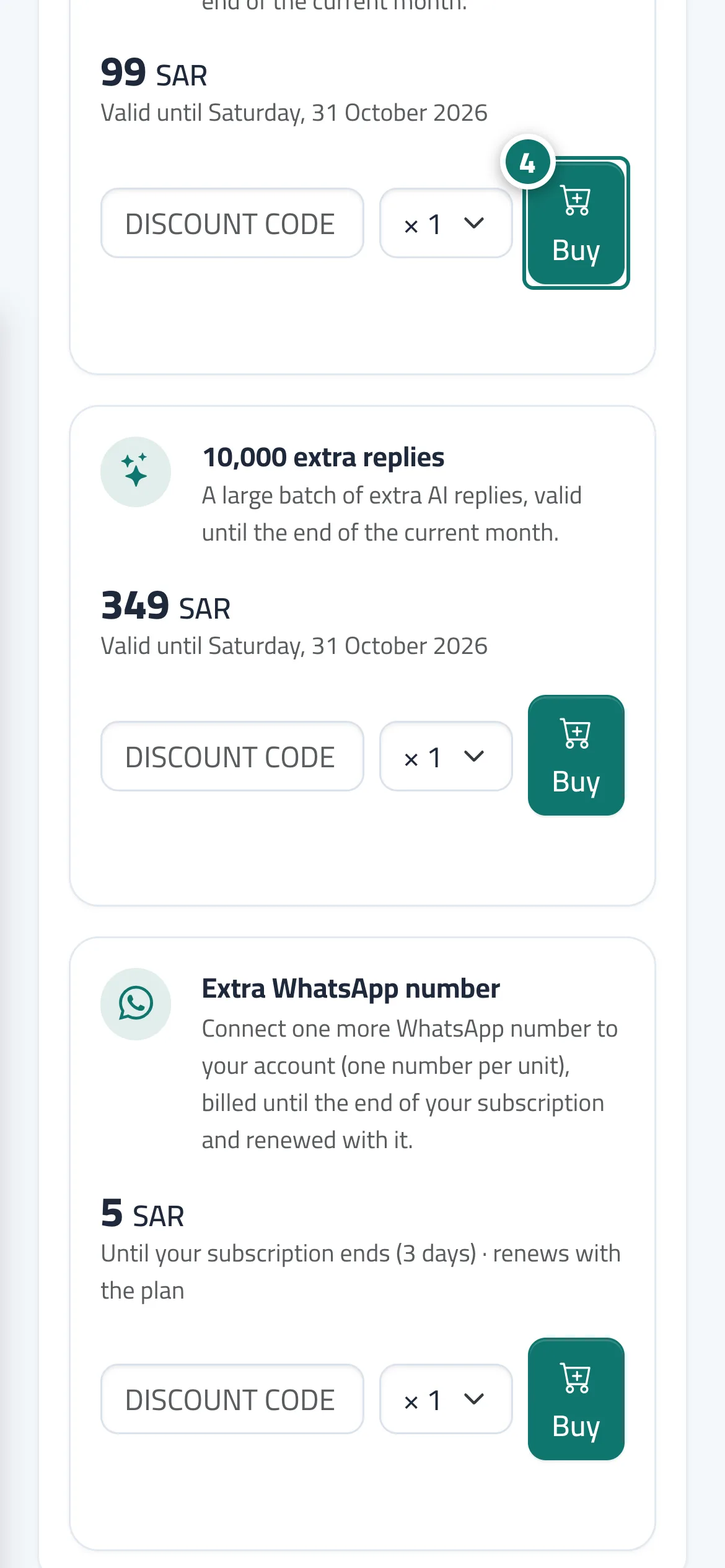
- To raise the allowance at once, press «Add replies» in the bar or buy a reply pack from the «Add-ons» section, or choose a higher plan. Numéro 4 sur l’image
Étapes
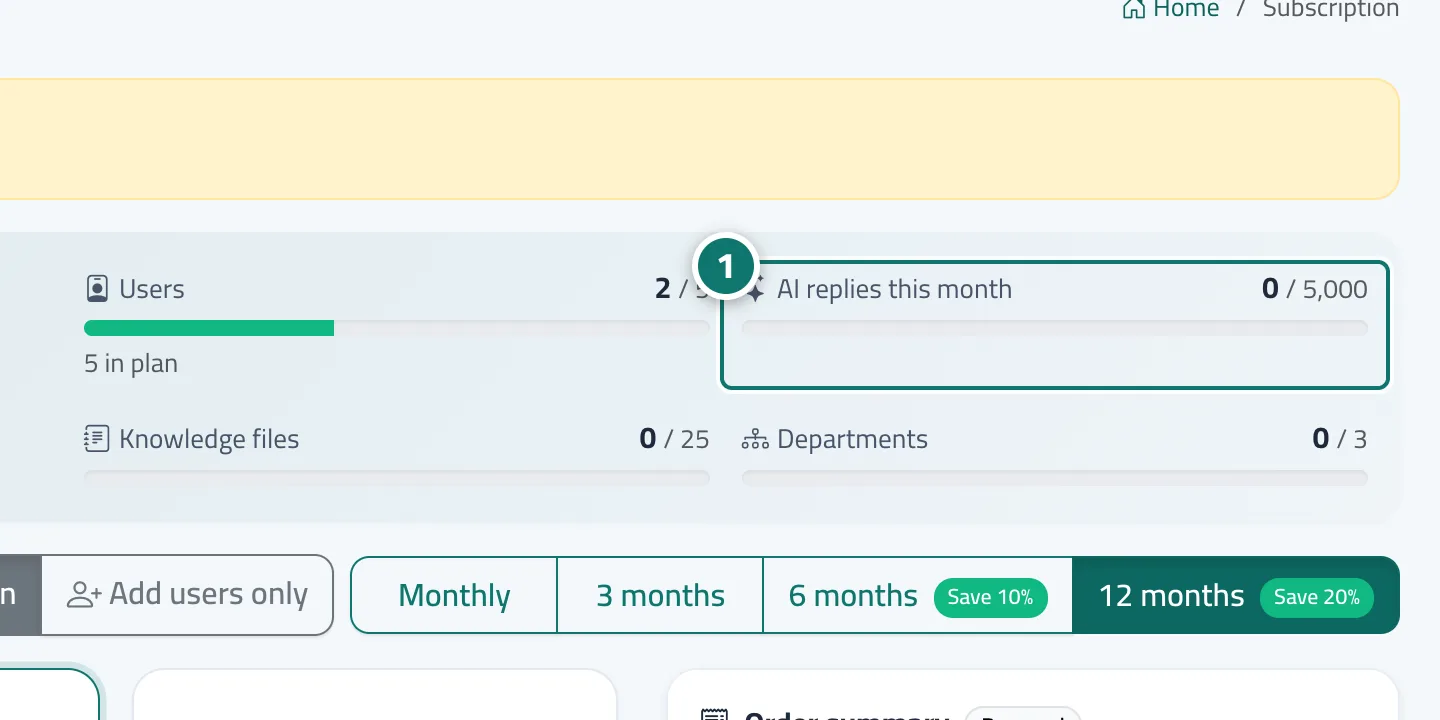
- Open the «Subscription» page and check the «AI replies this month» meter (used / limit). Numéro 1 sur l’image
- At 80% you get a "You’ve used …% of this month’s AI replies" alert and a bar appears at the top of the dashboard.
- At 100% you get a "This month’s AI replies are used up" alert and the bar turns red.
- To raise the allowance at once, press «Add replies» in the bar or buy a reply pack from the «Add-ons» section, or choose a higher plan.