
Facturation et offres · AI customer support plans and prices
What is the difference between Kauthar's plans?
Three plans for the «AI customer support» service (Basic, Pro, Business), monthly or for 3, 6 or 12 months, with optional add-ons; prices are shown in your country's currency. Every other service has its own plans on its subscription page.
Pour qui : Propriétaire et responsable · Membres de l'équipe
Où : Sidebar → Account → Settings & subscription → «Subscription» tab → «Plans & subscription»
Étapes
- Open the «Subscription» page: from the «Subscription» tab in «Settings & subscription», from the menu under your name → «Subscription», or from the «Renew subscription» button in the alert bar.
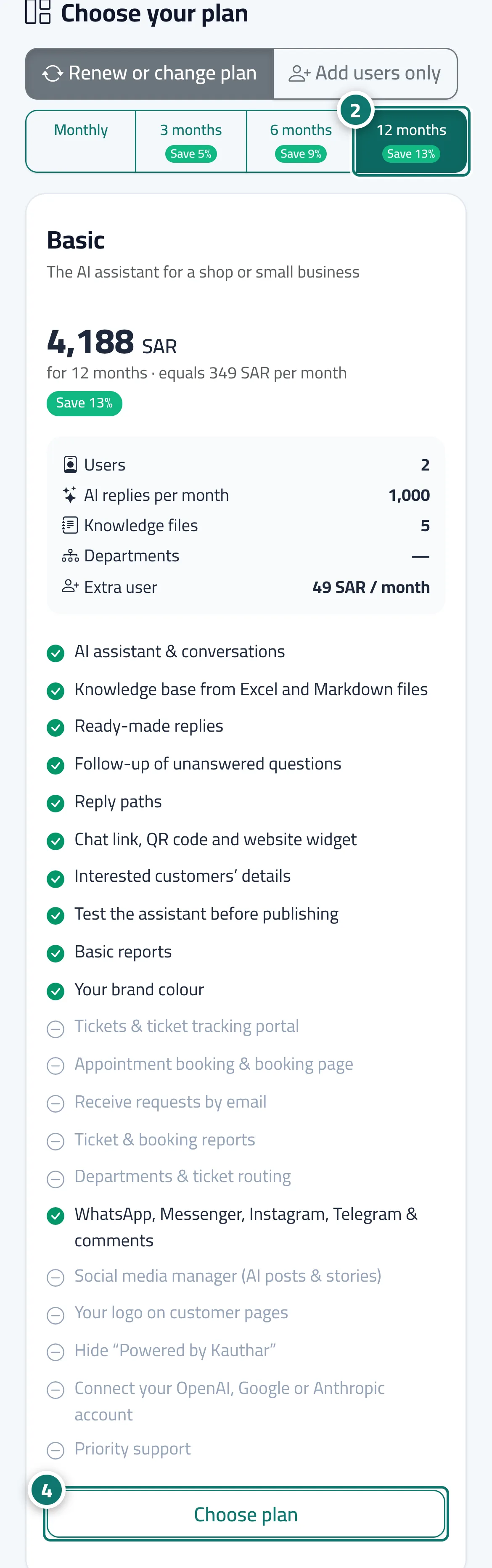
- In «Choose your plan», pick the duration: «Monthly», «3 months», «6 months» or «12 months». Prices update instantly with the monthly equivalent and a «Save …%» badge; for a first subscription of 3 months or more a «Launch price» may appear, together with the price it renews at. Numéro 2 sur l’image
- Compare the cards: users, AI replies per month, knowledge base files, departments and the price of an extra user, then the list of features.
- Press «Choose plan» on the card that suits you; the button changes to «Selected plan» and the «Order summary» updates. Numéro 4 sur l’image
- Review the «Order summary», then press «Pay now».
Étapes
- Open the «Subscription» page: from the «Subscription» tab in «Settings & subscription», from the menu under your name → «Subscription», or from the «Renew subscription» button in the alert bar.
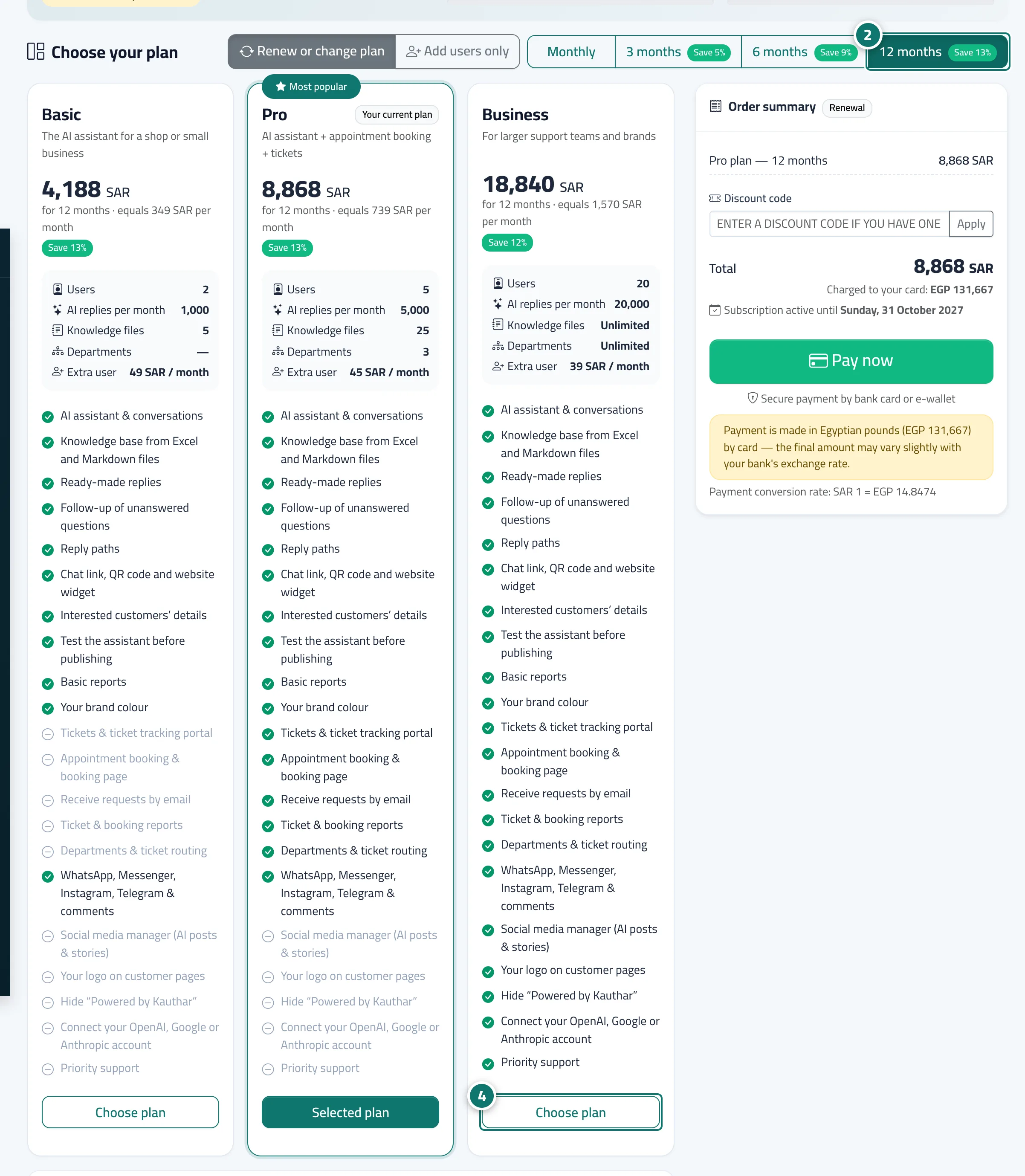
- In «Choose your plan», pick the duration: «Monthly», «3 months», «6 months» or «12 months». Prices update instantly with the monthly equivalent and a «Save …%» badge; for a first subscription of 3 months or more a «Launch price» may appear, together with the price it renews at. Numéro 2 sur l’image
- Compare the cards: users, AI replies per month, knowledge base files, departments and the price of an extra user, then the list of features.
- Press «Choose plan» on the card that suits you; the button changes to «Selected plan» and the «Order summary» updates. Numéro 4 sur l’image
- Review the «Order summary», then press «Pay now».