
Facturation et offres · Subscribing to a service: plans, payment and renewal
How do I subscribe to the Social media manager or Business email?
Every service has its own subscription page: plans and limits, the duration (monthly or 3, 6 or 12 months), add-ons, the order summary and payment, and the service's payment history.
Pour qui : Propriétaire et responsable
Où : “My services” → service card → “Details” → “Subscription”
Étapes
- In “My services”, click “Details” (or “Renew”) on the service card, then “Subscription”.
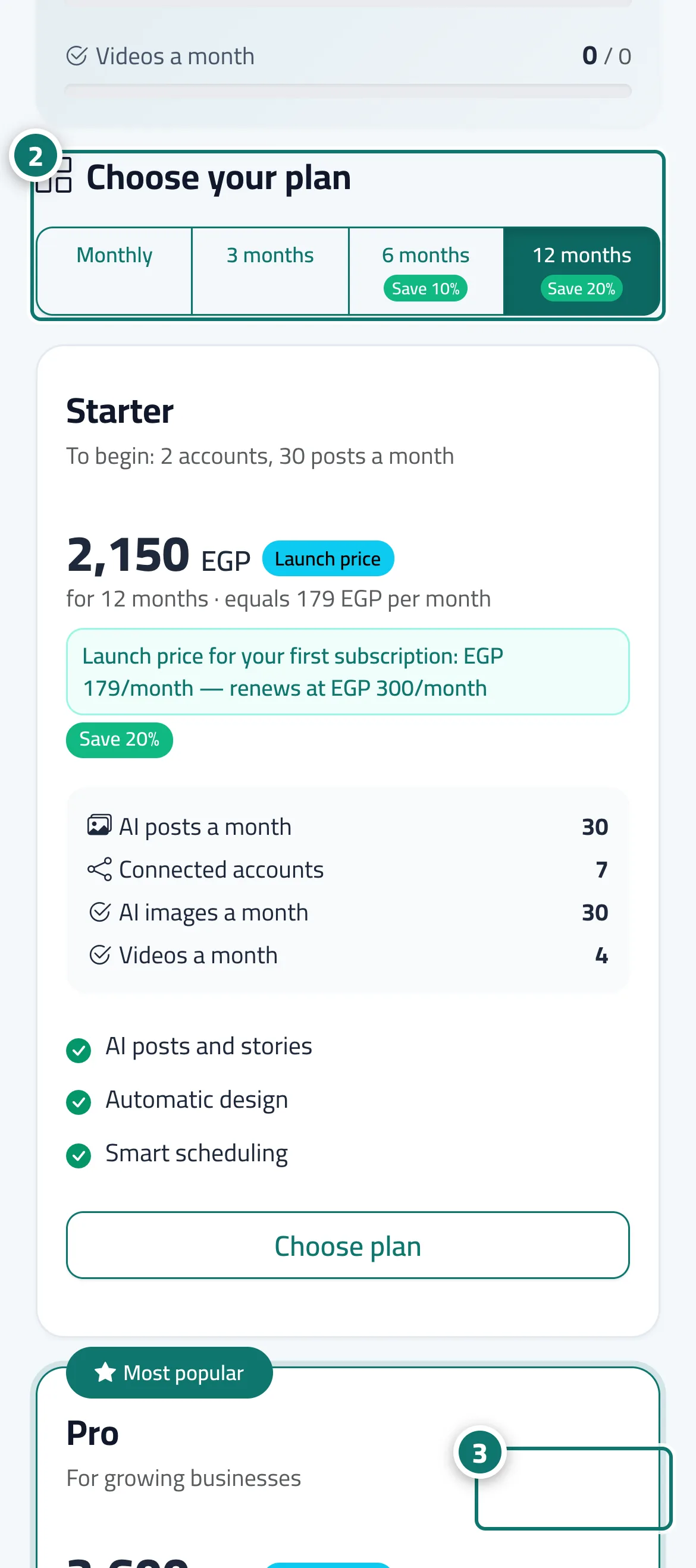
- Choose the plan and duration; review the “Order summary”, the total and the start date. Numéro 2 sur l’image
- Click “Pay now” and complete the payment on the secure payment page. Numéro 3 sur l’image
- When you return, a confirmation message and a “Receipt” button appear, and the service status updates in “My services”.
Étapes
- In “My services”, click “Details” (or “Renew”) on the service card, then “Subscription”.
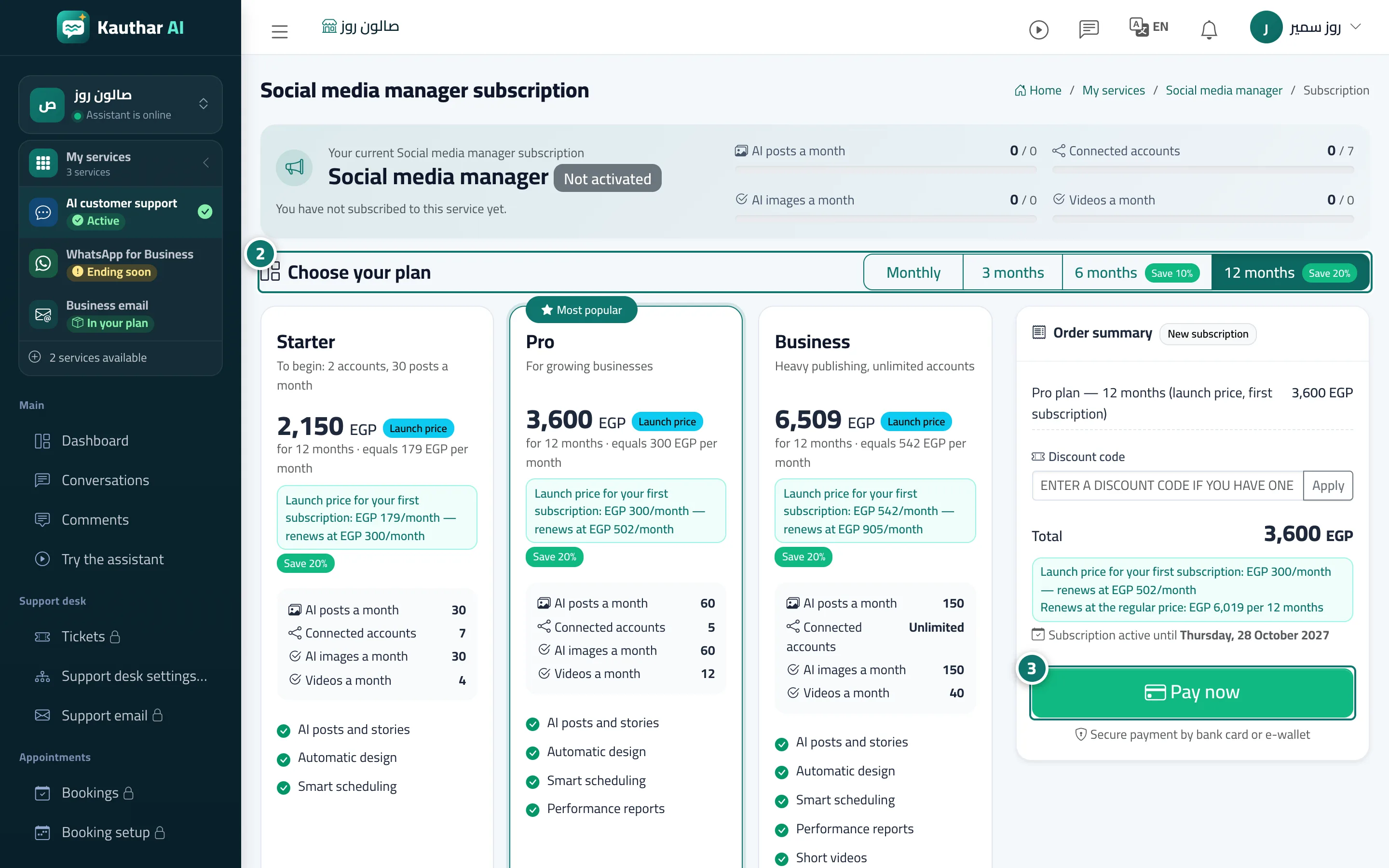
- Choose the plan and duration; review the “Order summary”, the total and the start date. Numéro 2 sur l’image
- Click “Pay now” and complete the payment on the secure payment page. Numéro 3 sur l’image
- When you return, a confirmation message and a “Receipt” button appear, and the service status updates in “My services”.