
Facturation et offres · Upgrading with credit for what you paid
How do I upgrade my plan without losing what I paid?
Move to a higher plan at any time; the value of the paid days left on your current subscription is deducted from the price automatically.
Pour qui : Propriétaire et responsable
Où : Sidebar → Account → Settings & subscription → «Subscription» tab → «Plans & subscription»
Étapes
- Open the «Subscription» page (or press «Upgrade plan» on the page of a feature your plan doesn't include).
- Press «Choose plan» on the higher plan and choose «Monthly», «3 months», «6 months» or «12 months».
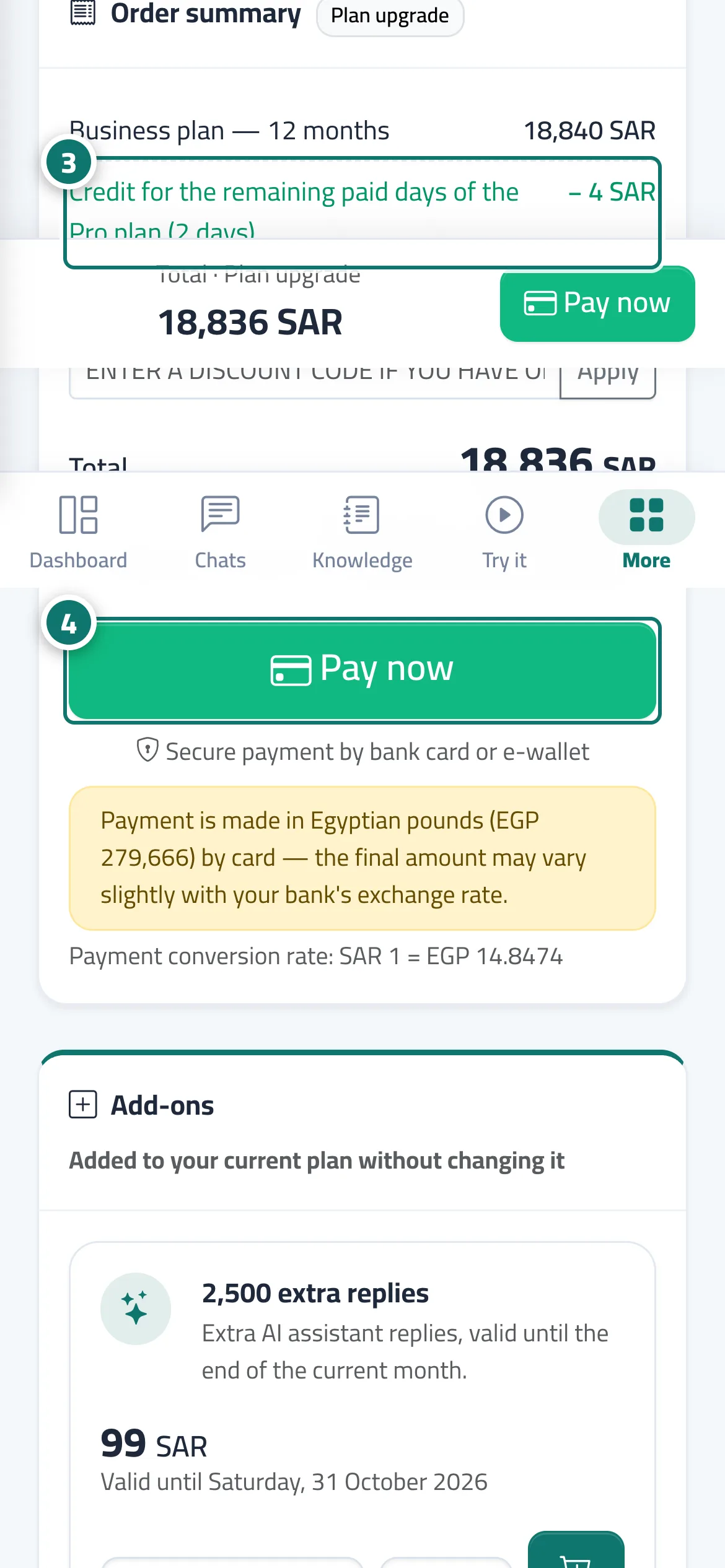
- Review the «Order summary»: you see the «Upgrade plan» badge, the new plan's price line, the credit line, then the «Total» and the "Subscription active until" date. Numéro 3 sur l’image
- Press «Pay now». The new plan and its features activate as soon as the payment is confirmed. Numéro 4 sur l’image
Étapes
- Open the «Subscription» page (or press «Upgrade plan» on the page of a feature your plan doesn't include).
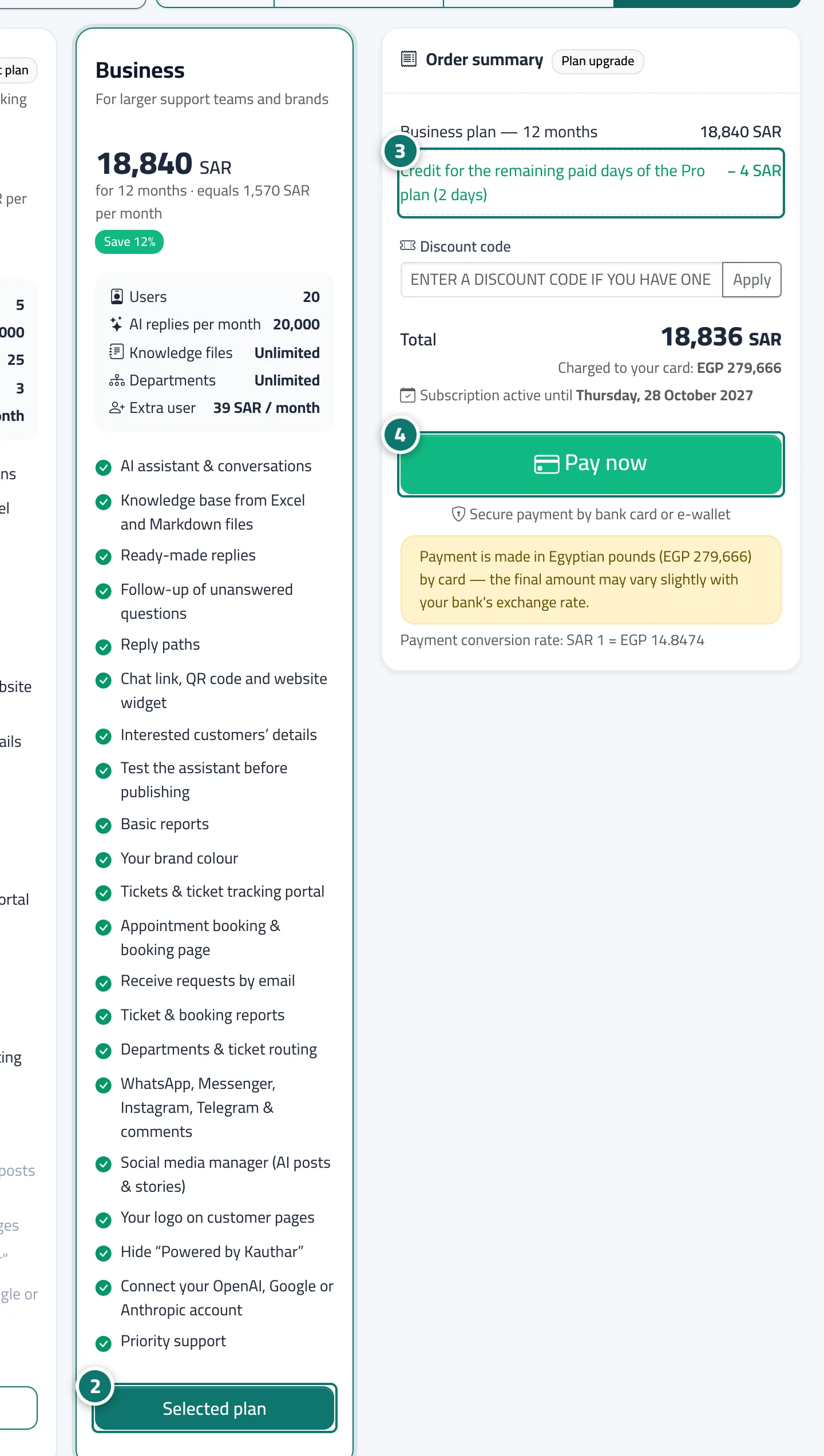
- Press «Choose plan» on the higher plan and choose «Monthly», «3 months», «6 months» or «12 months». Numéro 2 sur l’image
- Review the «Order summary»: you see the «Upgrade plan» badge, the new plan's price line, the credit line, then the «Total» and the "Subscription active until" date. Numéro 3 sur l’image
- Press «Pay now». The new plan and its features activate as soon as the payment is confirmed. Numéro 4 sur l’image