
Canaux · Menu buttons in the chat
How do customers use the menu buttons in the chat?
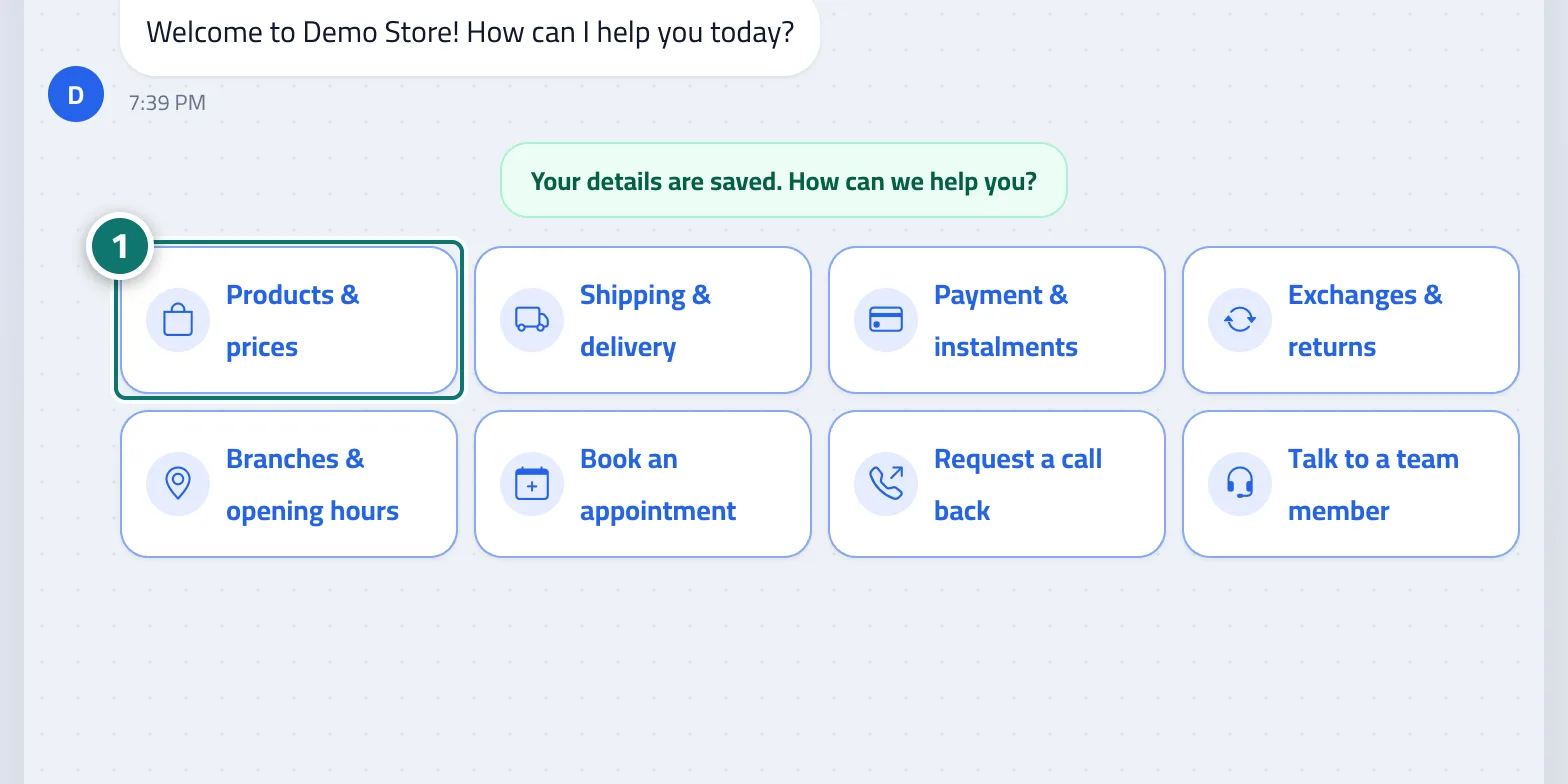
Customers find buttons such as “Products & prices” and “Shipping & delivery” and reach their answer with one tap, without typing.
Pour qui : Vos clients
Où : Chat page → the buttons under the welcome message · set up from the sidebar → Train your assistant → Reply paths
Étapes
- The customer taps one of the buttons.
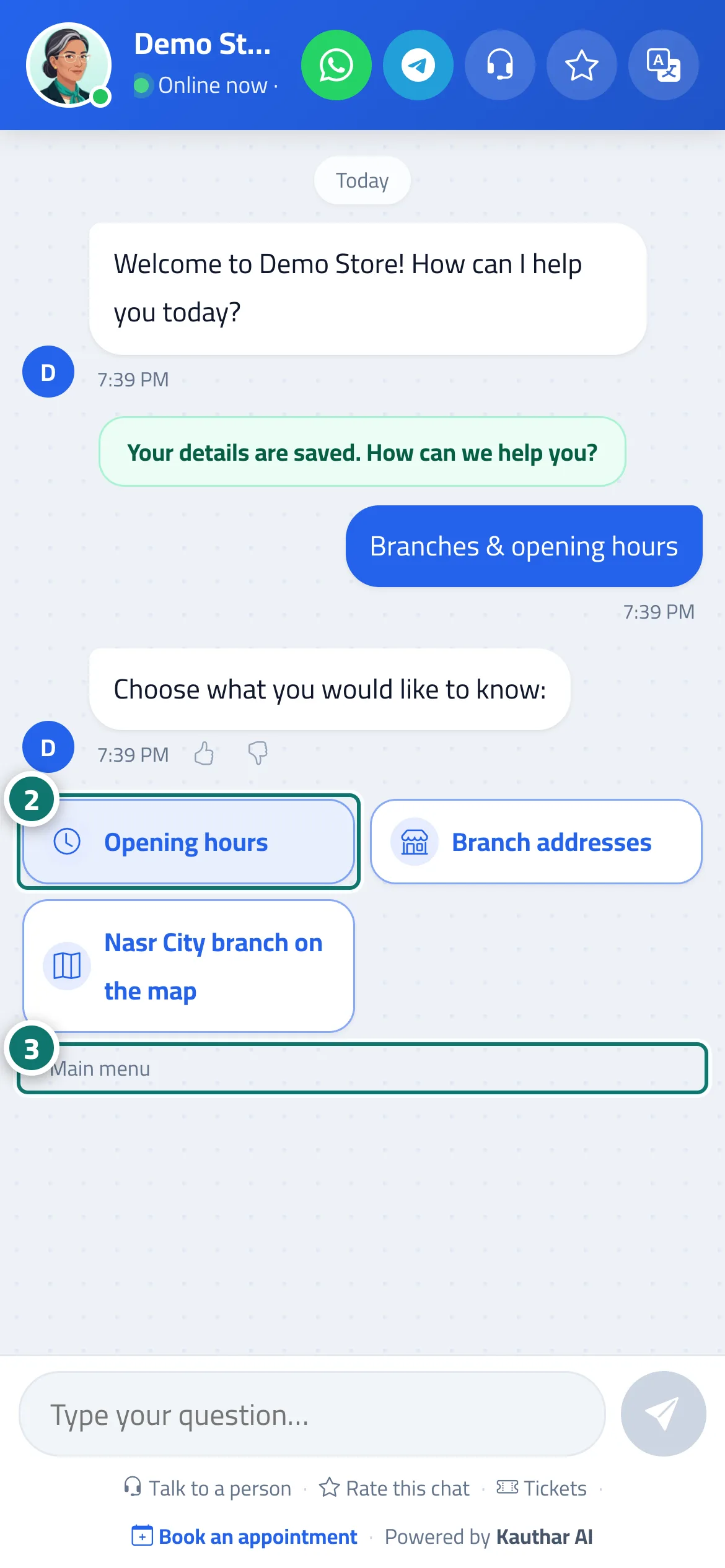
- They continue with the sub-buttons, or type their question on the topic they chose. Numéro 2 sur l’image
- They tap “Back” to go up one level, or “Main menu” to return to the start. Numéro 3 sur l’image
Étapes
- The customer taps one of the buttons. Numéro 1 sur l’image
- They continue with the sub-buttons, or type their question on the topic they chose.
- They tap “Back” to go up one level, or “Main menu” to return to the start.