
Canaux · Leave your details and we'll contact you
How do I get the customer's number when the assistant can't find an answer?
When the assistant has no answer, the customer leaves their name and phone number in seconds and your team gets back to them later.
Pour qui : Membres de l'équipe · Vos clients
Où : Chat page → appears automatically · the details are in the sidebar → Channels & customers → Customers
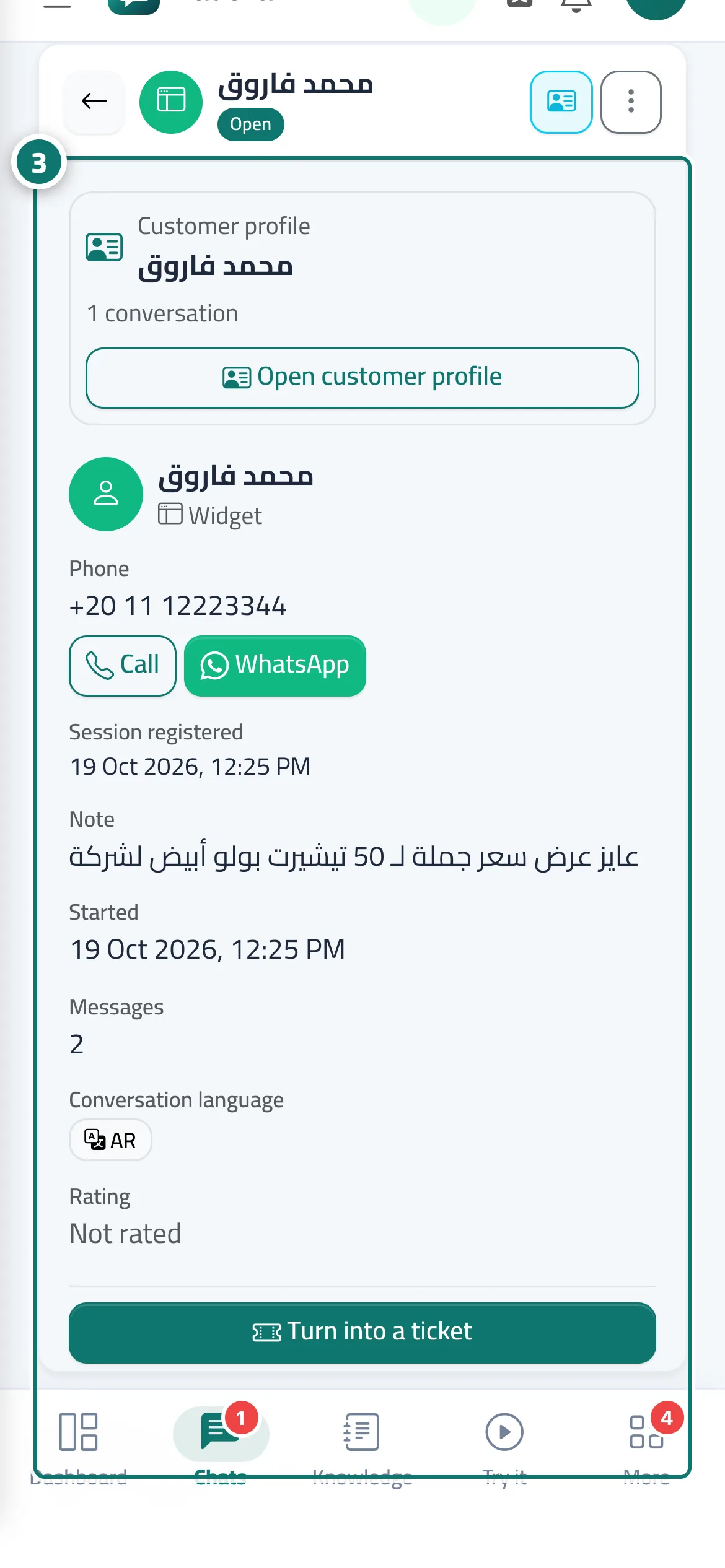
Étapes
- The customer enters their name, phone number and, optionally, a note.
- They tap “Send my details”.
- The details appear for you in “Customers” and in the “Visitor details” panel inside the conversation, and you receive an alert. Numéro 3 sur l’image
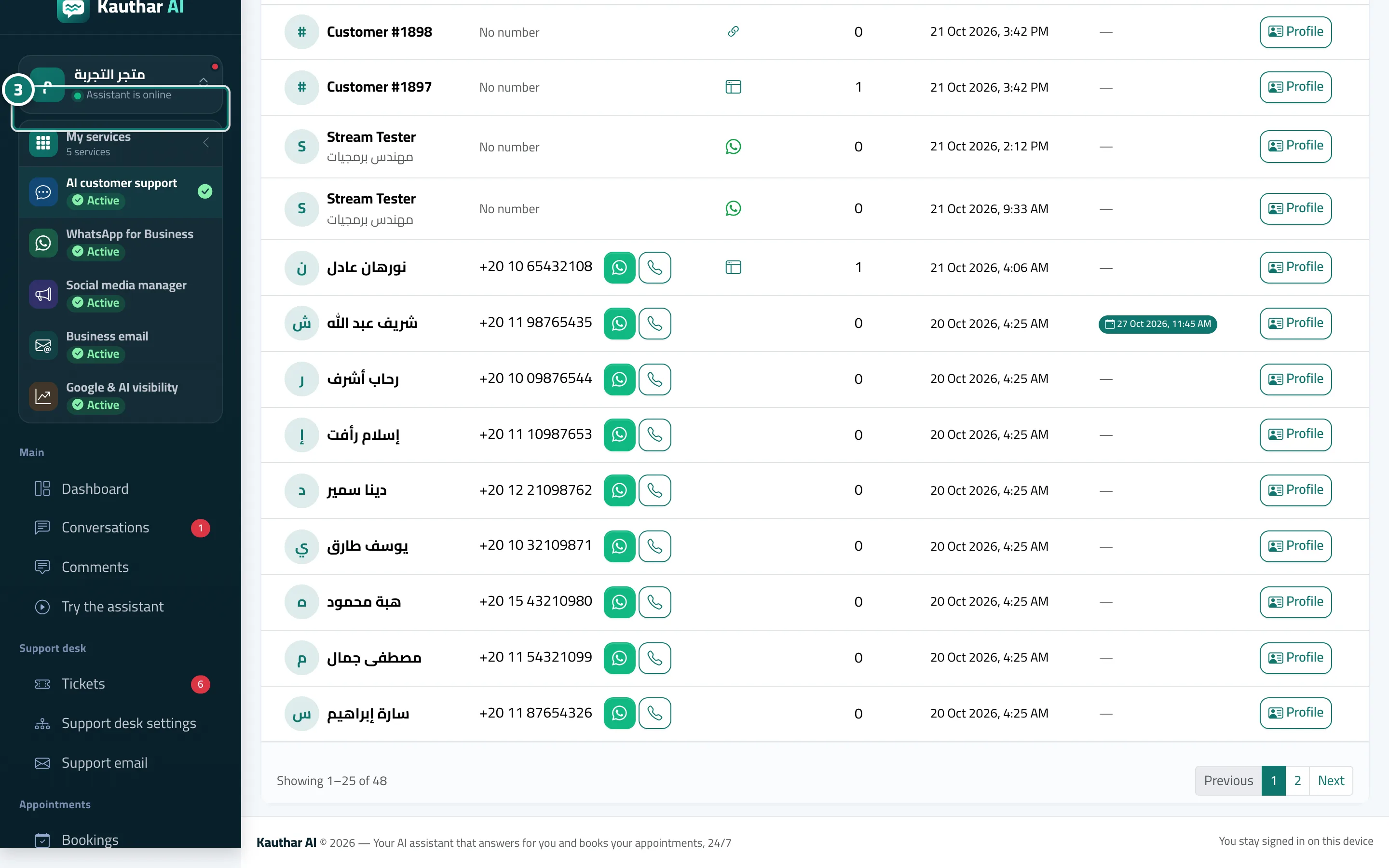
Étapes
- The customer enters their name, phone number and, optionally, a note.
- They tap “Send my details”.
- The details appear for you in “Customers” and in the “Visitor details” panel inside the conversation, and you receive an alert. Numéro 3 sur l’image