
Premiers pas · Try the demo
How can I try the dashboard without creating an account?
One button takes you into a ready-made demo account with realistic data, so you can try every screen without signing up.
Pour qui : Propriétaire et responsable · Vos clients
Où : Sign-in page → “Try the demo” · End of the Kauthar website home page → “Explore the dashboard with a ready demo account” · Site footer → “Demo account”
Étapes
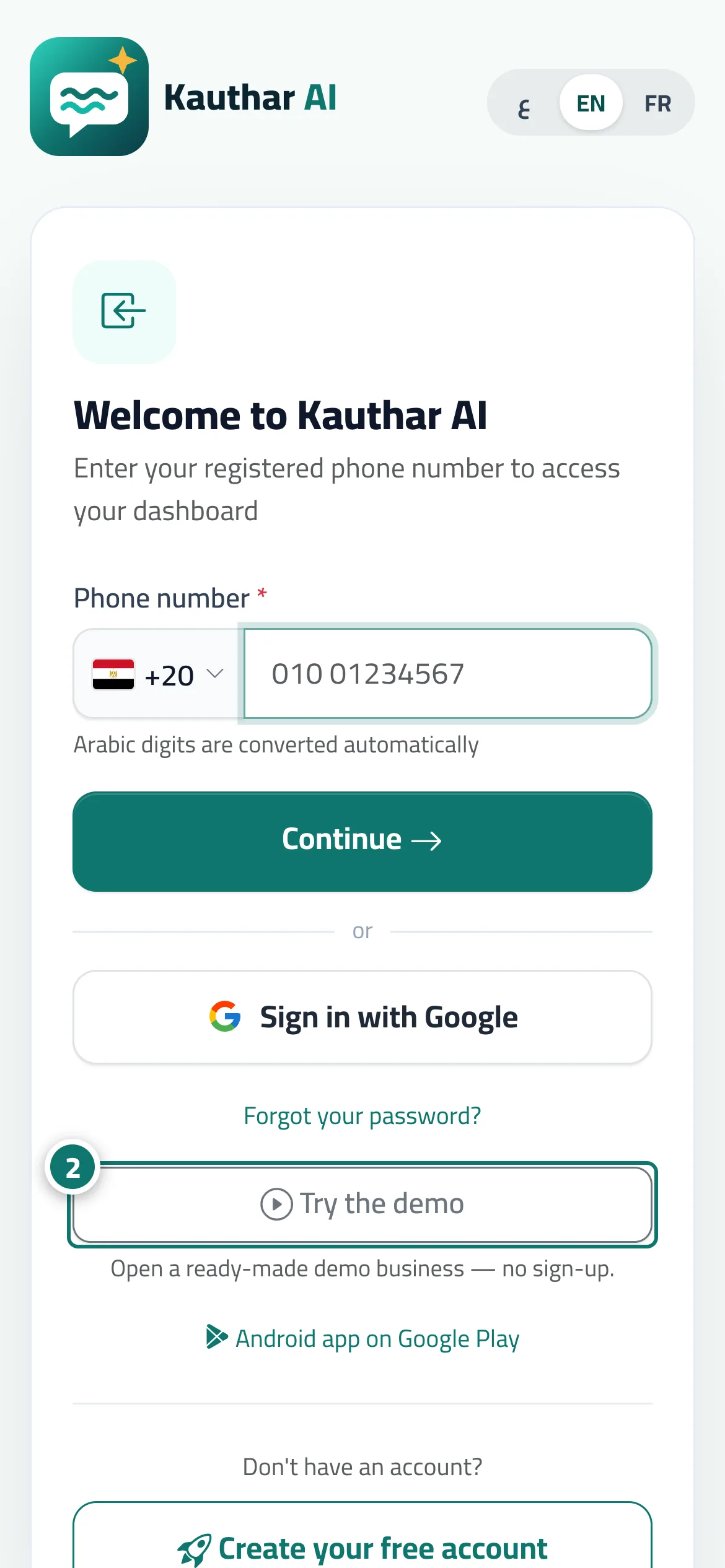
- Open the sign-in page (or scroll to the end of the Kauthar website home page).
- Press “Try the demo” (or “Explore the dashboard with a ready demo account”, or “Demo account”) — you land on the dashboard straight away. Numéro 2 sur l’image
- Move between screens from the sidebar, or from the bottom bar on a phone.
Étapes
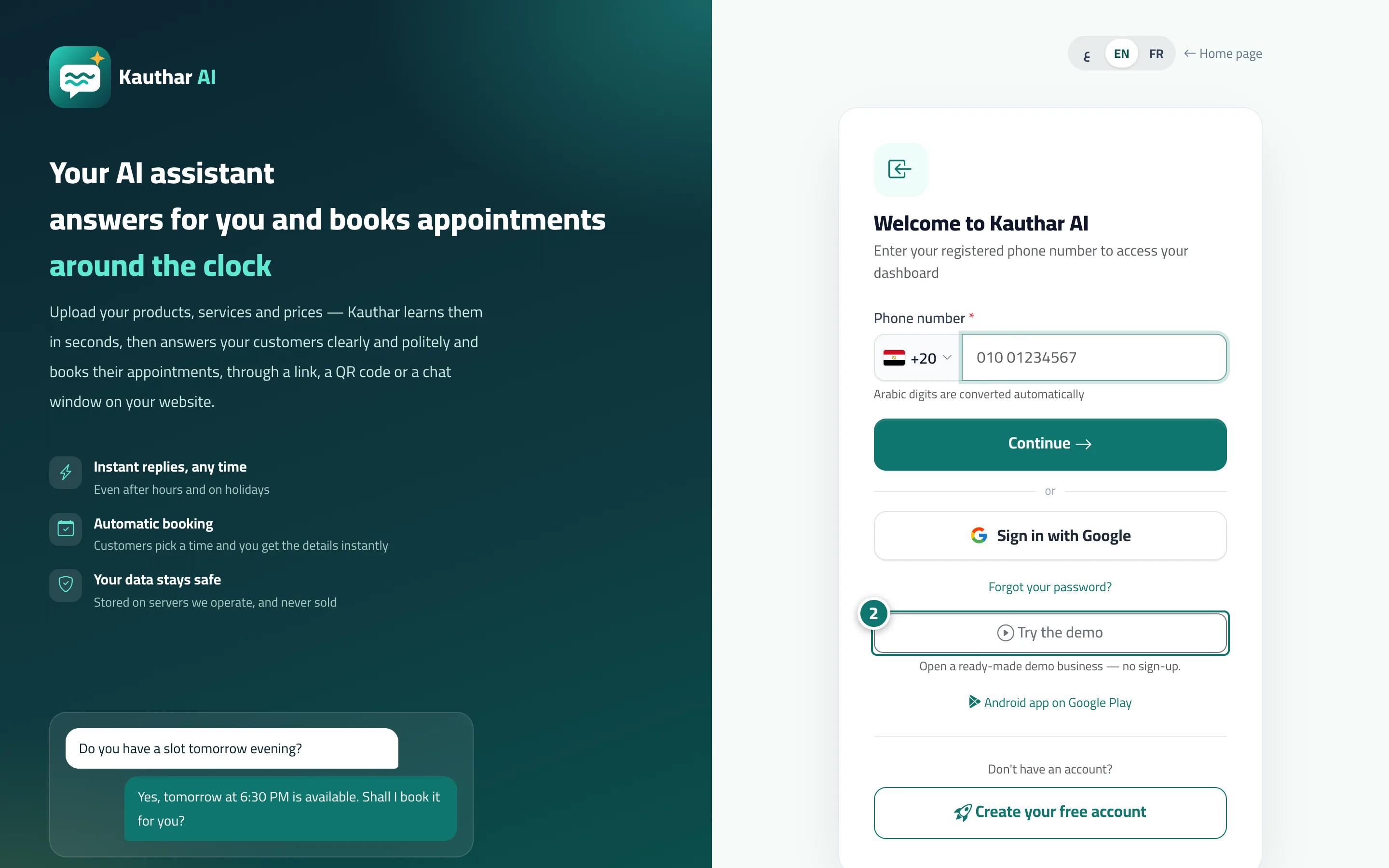
- Open the sign-in page (or scroll to the end of the Kauthar website home page).
- Press “Try the demo” (or “Explore the dashboard with a ready demo account”, or “Demo account”) — you land on the dashboard straight away. Numéro 2 sur l’image
- Move between screens from the sidebar, or from the bottom bar on a phone.