
Premiers pas · The user guide inside Kauthar
How do I find the explanation of a particular Kauthar screen?
Every Kauthar screen explained step by step with numbered computer and phone screenshots, instant search by your question, and an A4 book ready to print.
Pour qui : Propriétaire et responsable · Membres de l'équipe
Où : Sidebar → Help & learning → User guide
Étapes
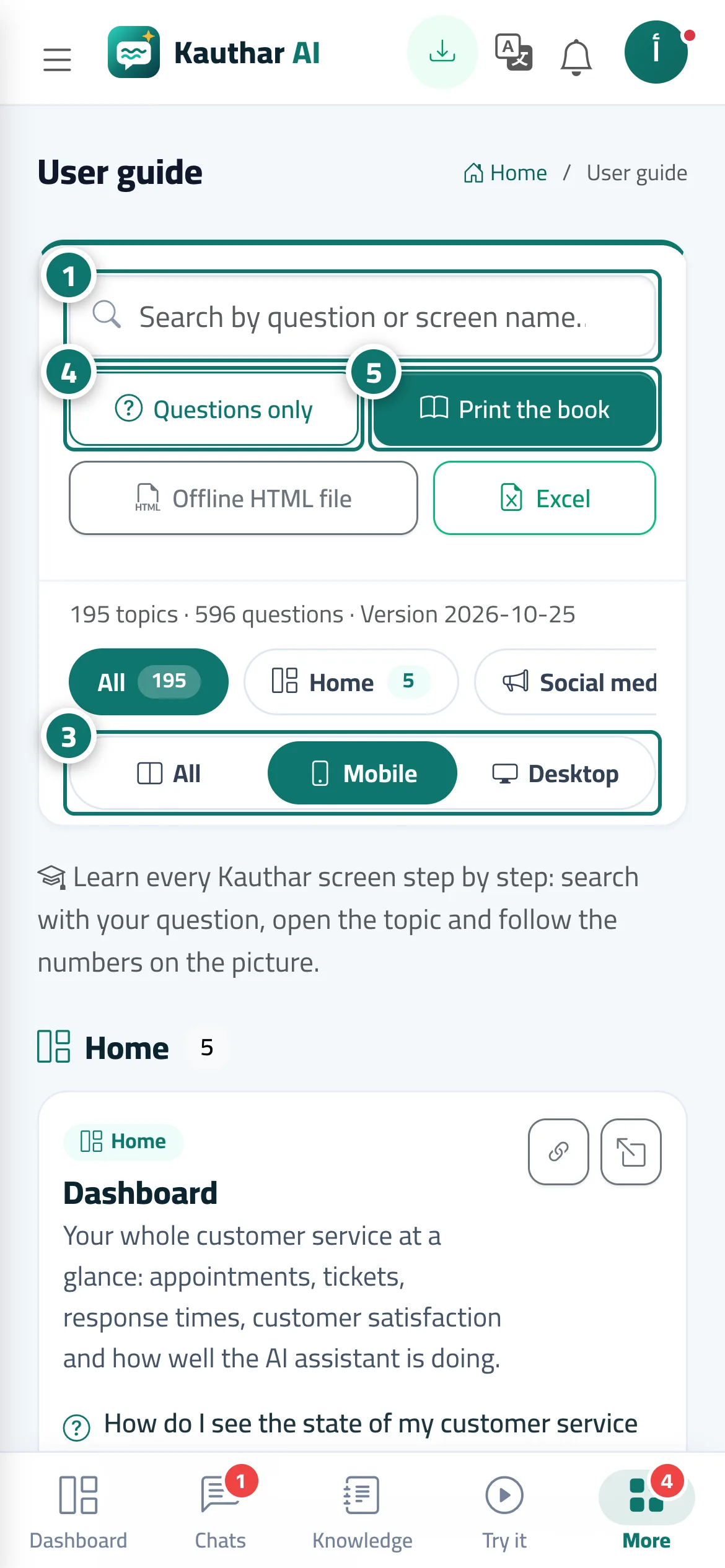
- Type your question or the screen's name in the search box, and matching topics appear instantly with the words highlighted. Numéro 1 sur l’image
- Tap a section name (such as “Support desk” or “WhatsApp Business”) to show only its topics.
- Under “Screenshots”, choose “All”, “Mobile” or “Desktop” depending on the device you want explained. Numéro 3 sur l’image
- Tap “Questions only” to see the list of questions, then tap any question to open its topic. Numéro 4 sur l’image
- Tap “Print the book” to open the whole guide as A4 pages with a table of contents, then save it as PDF or print it. Numéro 5 sur l’image
Étapes
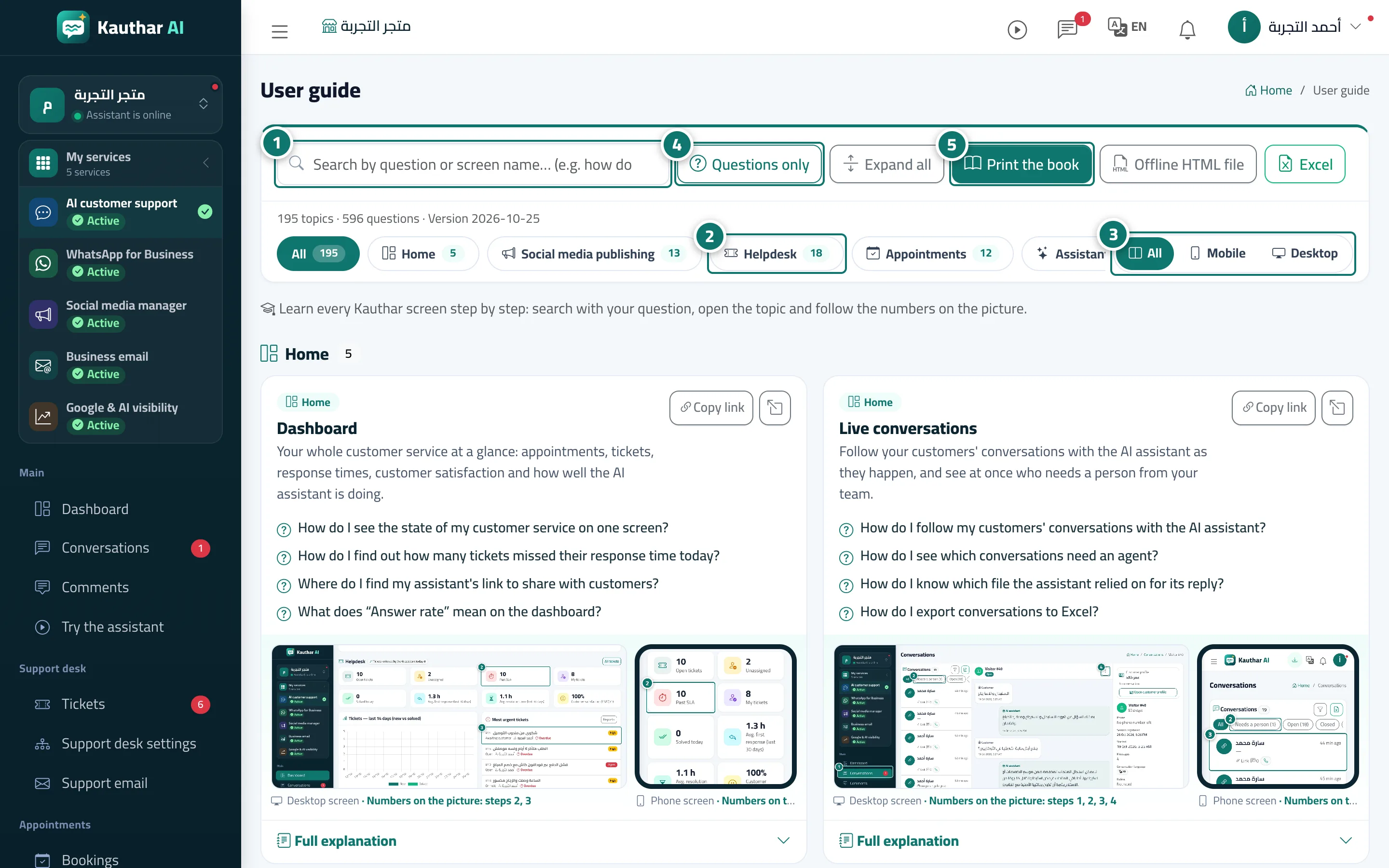
- Type your question or the screen's name in the search box, and matching topics appear instantly with the words highlighted. Numéro 1 sur l’image
- Tap a section name (such as “Support desk” or “WhatsApp Business”) to show only its topics. Numéro 2 sur l’image
- Under “Screenshots”, choose “All”, “Mobile” or “Desktop” depending on the device you want explained. Numéro 3 sur l’image
- Tap “Questions only” to see the list of questions, then tap any question to open its topic. Numéro 4 sur l’image
- Tap “Print the book” to open the whole guide as A4 pages with a table of contents, then save it as PDF or print it. Numéro 5 sur l’image