
Getting started · The user guide inside Kauthar
How do I find the explanation of a particular Kauthar screen?
Every Kauthar screen explained step by step with numbered computer and phone screenshots, instant search by your question, and an A4 book ready to print.
Who this is for: Owner & manager · Team members
Where: Sidebar → Help & learning → User guide
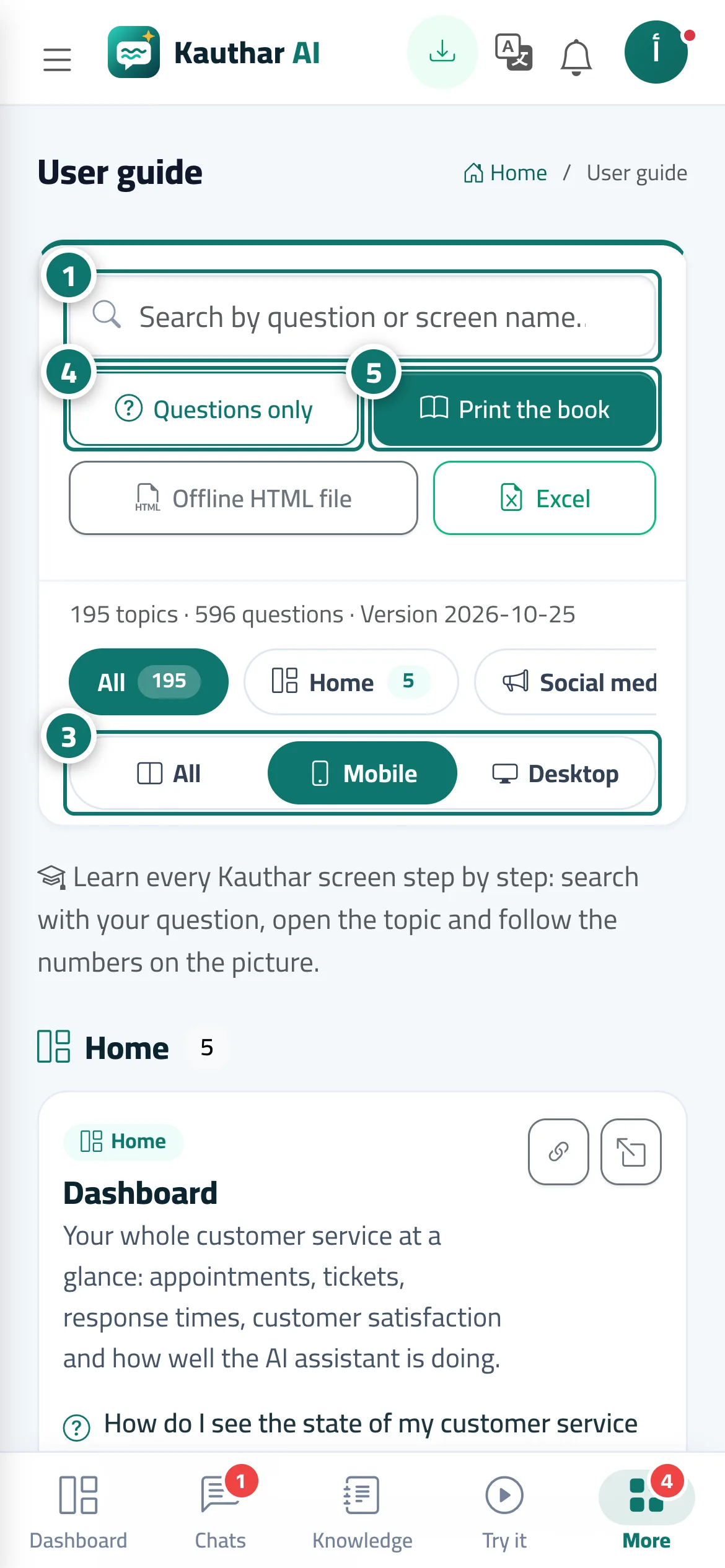
Steps
- Type your question or the screen's name in the search box, and matching topics appear instantly with the words highlighted. Number 1 on the picture
- Tap a section name (such as “Support desk” or “WhatsApp Business”) to show only its topics.
- Under “Screenshots”, choose “All”, “Mobile” or “Desktop” depending on the device you want explained. Number 3 on the picture
- Tap “Questions only” to see the list of questions, then tap any question to open its topic. Number 4 on the picture
- Tap “Print the book” to open the whole guide as A4 pages with a table of contents, then save it as PDF or print it. Number 5 on the picture
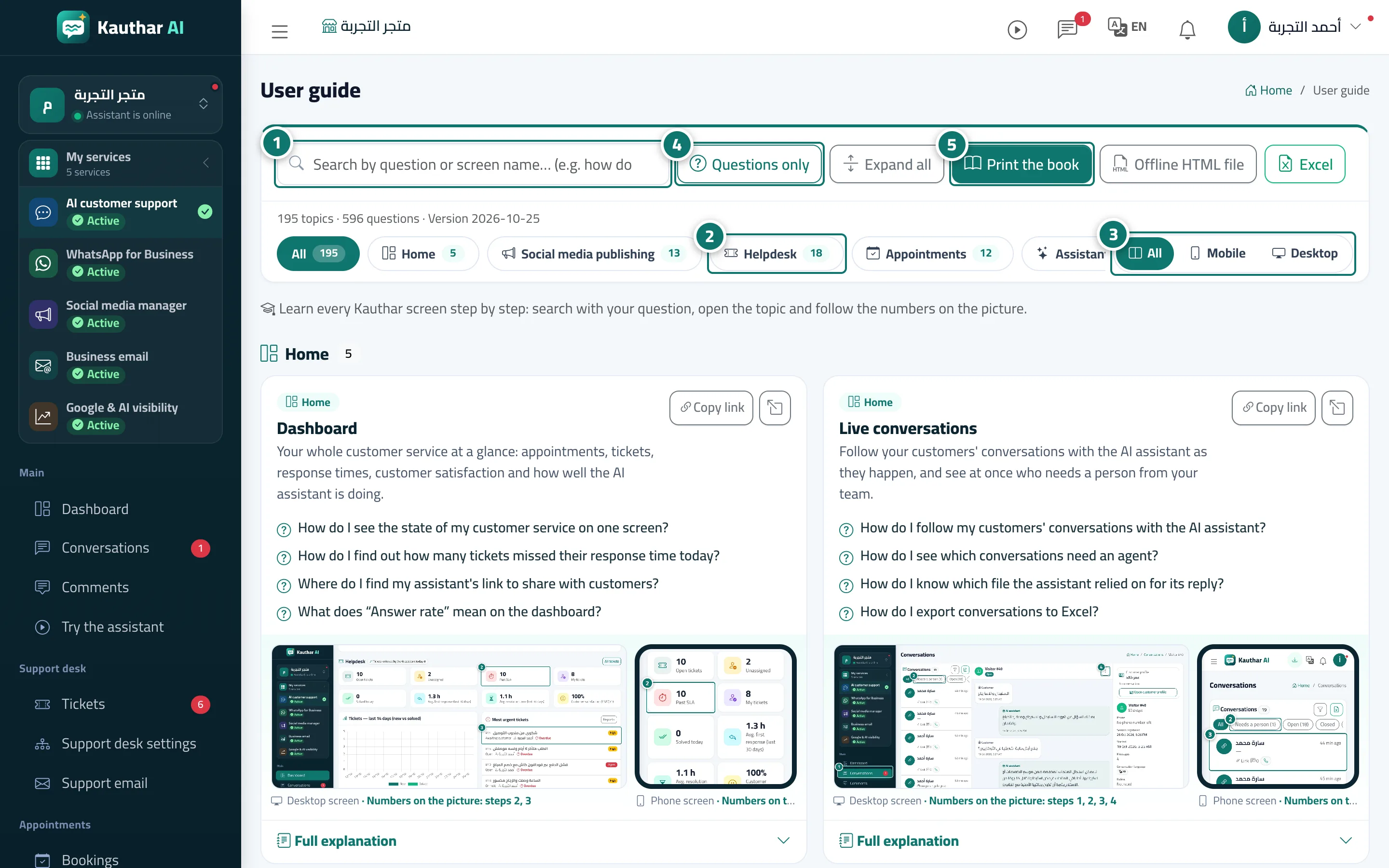
Steps
- Type your question or the screen's name in the search box, and matching topics appear instantly with the words highlighted. Number 1 on the picture
- Tap a section name (such as “Support desk” or “WhatsApp Business”) to show only its topics. Number 2 on the picture
- Under “Screenshots”, choose “All”, “Mobile” or “Desktop” depending on the device you want explained. Number 3 on the picture
- Tap “Questions only” to see the list of questions, then tap any question to open its topic. Number 4 on the picture
- Tap “Print the book” to open the whole guide as A4 pages with a table of contents, then save it as PDF or print it. Number 5 on the picture