
Getting started · Kauthar support inside the dashboard
Where can I ask how to use a feature in Kauthar?
The “Support” page in the sidebar opens a chat with Kauthar herself, who answers any question about the platform instantly and hands you over to our team when needed — without you typing your details.
Who this is for: Owner & manager · Team members
Where: Sidebar → Help & learning → Support
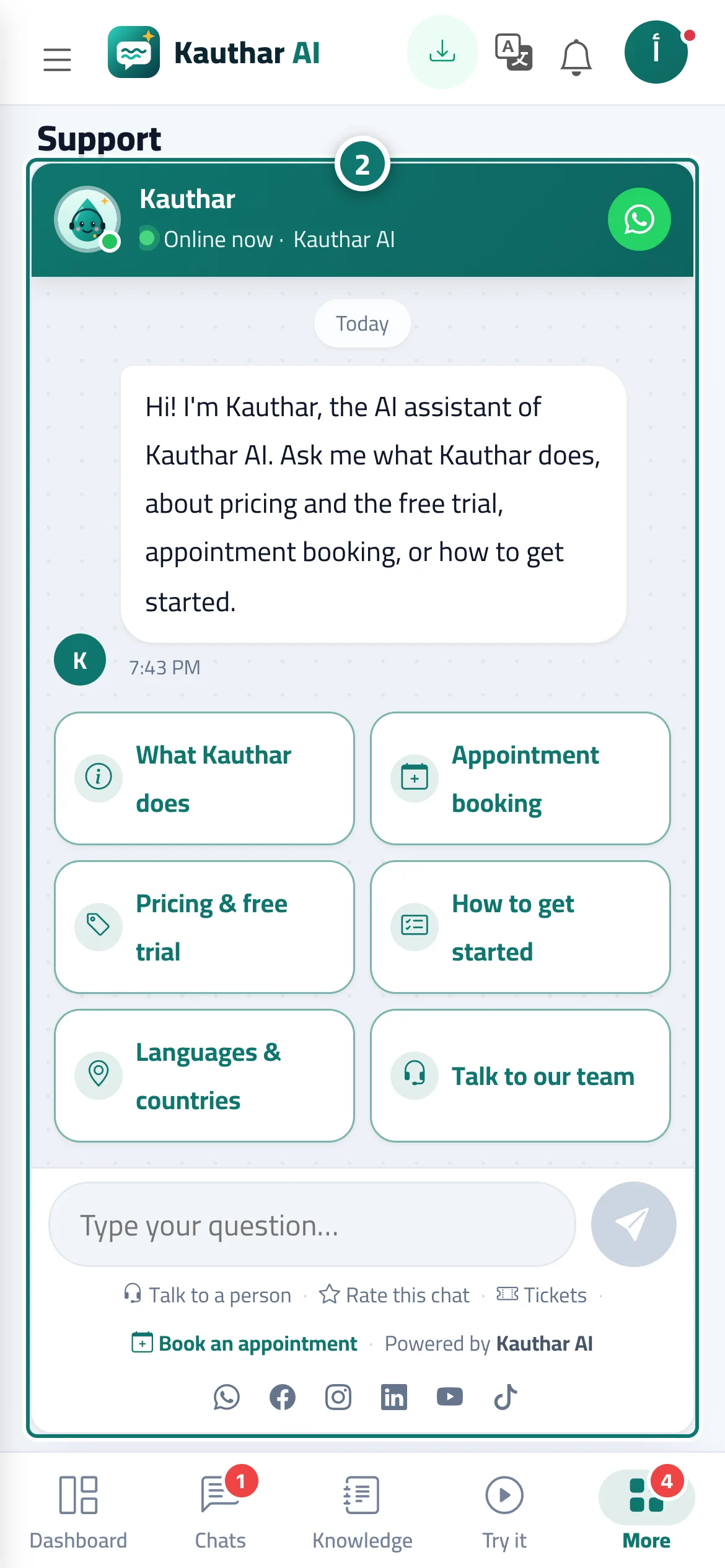
Steps
- Open “Support” from the sidebar (on a phone: “More”, then “Support”).
- Choose one of the ready buttons or type your question in the “Type your question…” box, for example “How do I connect the support mailbox?”. Number 2 on the picture
- To reach a person from the Kauthar team, tap “Talk to our team” or the WhatsApp button at the top of the chat.
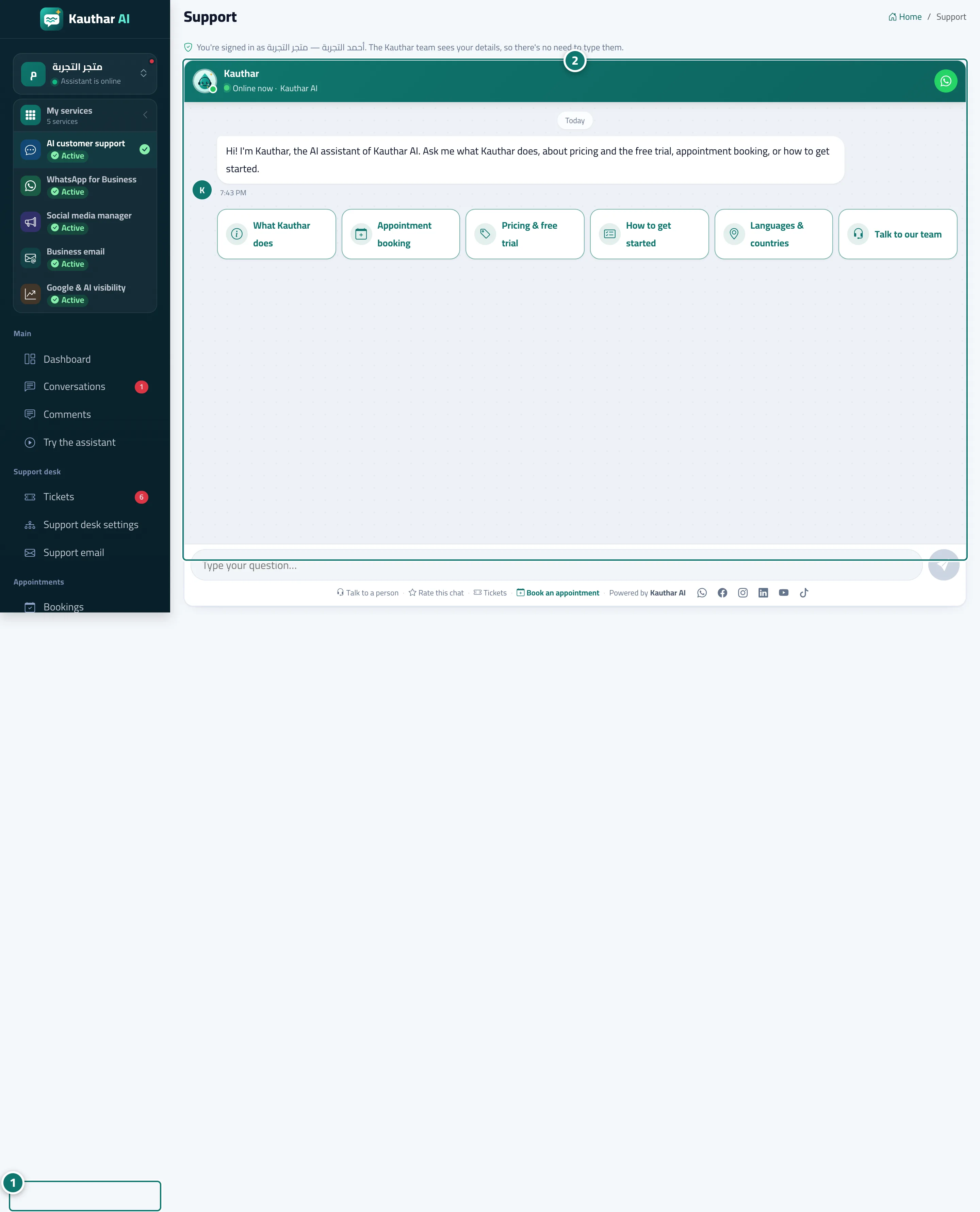
Steps
- Open “Support” from the sidebar (on a phone: “More”, then “Support”). Number 1 on the picture
- Choose one of the ready buttons or type your question in the “Type your question…” box, for example “How do I connect the support mailbox?”. Number 2 on the picture
- To reach a person from the Kauthar team, tap “Talk to our team” or the WhatsApp button at the top of the chat.