
Premiers pas · Start with your number only: create and set up your account on WhatsApp
How do I create my Kauthar account from WhatsApp without filling forms?
Type the mobile number you use on WhatsApp and Kauthar messages you there to create your account and finish the setup in the chat: services, channels, website, files, appointments, then «Try testing me».
Pour qui : Propriétaire et responsable
Où : Kauthar website → «Start with just your number» (or from the sign-up page)
Étapes
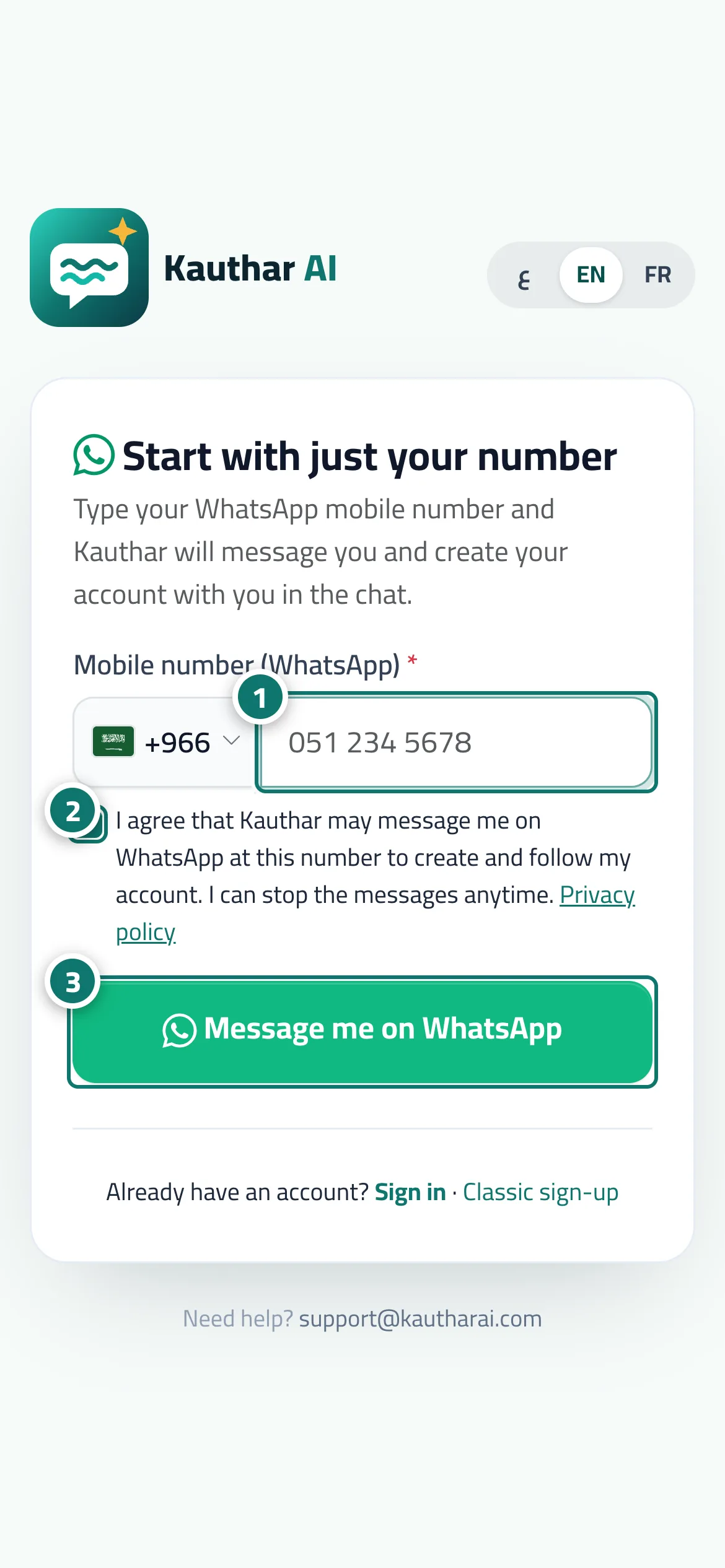
- Choose the country and type your WhatsApp mobile number. Numéro 1 sur l’image
- Agree that Kauthar may message you on WhatsApp on this number. Numéro 2 sur l’image
- Press «Message me on WhatsApp», then answer Kauthar's message in WhatsApp to continue there. Numéro 3 sur l’image
Étapes
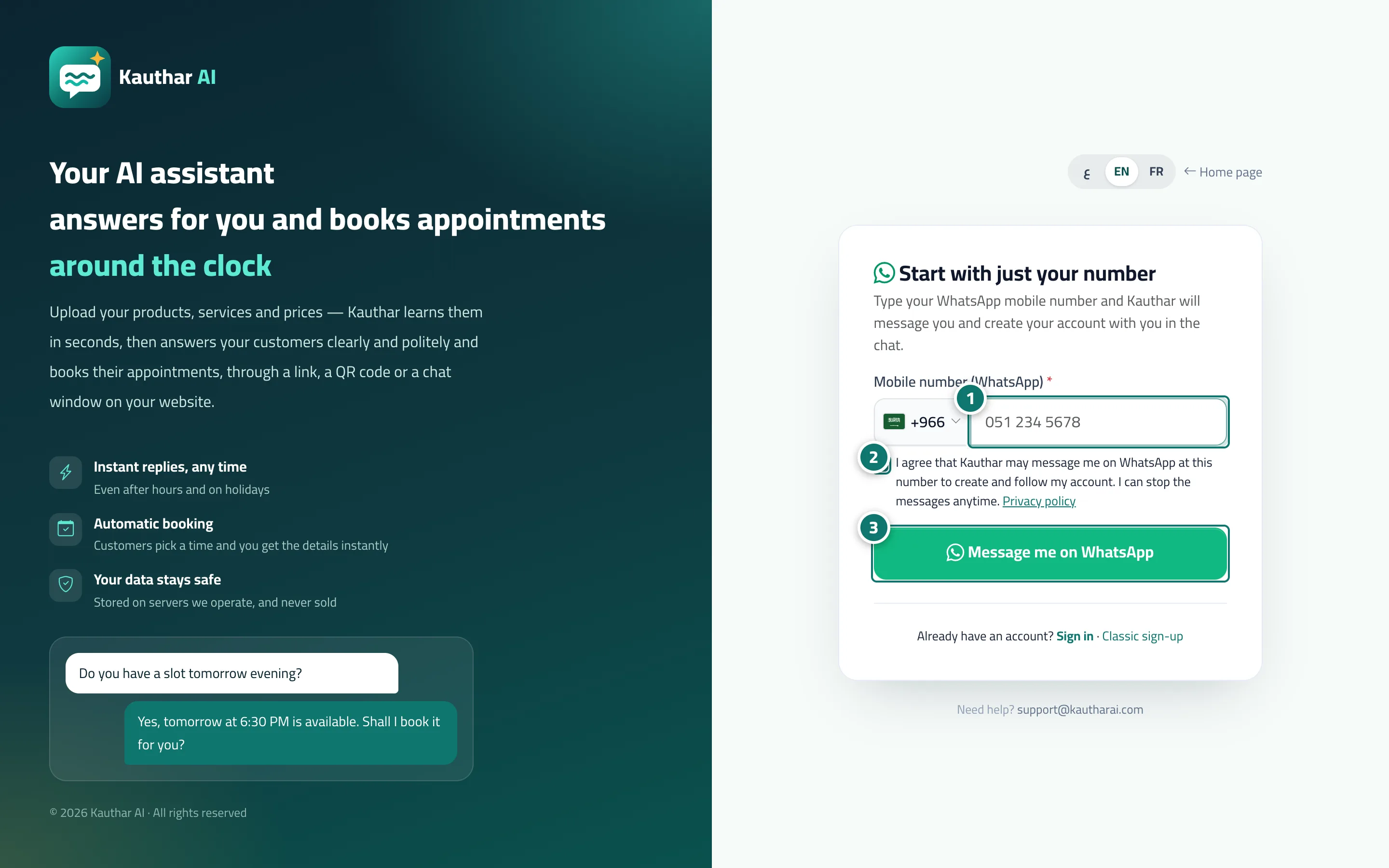
- Choose the country and type your WhatsApp mobile number. Numéro 1 sur l’image
- Agree that Kauthar may message you on WhatsApp on this number. Numéro 2 sur l’image
- Press «Message me on WhatsApp», then answer Kauthar's message in WhatsApp to continue there. Numéro 3 sur l’image