
Premiers pas · Verification code on WhatsApp
How do I get the verification code on WhatsApp?
When you sign up or reset your password, the verification code reaches you on WhatsApp from Kauthar's official number, with a text message (SMS) as a one-tap alternative.
Pour qui : Propriétaire et responsable
Où : Sign-up page «Start your free trial» · «Forgot your password?» page · the «Confirm your mobile number» bar
Étapes
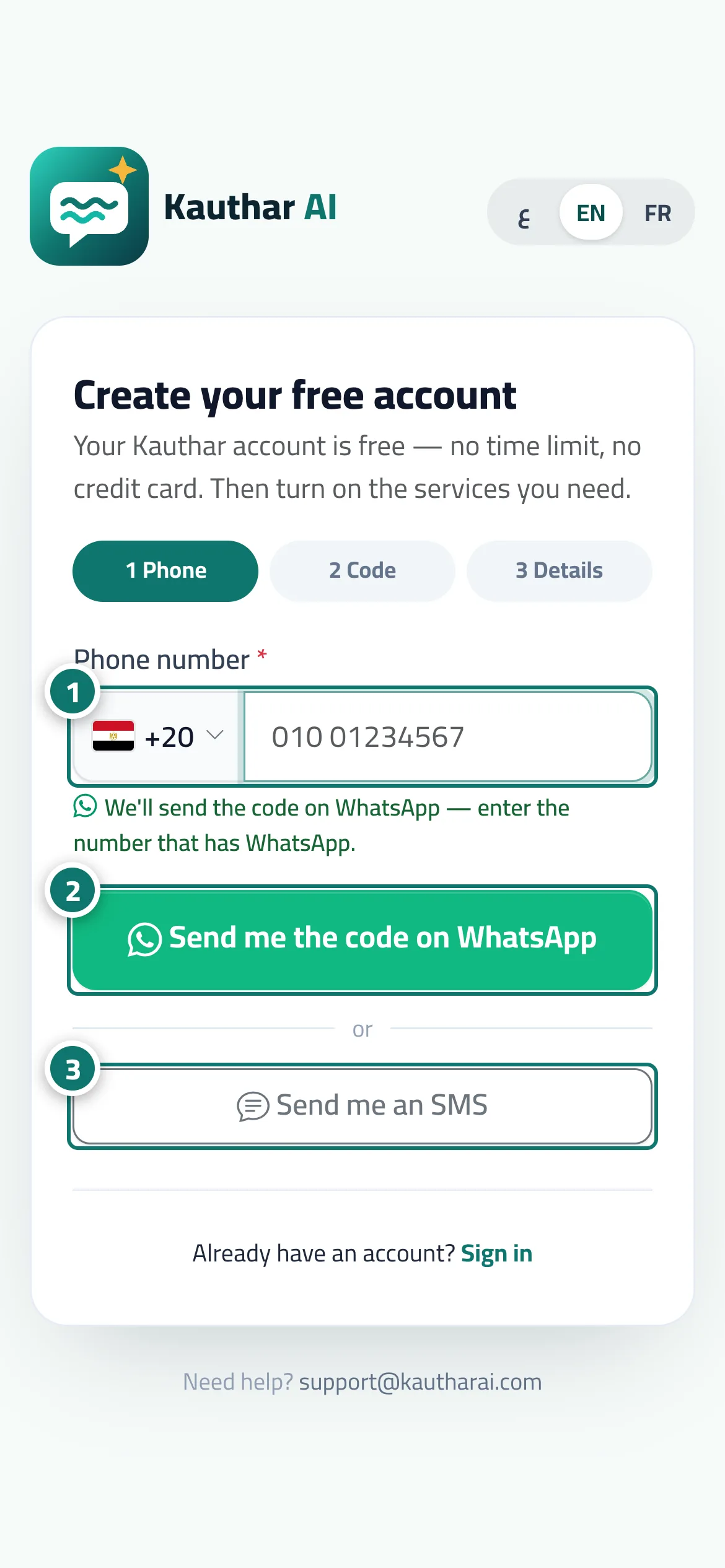
- Choose the country and enter the phone number that has WhatsApp. Numéro 1 sur l’image
- Press «Send me the code on WhatsApp» and open WhatsApp to see the message. Numéro 2 sur l’image
- If the message hasn't arrived within a minute, press «Send me an SMS» (or «Didn't get it? Send me an SMS»). Numéro 3 sur l’image
- Enter the 6-digit code and press «Verify».
Étapes
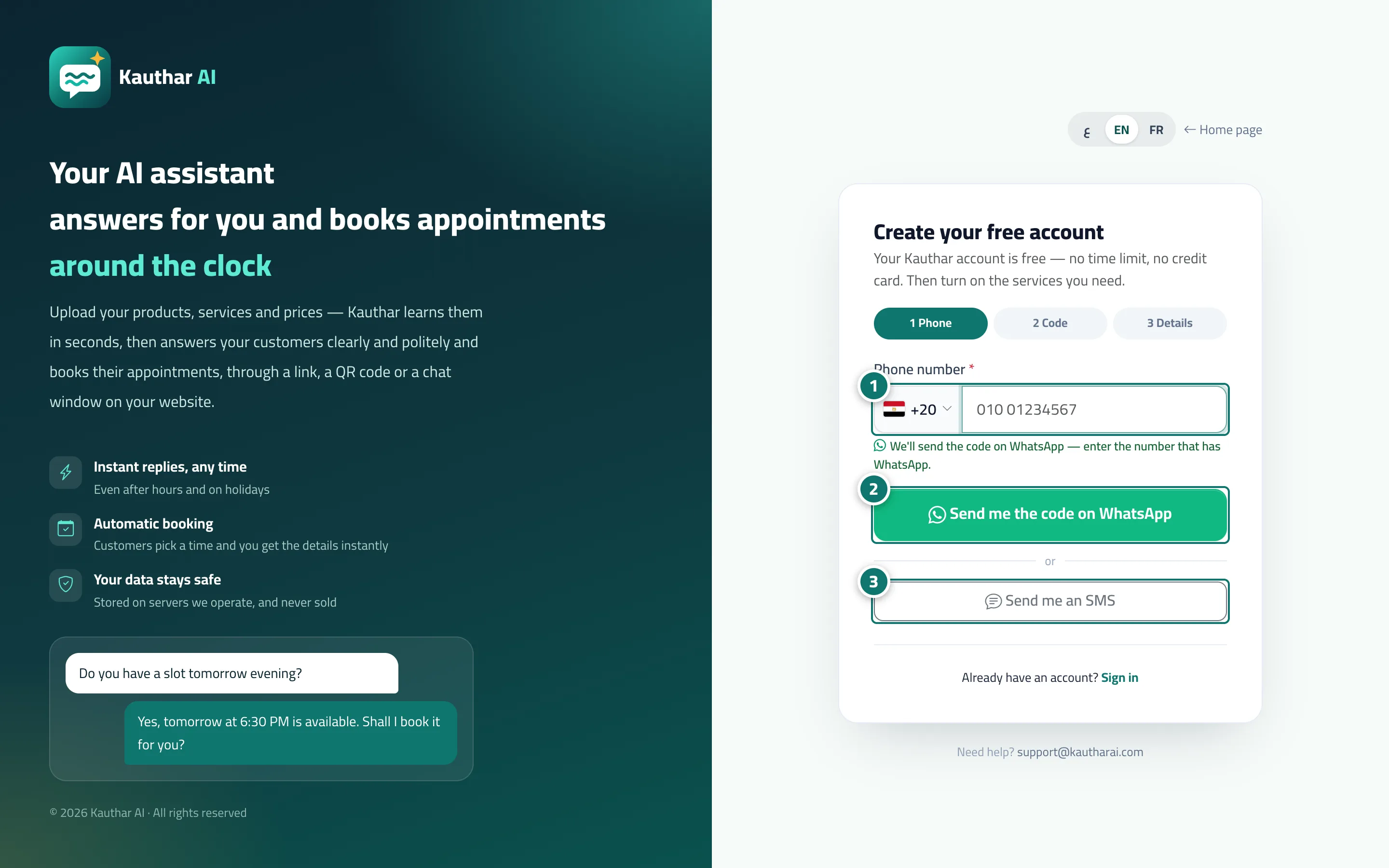
- Choose the country and enter the phone number that has WhatsApp. Numéro 1 sur l’image
- Press «Send me the code on WhatsApp» and open WhatsApp to see the message. Numéro 2 sur l’image
- If the message hasn't arrived within a minute, press «Send me an SMS» (or «Didn't get it? Send me an SMS»). Numéro 3 sur l’image
- Enter the 6-digit code and press «Verify».