
SEO et visibilité IA · Publish an article yourself on a site that can't publish automatically
How do I publish an article Kauthar wrote on my site myself?
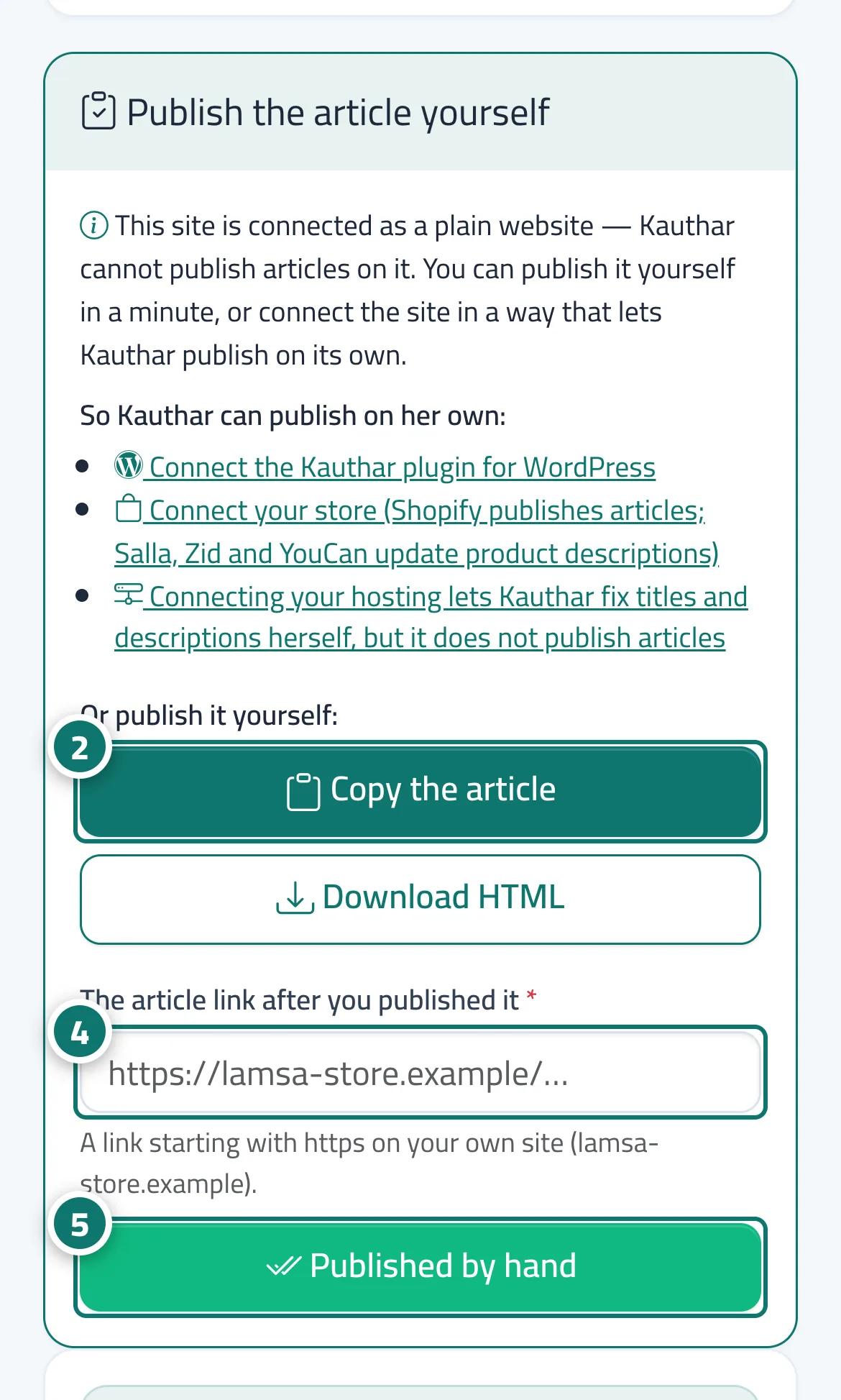
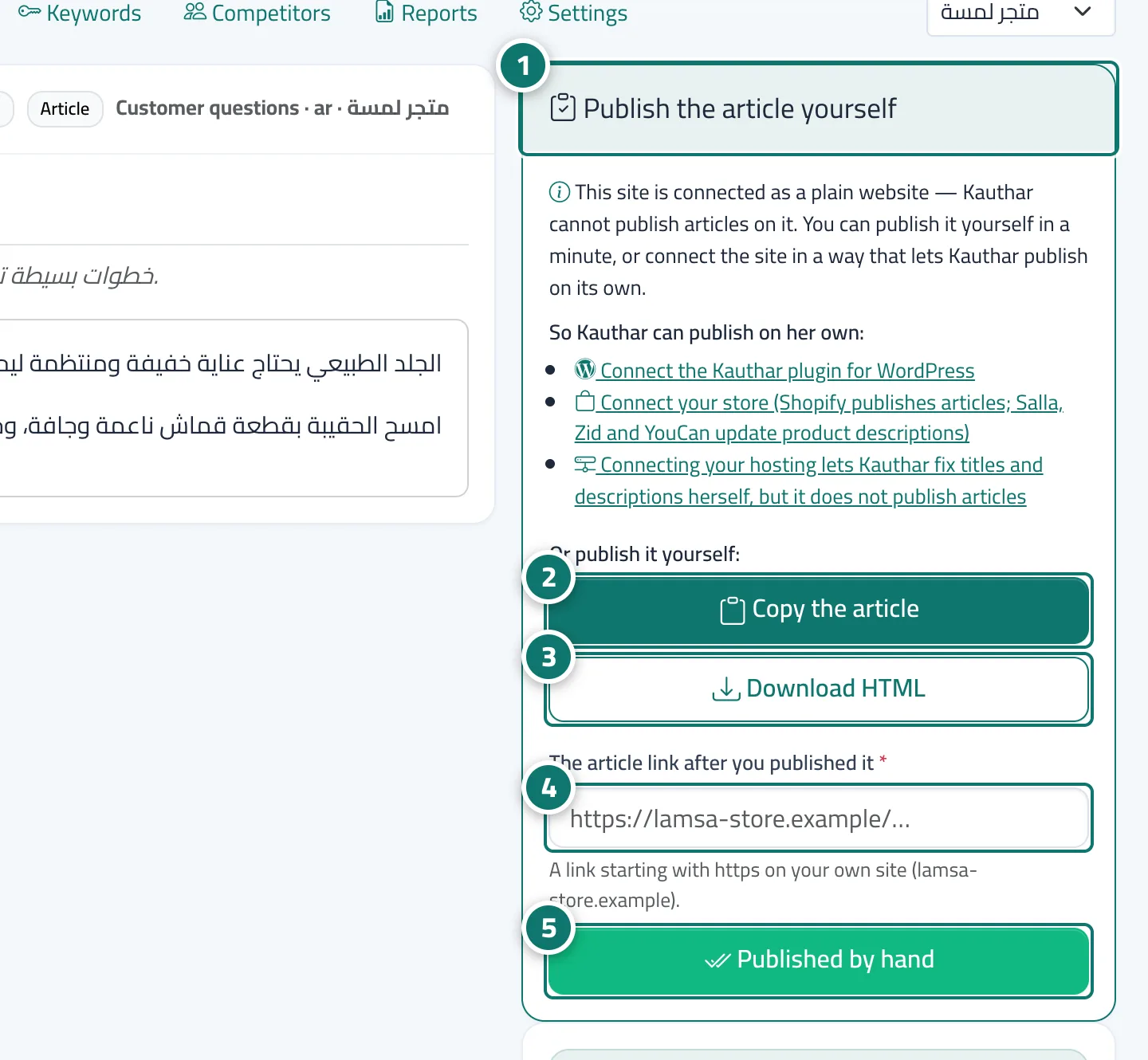
On a plain website Kauthar cannot publish articles, so the article reaches you «Ready to publish by hand»: copy it or download it as HTML, publish it on your site in a minute, then paste its link and click «Published by hand».
Pour qui : Propriétaire et responsable
Où : Google & AI visibility → Content → «Approved» tab → the article (badge «Ready to publish by hand»)
Étapes
- Open the article marked «Ready to publish by hand»; the «Publish the article yourself» card appears.
- Click «Copy the article» and paste it into your site editor. Numéro 2 sur l’image
- Or click «Download HTML» to get a complete page you can upload or hand to whoever manages your site.
- Once published, paste the article's link in «The article link after you published it». Numéro 4 sur l’image
- Click «Published by hand»; the article turns «Published». Numéro 5 sur l’image
Étapes
- Open the article marked «Ready to publish by hand»; the «Publish the article yourself» card appears. Numéro 1 sur l’image
- Click «Copy the article» and paste it into your site editor. Numéro 2 sur l’image
- Or click «Download HTML» to get a complete page you can upload or hand to whoever manages your site. Numéro 3 sur l’image
- Once published, paste the article's link in «The article link after you published it». Numéro 4 sur l’image
- Click «Published by hand»; the article turns «Published». Numéro 5 sur l’image