
Réseaux sociaux · Month plan: a whole month of drafts at smart times
How do I prepare a whole month of posts at once?
Pick the month, the number of posts, the goal mix, the channels and the share of videos — Kauthar prepares the whole month’s drafts from your information, with no repeated ideas and suggested times. Nothing is published before you approve.
Pour qui : Propriétaire et responsable · Membres de l'équipe
Où : Sidebar → Social media publishing → Post studio → “Month plan”
Étapes
- Open the “Month plan” tab.
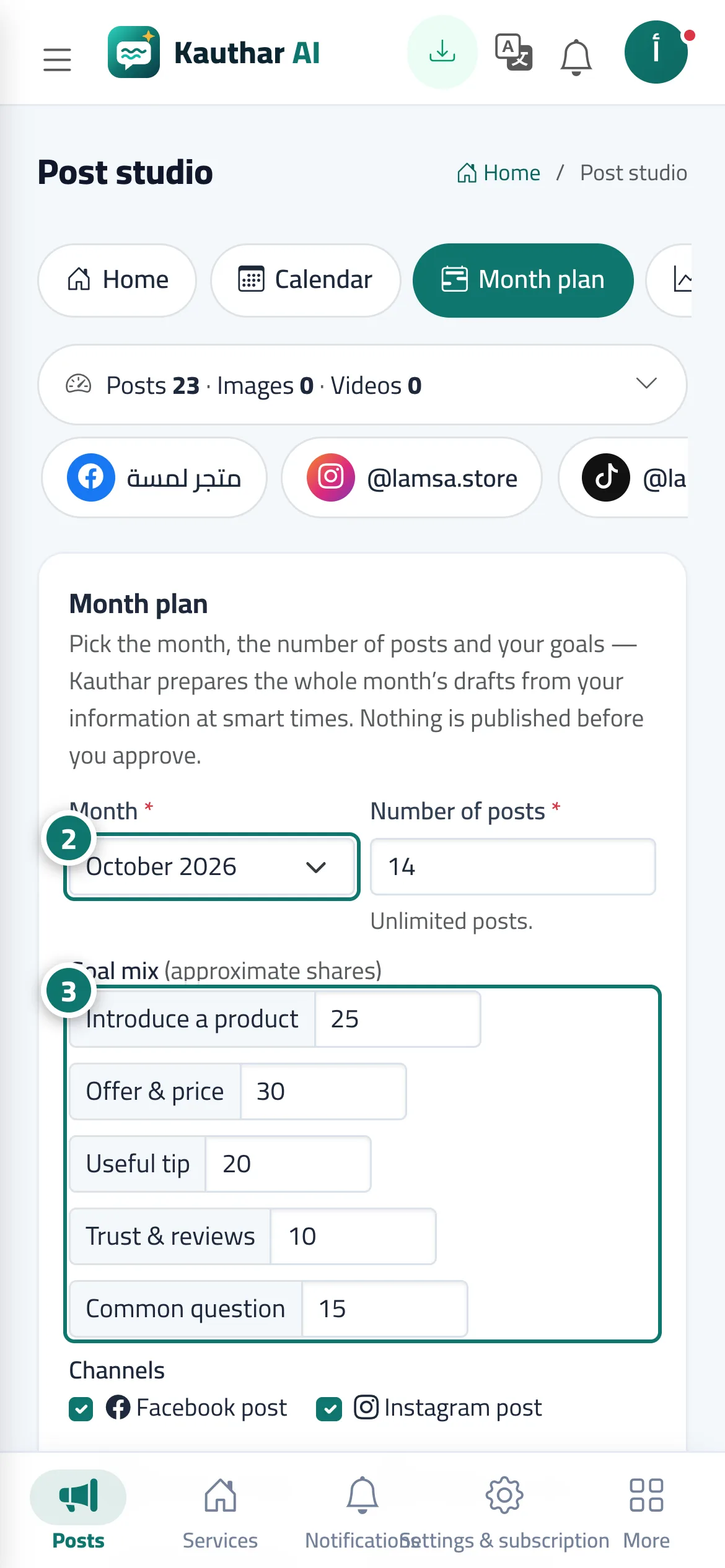
- Choose the “Month” and the “Number of posts”. Numéro 2 sur l’image
- Set the “Goal mix” and choose the “Channels”. Numéro 3 sur l’image
- Move the “Share of videos” slider if your plan includes video.
- Check “Before you start” and its warnings.
- Press “Prepare the month plan”, then review the drafts in the “Calendar” and approve them from the list below it.
Étapes
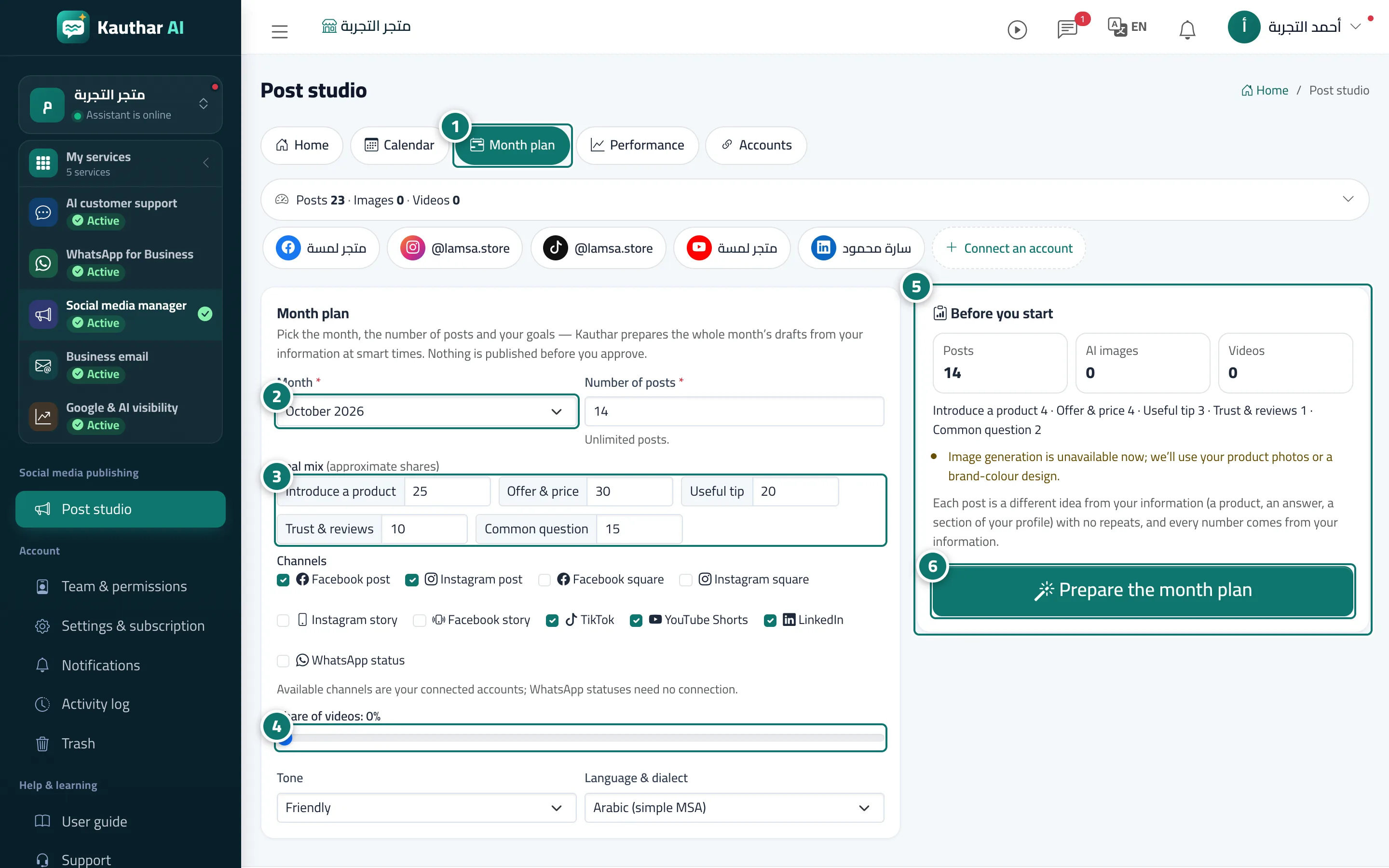
- Open the “Month plan” tab. Numéro 1 sur l’image
- Choose the “Month” and the “Number of posts”. Numéro 2 sur l’image
- Set the “Goal mix” and choose the “Channels”. Numéro 3 sur l’image
- Move the “Share of videos” slider if your plan includes video. Numéro 4 sur l’image
- Check “Before you start” and its warnings. Numéro 5 sur l’image
- Press “Prepare the month plan”, then review the drafts in the “Calendar” and approve them from the list below it. Numéro 6 sur l’image