
Réseaux sociaux · Publishing result per platform and retrying
How do I know whether a post went out on every platform?
After publishing you can see where the post went out, where it failed and why — and retry only the platforms that failed, without repeating what was published.
Pour qui : Propriétaire et responsable · Membres de l'équipe
Où : Sidebar → Social media publishing → Post studio → “Calendar” → the failed post
Étapes
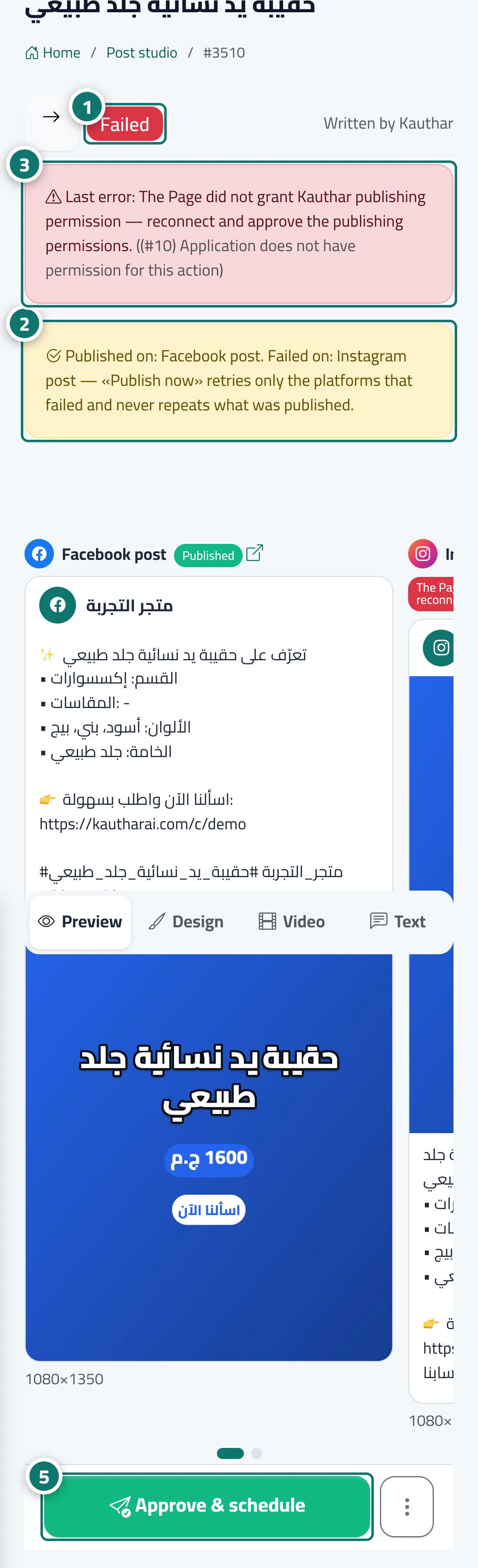
- Check the post’s status at the top of the page. Numéro 1 sur l’image
- Read the partial-success message to see which platforms it went out on and which failed. Numéro 2 sur l’image
- Read the “Last error” and fix its cause (usually by reconnecting the account in the “Accounts” tab). Numéro 3 sur l’image
- Check each platform’s result next to its name in “Preview”.
- Press “Approve & schedule”, then “Approve & publish now” to retry only the platforms that failed. Numéro 5 sur l’image
Étapes
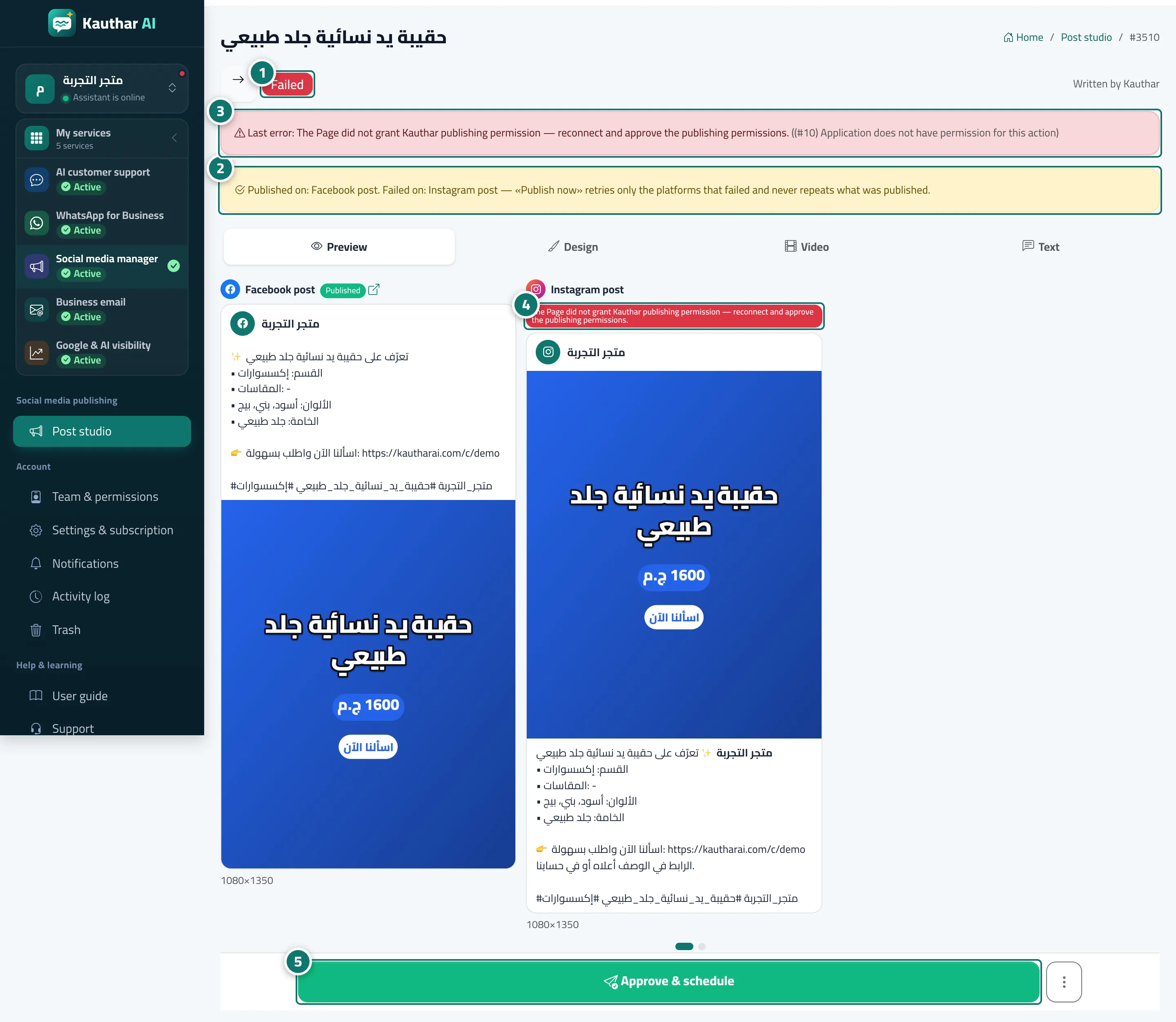
- Check the post’s status at the top of the page. Numéro 1 sur l’image
- Read the partial-success message to see which platforms it went out on and which failed. Numéro 2 sur l’image
- Read the “Last error” and fix its cause (usually by reconnecting the account in the “Accounts” tab). Numéro 3 sur l’image
- Check each platform’s result next to its name in “Preview”. Numéro 4 sur l’image
- Press “Approve & schedule”, then “Approve & publish now” to retry only the platforms that failed. Numéro 5 sur l’image