
Équipe et sécurité · Activity log
How do I find out who deleted or edited a particular record?
Who did what, when and from which device: every addition, edit, deletion and sign-in is recorded, with a before-and-after comparison.
Pour qui : Propriétaire et responsable
Où : Sidebar → Account → Activity log
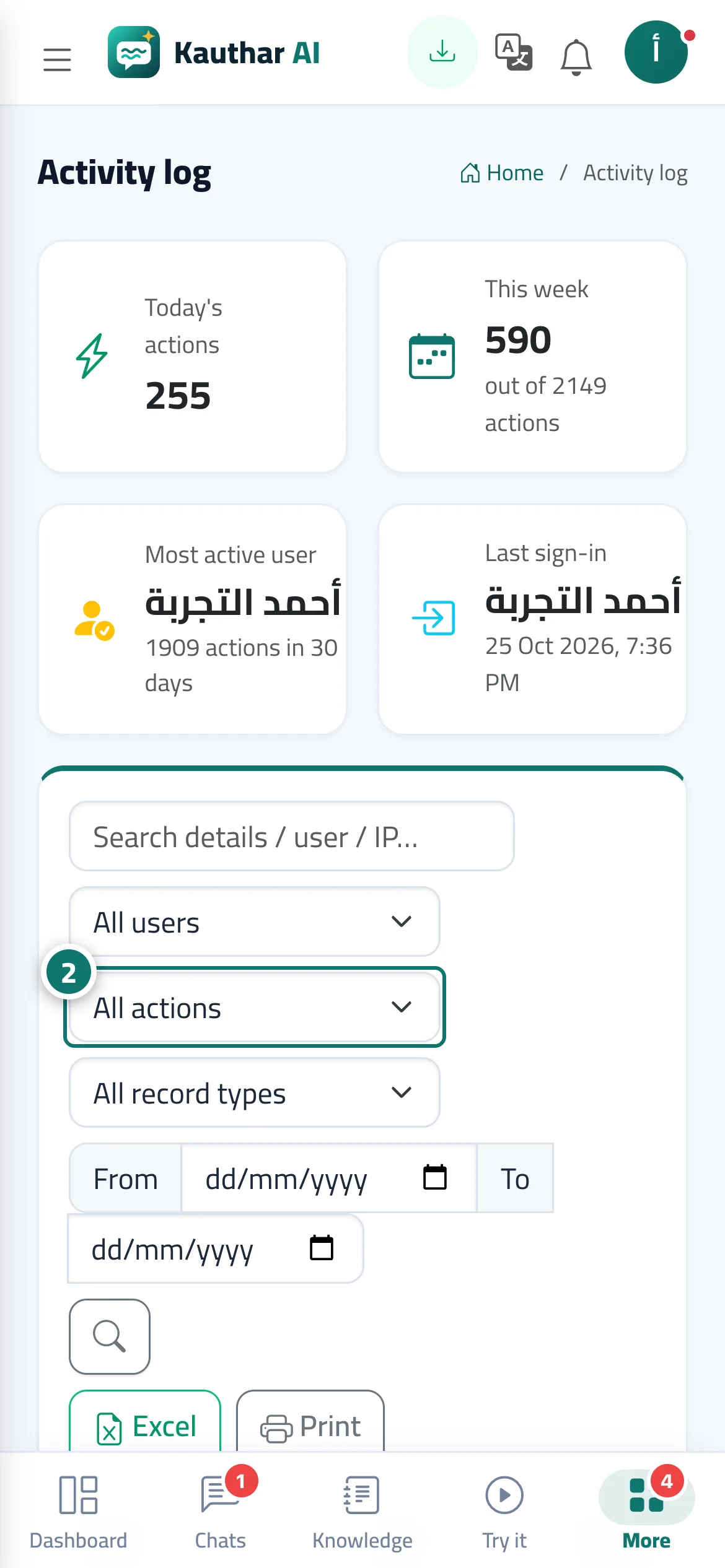
Étapes
- Open «Activity log».
- Filter with «All users», «All actions», «All record types» or by date. Numéro 2 sur l’image
- Press the eye icon on a row to see the details, or use «Excel» or «Print».
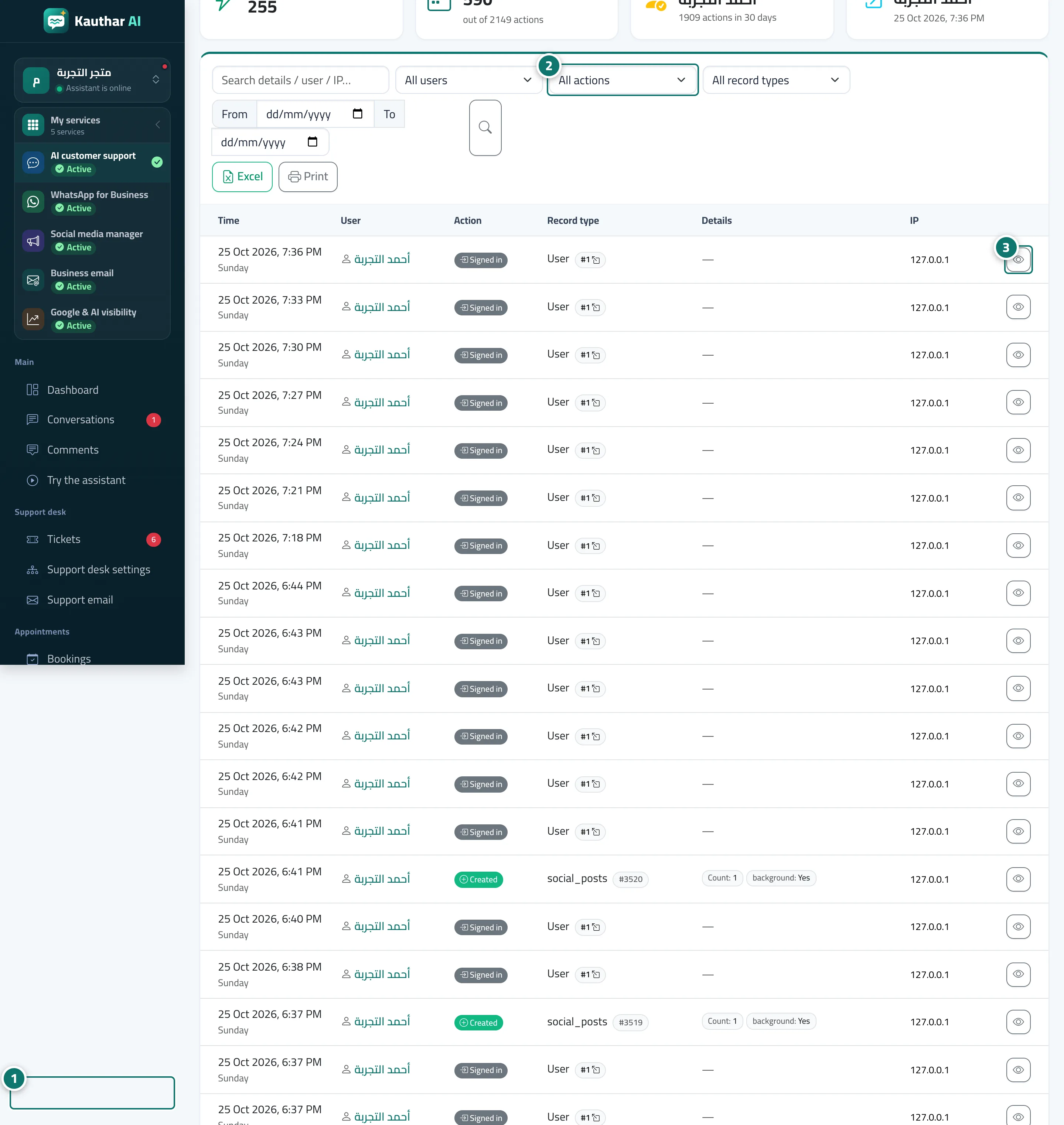
Étapes
- Open «Activity log». Numéro 1 sur l’image
- Filter with «All users», «All actions», «All record types» or by date. Numéro 2 sur l’image
- Press the eye icon on a row to see the details, or use «Excel» or «Print». Numéro 3 sur l’image