
Équipe et sécurité · Trash
I deleted a ticket or a file by mistake. How do I get it back?
Nothing is lost by mistake: any deleted item can be restored in one click.
Pour qui : Propriétaire et responsable
Où : Sidebar → Account → Trash
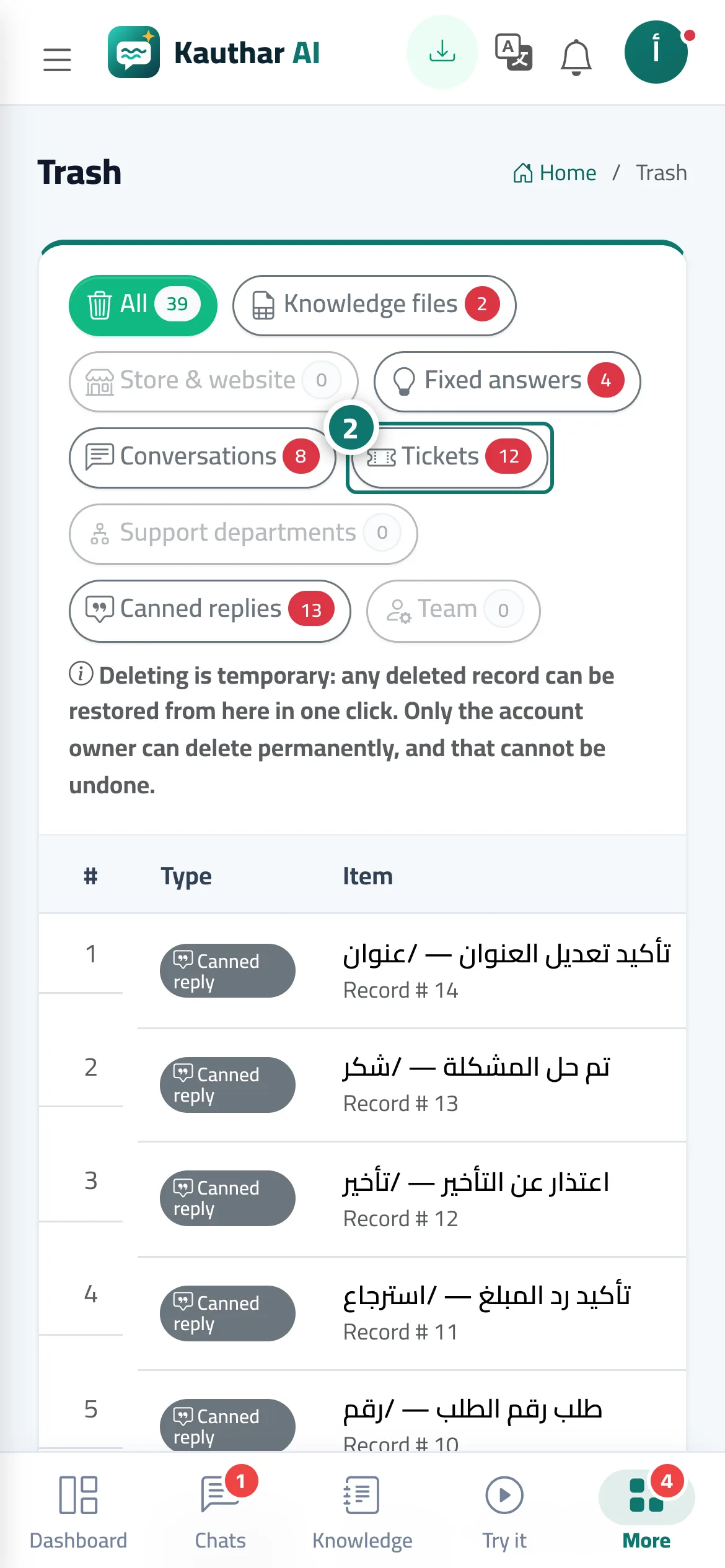
Étapes
- Open «Trash».
- Choose the type from the buttons at the top (All, knowledge files, tickets…). Numéro 2 sur l’image
- Press «Restore» next to the item and confirm.
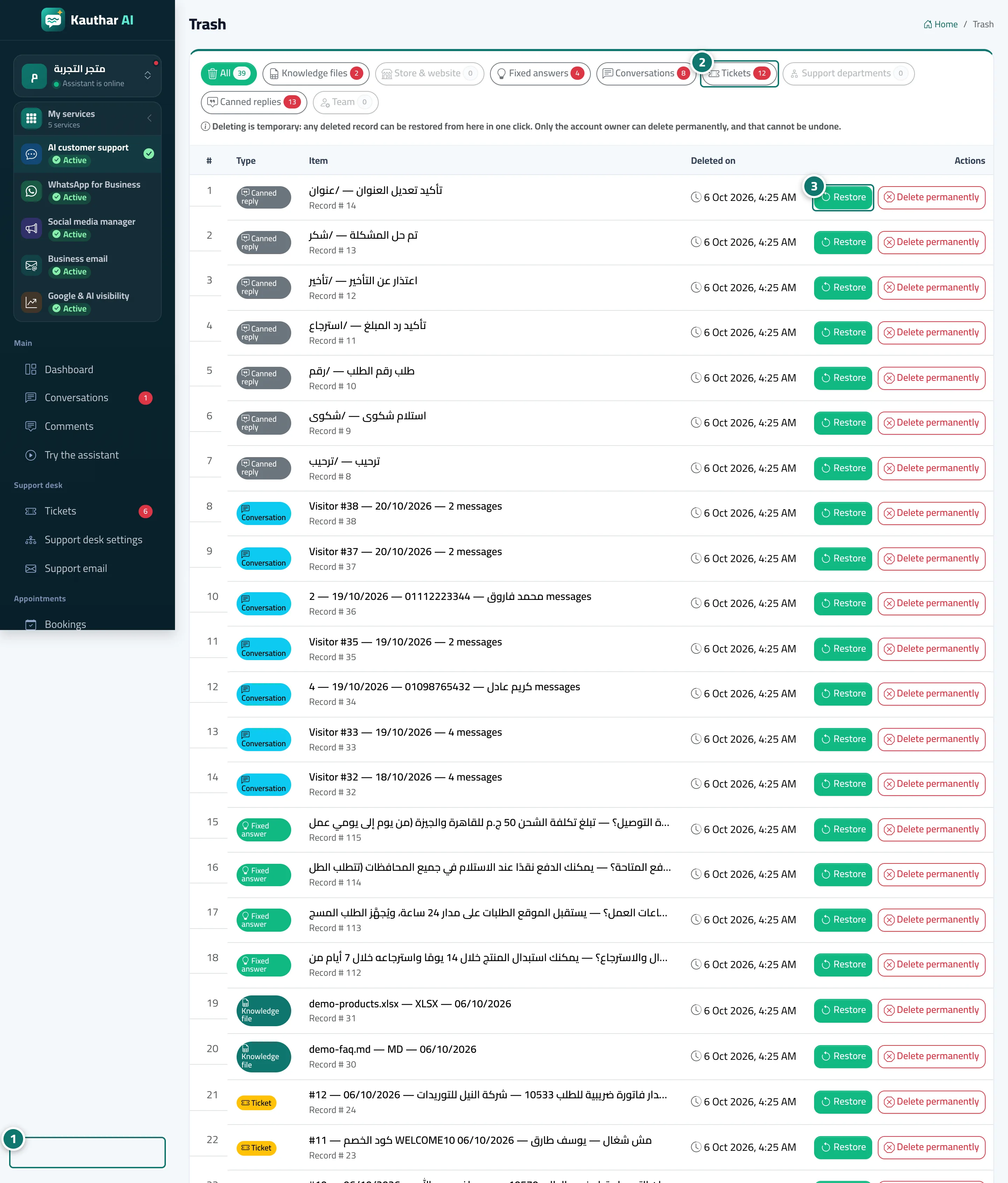
Étapes
- Open «Trash». Numéro 1 sur l’image
- Choose the type from the buttons at the top (All, knowledge files, tickets…). Numéro 2 sur l’image
- Press «Restore» next to the item and confirm. Numéro 3 sur l’image